Skyboxer Fix
🟠 Updated over a year ago⚠️ Install Order · 1 step
Install in this order, then this mod last — most mods fail to load without their framework and dependencies in place.
Preview
🔍 Analysis
- 👍 4.1% endorsement rate — high engagement, a strong quality signal
- 🏆 #26 of 41 Utilities mods in this game by downloads
📋 About This Mod
WHAT IS THIS MOD?
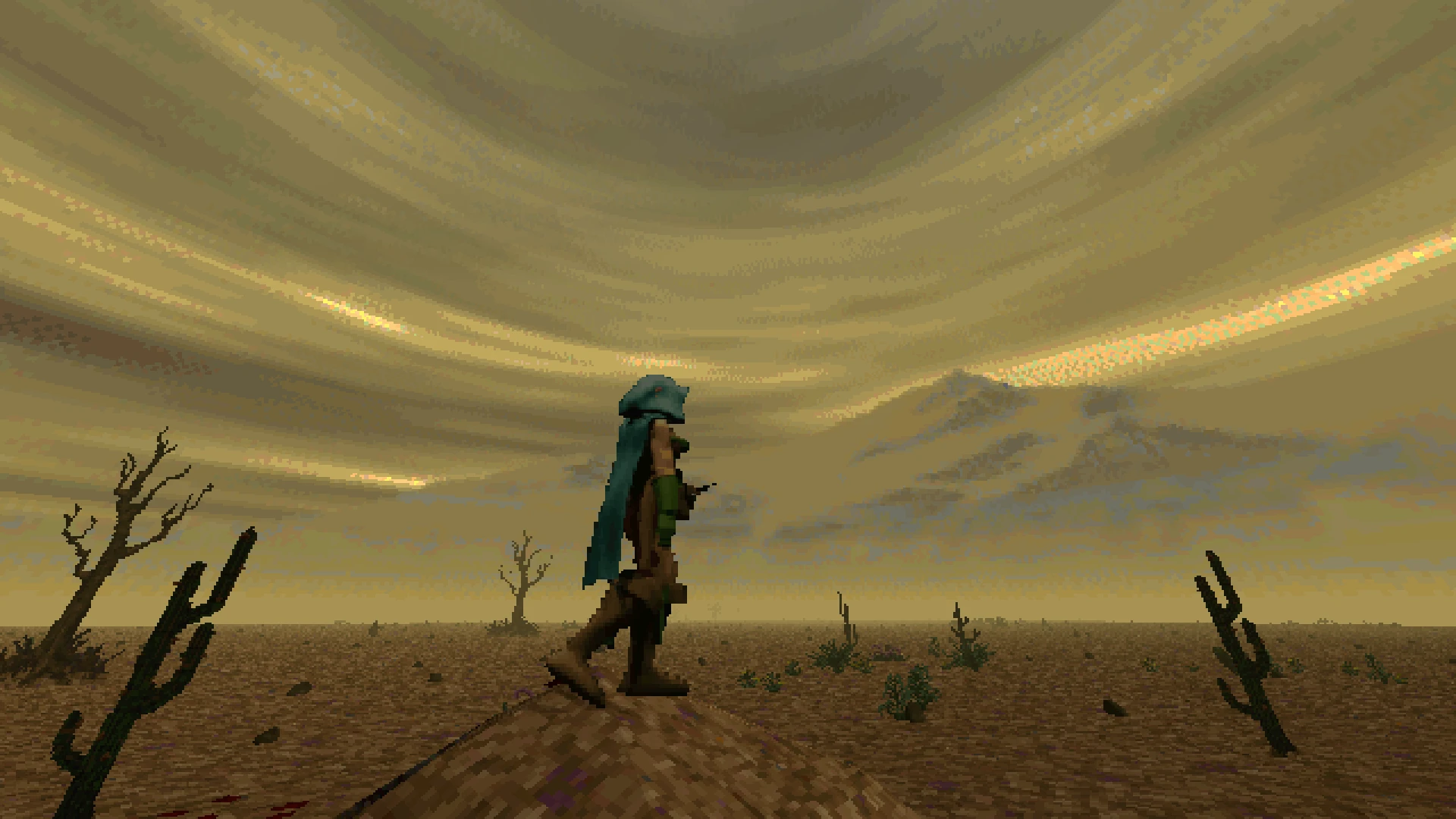
This mod fixes an issue with Skyboxer where the sky and ground become misaligned if your Field-of-View is set to anything other than 60. Optionally, it also includes a "Continuous Update Mode" setting that provides Skyboxer compatibility with any mods that change the FOV mid-game.
WHAT DOES IT DO?
In short, it simply sets the Sky camera's FOV to the same value as the Player camera at the beginning of the game. That's usually enough for general use with Skyboxer, but some mods also change the Player camera's FOV during gameplay (eg, Telescope, Zoom, etc) so there is an optional setting that continually matches the two cameras' FOV values when they differ, allowing compatibility between Skyboxer and those types of mods.
USAGE:
-
[]Install Skyboxer by JohnDoom and carademono
[
]Put the Skyboxer Fix DFMOD inside your StreamingAssets/Mods folder[]Make sure both mods are enabled inside your load order
[]It Just Works
- OPTIONAL: If you have any mods that change the camera's FOV mid-game, go to Skyboxer Fix's Mod Settings and set the Update Mode to Continuous.
ACKNOWLEDGEMENTS
Much thanks to JohnDoom and carademono for their work on Skyboxer. I consider it indispensable to maintaining the aesthetic of Daggerfall while fixing the issues with the vanilla implementation.
Skyboxer Fix is a small utility mod that removes the FOV restriction in Skyboxer, allowing it to work at values above 60. It requires the original Skyboxer mod and is aimed at players who want to use higher FOV settings. With 50 endorsements and recent updates, it's a niche but functional fix.
✨ Key Features
📊 Pros & Cons
✅ Pros
- Solves a specific problem for high-FOV players (50 endorsements show it's appreciated).
- Tiny mod, no bloat—just does one job.
- Recently updated, so likely compatible with current Skyboxer versions.
⚠️ Cons
- Requires Skyboxer, so it's useless without the base mod.
- Only addresses FOV above 60—if you play at 60 or below, you don't need this.
For Skyboxer users who crank their FOV above 60 and hit the cap. If you're a high-FOV player, this is a must-have. Skip if you never go above 60 or don't use Skyboxer.
💡 Beginner Tips
- Make sure Skyboxer is installed and working before adding this fix.
- If you're using a mod manager, drop the file into the same folder as Skyboxer.
- Test your FOV settings in-game to confirm the fix takes effect.
📊 Mod Details
- Game
- Daggerfallunity Mods
- Author
- RedRoryOTheGlen
- Version
- 1.0.1
- Downloads
- 1,221
- Endorsements
- 50
- Category
- Utilities
- Created
- 4/27/2025
- Updated
- 5/8/2025
🧩 Commonly Used Together
Users add these mods to the same collections — a real compatibility signal, not an AI guess.
🔧 How to Install Daggerfall Unity Mods
Download from Nexus Mods.
📖 Full step-by-step install guide for Daggerfall Unity →
Visit the official mod page for specific installation instructions for this mod.
🎮 Need cheat codes or console commands? Check ur gaming wiki for Daggerfall Unity commands, item IDs, and more.
Keep browsing — more Daggerfall Unity mods await