Hot Key HUD
🟡 Updated this yearPreview
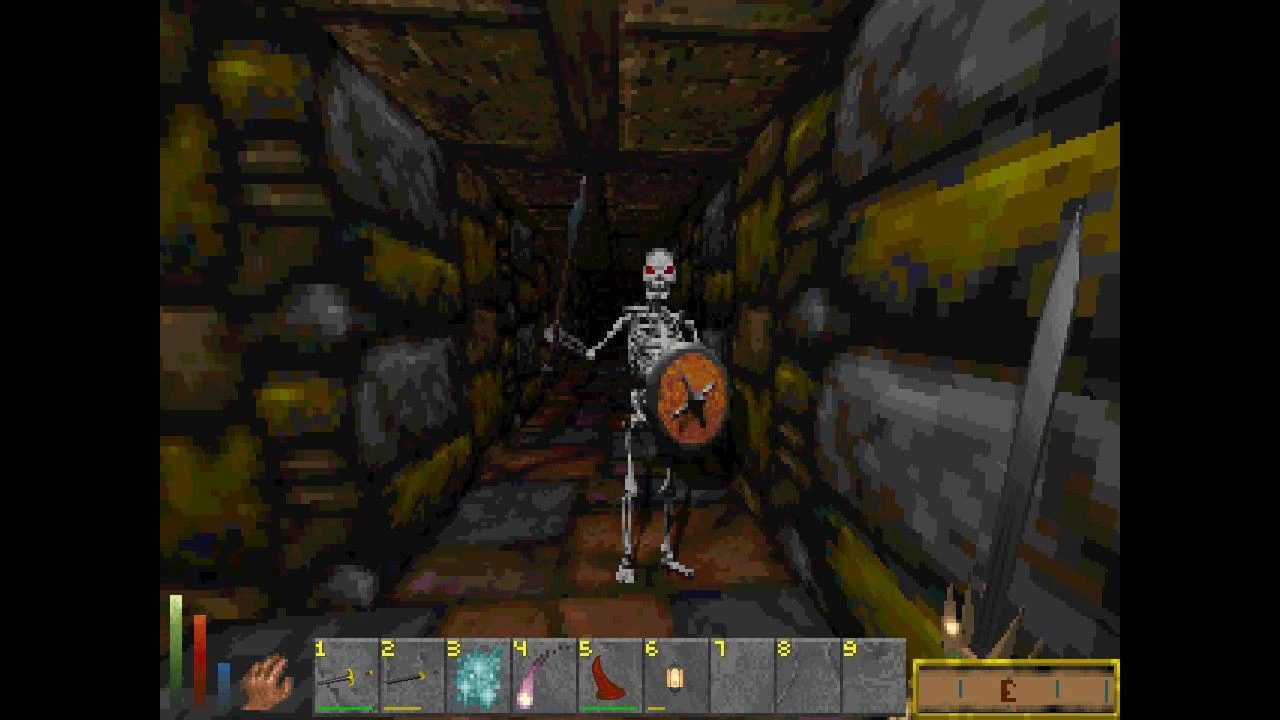
🔍 Analysis
- 👍 1.5% endorsement rate — high engagement, a strong quality signal
- 🏆 #23 of 142 User Interface mods in this game by downloads
📋 About This Mod
Hot Key HUD
Description:
Bind your favorite items and spells to a key with a classic-style UI. Persists hotkeys on game save/load. Includes an option to disable the HUD element.
Instructions:
Setup:
If you have a mod installed that overrides the inventory and/or spellbook menu:
1. Go to the mod settings and uncheck "Override Menus".
2. Set a key you would like to use to open the alternate keying interface (default 0). Valid key codes are listed here.
Usage:
If you have "Override Menus" checked:
1. In either your inventory or spellbook menu, hold down a key on your number row. A numbered grid should now be visible on the top-right.
2. Left-click an item or spell to bind it to a numerical key.
3. Repeat steps 1 and 2 for the same item/spell to toggle the hotkey back to clear.
4. If an equippable item has an on-use enchantment, you will be prompted to either key the item as a Useable or Equippable. Select "Yes" to key it as a useable magic item. Select "No" to key it for equipping/unequipping.
If you have "Override Menus" unchecked:
1. Press the assigned button for hotkey setup (0 by default).
2. Select a hotkey slot and then select either an item or spell to key to that slot.
3. Repeat steps 1 and 2 for the same item/spell to clear the slot.
4. If an equippable item has an on-use enchantment, you will be prompted to either key the item as a Useable or Equippable. Select "Yes" to key it as a useable magic item. Select "No" to key it for equipping/unequipping.
Hot Key HUD is a compact UI mod for Daggerfall Unity that adds a hotkey menu styled to match the game's aesthetic. With 235 endorsements and over 15,000 downloads, it's a community-approved quality-of-life addition for players who want quick access to hotkeys without breaking immersion.
✨ Key Features
📊 Pros & Cons
✅ Pros
- Community-approved with 235 endorsements and 15k+ downloads.
- Visual style matches the game, so it won't break immersion.
- Simple UI mod that does exactly what it says.
⚠️ Cons
- Only adds a hotkey menu—no other UI improvements.
- May conflict with other UI overhaul mods that alter the same interface.
- Last updated in May 2026, so it might not be compatible with future Daggerfall Unity versions.
For Daggerfall Unity players who want a quick-access hotkey menu that fits the game's retro look. If you're a purist who avoids UI mods, this is still subtle enough to consider. Skip if you're looking for a full UI overhaul—this is a single-purpose tool.
💡 Beginner Tips
- Place the mod files in your Daggerfall Unity Mods folder, then enable it in the mod launcher.
- If you use other UI mods, load Hot Key HUD after them to ensure proper layering.
- Test the hotkey menu in a safe save to see if it conflicts with your current setup.
📊 Mod Details
- Game
- Daggerfallunity Mods
- Author
- numidium3rd
- Version
- 2.2.17
- Downloads
- 15,359
- Endorsements
- 235
- Category
- User Interface
- Created
- 7/12/2022
- Updated
- 5/31/2026
🧩 Commonly Used Together
Users add these mods to the same collections — a real compatibility signal, not an AI guess.
🔧 How to Install Daggerfall Unity Mods
Download from Nexus Mods.
📖 Full step-by-step install guide for Daggerfall Unity →
Visit the official mod page for specific installation instructions for this mod.
🎮 Need cheat codes or console commands? Check ur gaming wiki for Daggerfall Unity commands, item IDs, and more.
Keep browsing — more Daggerfall Unity mods await