Future Shock Weapons
🟡 Updated this yearPreview
🔍 Analysis
- 👍 2.7% endorsement rate — high engagement, a strong quality signal
- 🏆 #6 of 8 Weapons mods in this game by downloads
📋 About This Mod
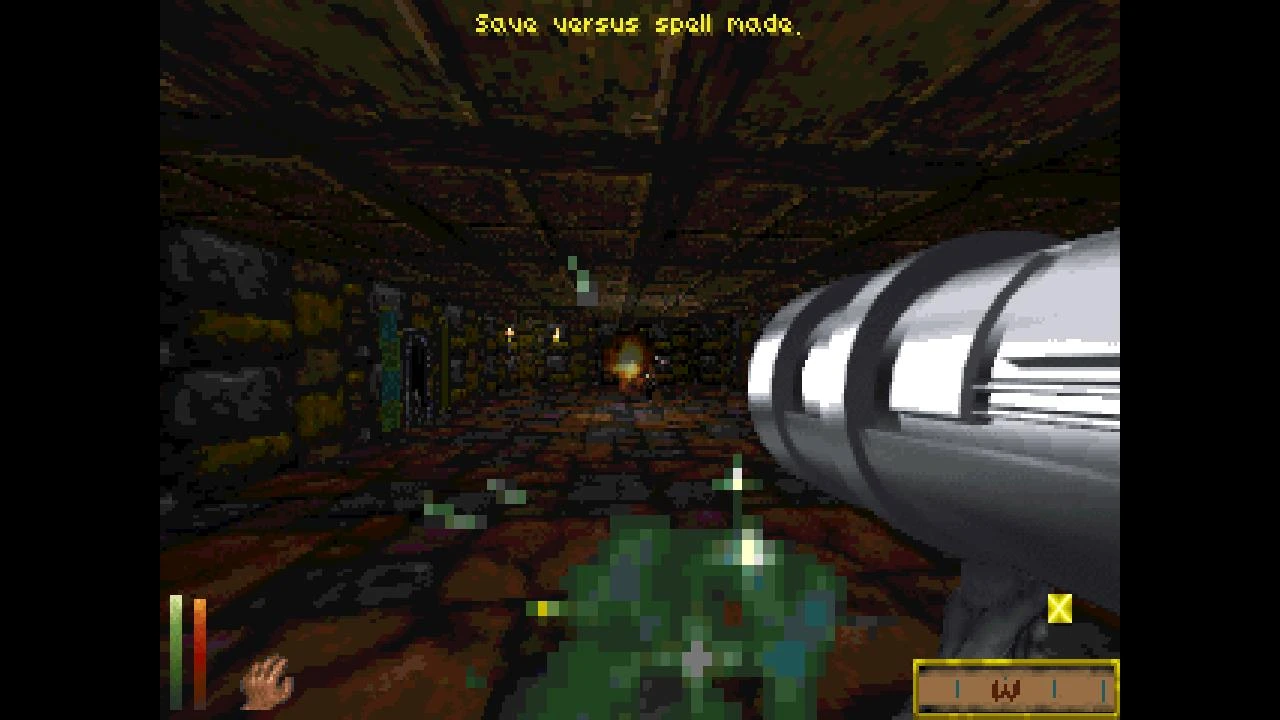
Adds ranged weapons from Terminator: Future Shock (requires an install of the game)
Future Shock Weapons (Alpha)
Description:
Ten(!) new, very unfitting and un-lore-friendly, weapons have been added:
-
[]Uzi - Rapid fire, low accuracy, low damage. The most basic of firearms.
[
]M16 - Another rapid fire weapon. It has tighter grouping and higher damage than the Uzi but is only effective against lightly armored foes.[]Shotgun - Fires a single burst of six pellets in a wide arc. Close range recommended.
[]Machine Gun - While not as accurate as the M16 it compensates with higher damage.
[]Laser Rifle - Launches powerful projectiles at a high rate of fire.
[]Heavy Laser - Same as the laser rifle but packs more of a punch.
[]Plasma Rifle - Has a slower rate of fire than its laser counterpart but packs more damage into a single shot.
[]Heavy Plasma - Even more devastation per shot than the plasma rifle.
[]Grenade Launcher - Lobs an explosive through the air at an arc. Its area effect can damage multiple targets per shot.
[]RPG - Fires an explosive in a straight line. It has an area effect like the grenade launcher only more powerful.
If you want to acquire one of these weapons then look for them in either loot piles or stores. They all have infinite ammo for now but they deteriorate with use so you will need to repair them like any other weapon.
Credits:
Thanks to thenameisthegame for providing the paper doll sprites, bug testing and feature suggestions!
Installation Instructions:
1. You must have an install of Terminator: Future Shock. This mod loads all its audio/visual assets from it.
2. Move (or copy) your Future Shock install to a short path on disk (e.g. C:\futureshock). Otherwise the path string will not fit in DFU's mod settings field.
3. Download the .zip and extract the .dfmod to the "Mods" folder in your DFU installation.
4. Launch DFU and click "Mods" on the bottom-left. Select "Future Shock Weapons" and click "Settings".
5. Click the text field under "Future Shock GAMEDATA path" and enter your Future Shock GAMEDATA path. Make sure put a "\" or "/" at the end depending on your OS. For example: C:\futureshock\GAMEDATA\ on Windows or /home/futureshock/GAMEDATA/ on a UNIX-based OS.
6. You should be ready to pl
📊 Mod Details
- Game
- Daggerfallunity Mods
- Author
- numidium3rd
- Version
- 1.3.13-alpha
- Downloads
- 819
- Endorsements
- 22
- Category
- Weapons
- Created
- 12/3/2022
- Updated
- 8/9/2026
🔧 How to Install Daggerfall Unity Mods
Download from Nexus Mods.
📖 Full step-by-step install guide for Daggerfall Unity →
Visit the official mod page for specific installation instructions for this mod.
🎮 Need cheat codes or console commands? Check ur gaming wiki for Daggerfall Unity commands, item IDs, and more.
Keep browsing — more Daggerfall Unity mods await