Wear What You Want - Incompatible with patch 2.0 and later
⚪ Last updated 2022⚠️ Install Order · 6 steps
Install in this order, then this mod last — most mods fail to load without their framework and dependencies in place.
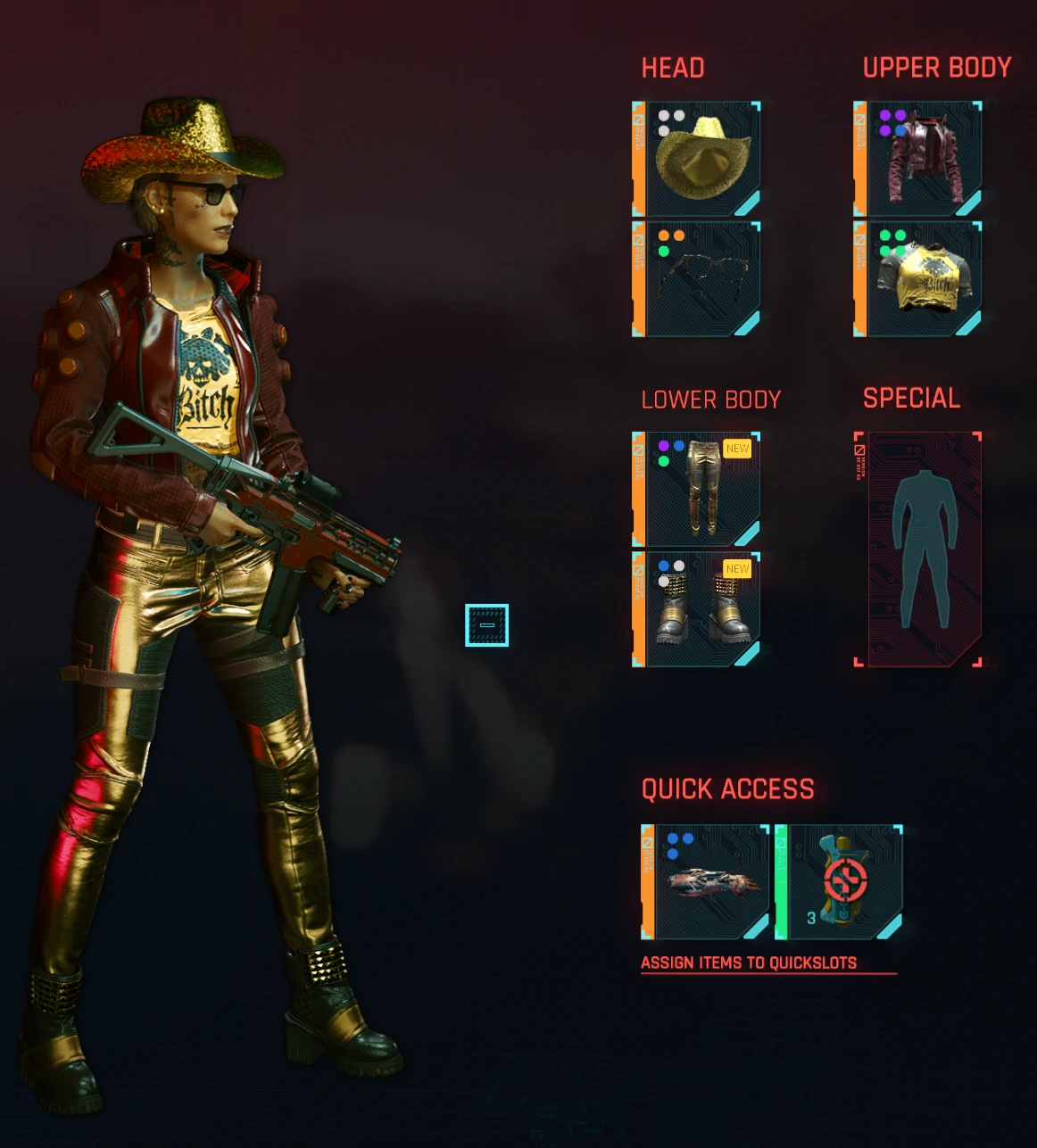
Preview
🔍 Analysis
- 👍 4.5% endorsement rate — high engagement, a strong quality signal
- 🏆 #126 of 307 Gameplay mods in this game by downloads
📋 About This Mod
Wear What You Want
Installation
Cyber Engine Tweaks is required. Install and get that mod working first, including assigning it a hot key to bring up the CET console.
Copy the bin folder contained in the . 7z archive you downloaded to the root of your Cyberpunk 2077 install, which should already contain a bin folder.
If installed correctly, a WearWhatYouWant window will open up along with the CET console.
Usage
Go to the Inventory window and check you're wearing the pieces you want to change. Use the CET hot key to bring up the WWYW window. Select the armor (Head/Face/Shirt/Jacket/Legs/Feet) or weapon (Weapon 1/2/3) slots you wish to change - you may select multiple slots. Click the button for the action you want: Remove Mods, Level Up, or select the Rarity you wish. Check the action log to see what underlying changes were made.
Exit out of the inventory screen and back to the game world if you don't see your updates - going back into inventory will then show the changes you made.
Sometimes you'll come across gear that has less than the normal slots for their rarity. If you remove mods from them - even if seems to have no mods equipped - a hidden internal mod named ME-THRILL will pop out. Once this is removed the gear will behave as usual and have all the slots you expect. Break down your ME-THRILLs for components if you like.
But starting from patch 1. 5 armor can have intrinsic properties that don't show up as mod slots. If you use the remove mods action on such armor, they will lose their intrinsic property but you will gain mod slots where the properties used to be. This is useful if you don't like the instrinsic property but do want to use the gear.
Leveling Up Gear
TL;DR: Feel free to use Level Up liberally, it will keep your items close to your level as you progress through the game.
Item levels are somewhat messy and complicated under the hood. This mod uses the game's own Crafting System to level up items so as to stay compatible with further patches. But that internal game code will only level up items to 1 level below the player's actual level - or it will display such a level anyway.
It is also possible to lose a very little bit of dps if you level up items that are 1-2 levels below the player's level - so this mod will skip level up for items close enough to the player's level where this could happen. You can use Crafting upgrades to close this gap if you like.
Finally, the game tracks Crafting upgrades separately from base item level internally. This mod resets the crafting upgrade level to 0 for each item it levels up so that future crafti
Wear What You Want is a gameplay mod for Cyberpunk 2077 that lets you transfer mods between clothing items, even those without mod slots, and keep items leveled up. It has 2,719 endorsements and 59,917 downloads, but is incompatible with patch 2.0 and later, last updated in December 2022.
✨ Key Features
📊 Pros & Cons
✅ Pros
- Community favorite with 2,719 endorsements and nearly 60k downloads — clearly a lot of players wanted this.
- Solves a real fashion-vs-function dilemma: you can look good and still have the stats you need.
- Simple concept that adds a lot of quality-of-life for loot hoarders and fashionistas alike.
⚠️ Cons
- Outdated — last updated December 2022 and explicitly incompatible with patch 2.0, so it won't work for most current players.
- If you're on patch 2.0+, this mod is dead on arrival — you'll need to find an alternative or downgrade your game.
For Cyberpunk 2077 players who love mixing fashion with function and hate being forced to wear ugly gear for its stats. If you're on patch 2.0 or later, skip this — it won't work. But if you're on an older version, this is a must-have for your load order.
💡 Beginner Tips
- Check your game version before installing — if you're on patch 2.0 or later, this mod won't work and may cause issues.
- Since the description doesn't mention a mod manager, you'll likely need to manually place files in your Cyberpunk 2077 directory — back up your save just in case.
- If you're on an older version, test the mod with a single item first to see how the mod slot transfer works before going all-in.
📊 Mod Details
- Game
- Cyberpunk 2077 Mods
- Author
- v1ld
- Version
- 2.0.4
- Downloads
- 59,917
- Endorsements
- 2,719
- Category
- Gameplay
- Created
- 2/27/2021
- Updated
- 12/21/2022
🔧 How to Install Cyberpunk 2077 Mods
Download from Nexus.
📖 Full step-by-step install guide for Cyberpunk 2077 →
Visit the official mod page for specific installation instructions for this mod.
🎮 Need cheat codes or console commands? Check ur gaming wiki for Cyberpunk 2077 commands, item IDs, and more.
Keep browsing — more Cyberpunk 2077 mods await