Virtual Atelier Store Generator (modding tool)
⚪ Last updated 2024⚠️ Install Order · 6 steps
Install in this order, then this mod last — most mods fail to load without their framework and dependencies in place.
Preview
🔍 Analysis
- 👍 2.0% endorsement rate — high engagement, a strong quality signal
- 🏆 #19 of 19 Modders Resources mods in this game by downloads
📋 About This Mod
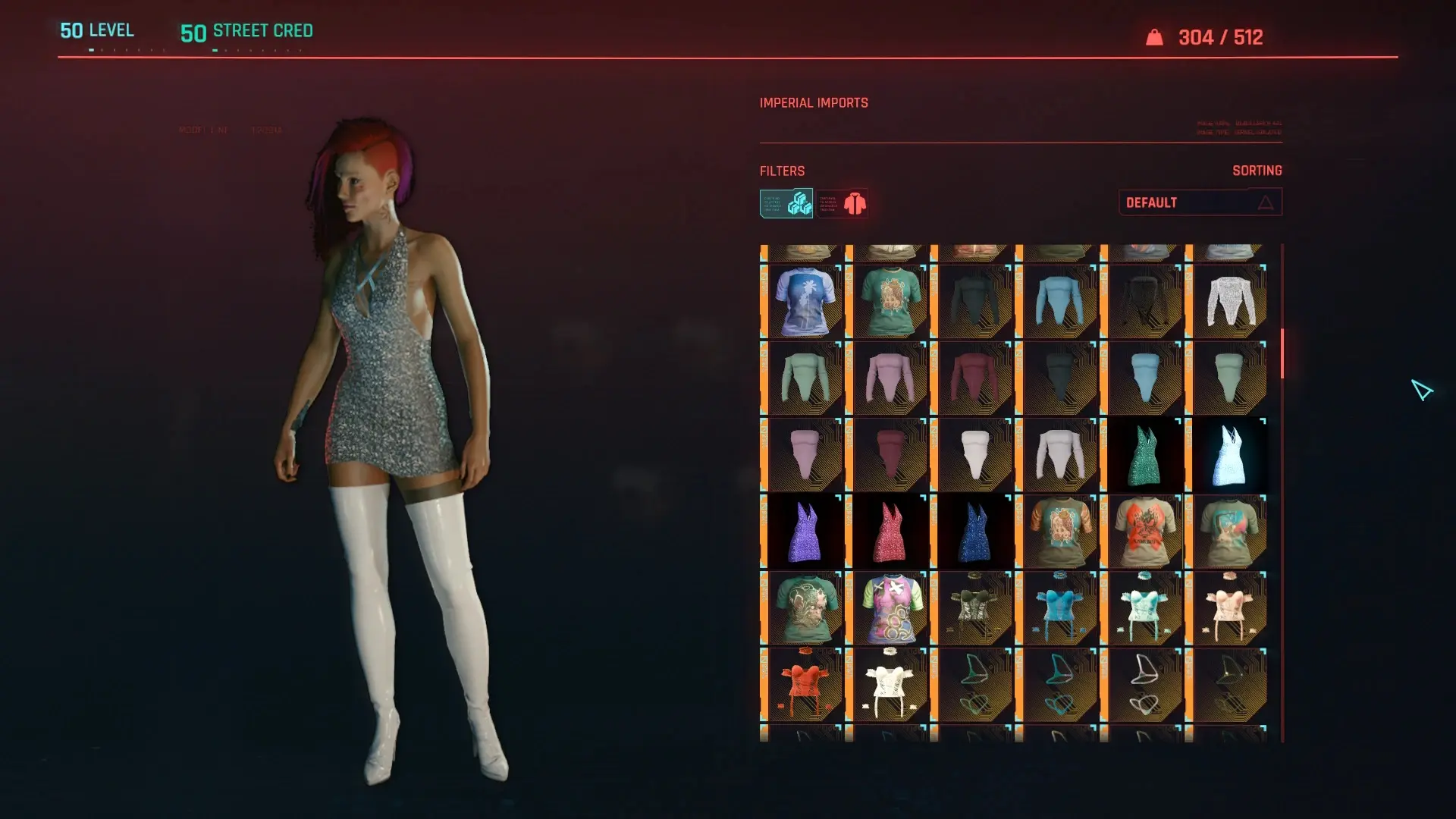
This is a Python script that creates a Virtual Atelier Store for any items added to the game by TweakXL.It's a nice way to have access to all your modded items in a single store, with the same pricing, instead of having to "cheat in" modded
Usage (simplified):
-
[]Make sure Python 3. 7 or higher is installed, along with PyYaml
[
]Double-click "StoreGenerator.py" in the game root folder[]Start the game and use the "Imperial Exports" Virtual Atelier
Usage (details):
-
[]Install Python 3. 7 or later, if you haven't done already. Either 32-bit or 64-bit will work. If you are installing Python for the first time, 32-bit is recommended even on 64-bit machines for compatibility reasons with other scripts.
[]Install PyYaml, if you haven't done already. This is usually done by the "pip install pyyaml" command.
[]Extract the mod files into the ROOT of your Cyberpunk installation folder (this is where the "bin", "archive" and "r6" folders are located).
Alternatively, use Vortex to install. Ignore the error about the fallback installer.[]Optionally: edit the "StoreGenerator.yaml" file to make changes to the generated store or add a new store. By default, it will create a single store 'Imperial Imports' which contains all items added to the game.
[]Run the "StoreGenerator.py" script to generate the stores. By default, this should create the "r6\scripts\ImperialImports-atelier-store.reds" file.
The recommended way to do this is to open a terminal (Powershell on Windows) and type "python .\StoreGenerator.py" so that you can see any error messages.[]Play the game and use your new store as you would any other Virtual Atelier store. As this will by default add EVERY item, the store may take some time to load the first time, and some items may not work or crash the game when selected.
[]Each time you add a new mod that adds new items into the game, you can re-run the "StoreGenerator.py" script to update the store.
Configuration:
The "StoreGenerator.yaml" file contains the configuration on what files to scan, and what stores to create. By default, the script generates a single store called "Imperial Imports", that contains all the Tweak XL item definitions it can find.
Never edit the "StoreGenerator.py file" unless you are familiar with Python, editing this will likely break the script.
[]You can add a new store by copying the "Imperial Imports" record and changing its name and its "filename" fields.
[]You can edit the "sources" list to change what files are scanned for items to create the store. The default values ("r6/tweaks/.yml", "r6/tweaks/.yaml") include all Tweak XL files.
[*]You can edit the "filters" list to change what kind of items are included in the store. For example, you c
-
[]Install Python 3. 7 or later, if you haven't done already. Either 32-bit or 64-bit will work. If you are installing Python for the first time, 32-bit is recommended even on 64-bit machines for compatibility reasons with other scripts.
📊 Mod Details
- Game
- Cyberpunk 2077 Mods
- Author
- erbkaiser and darkelf44
- Version
- 2
- Downloads
- 3,495
- Endorsements
- 71
- Category
- Modders Resources
- Created
- 3/25/2024
- Updated
- 4/12/2024
🔧 How to Install Cyberpunk 2077 Mods
Download from Nexus.
📖 Full step-by-step install guide for Cyberpunk 2077 →
Visit the official mod page for specific installation instructions for this mod.
🎮 Need cheat codes or console commands? Check ur gaming wiki for Cyberpunk 2077 commands, item IDs, and more.
Keep browsing — more Cyberpunk 2077 mods await