River Ward - Film Noir Detective - AMM Appearance
🟠 Updated over a year ago⚠️ Install Order · 7 steps
Install in this order, then this mod last — most mods fail to load without their framework and dependencies in place.
Preview
🔍 Analysis
- 👍 1.2% endorsement rate — high engagement, a strong quality signal
- 🏆 #348 of 443 Appearance mods in this game by downloads
📋 About This Mod
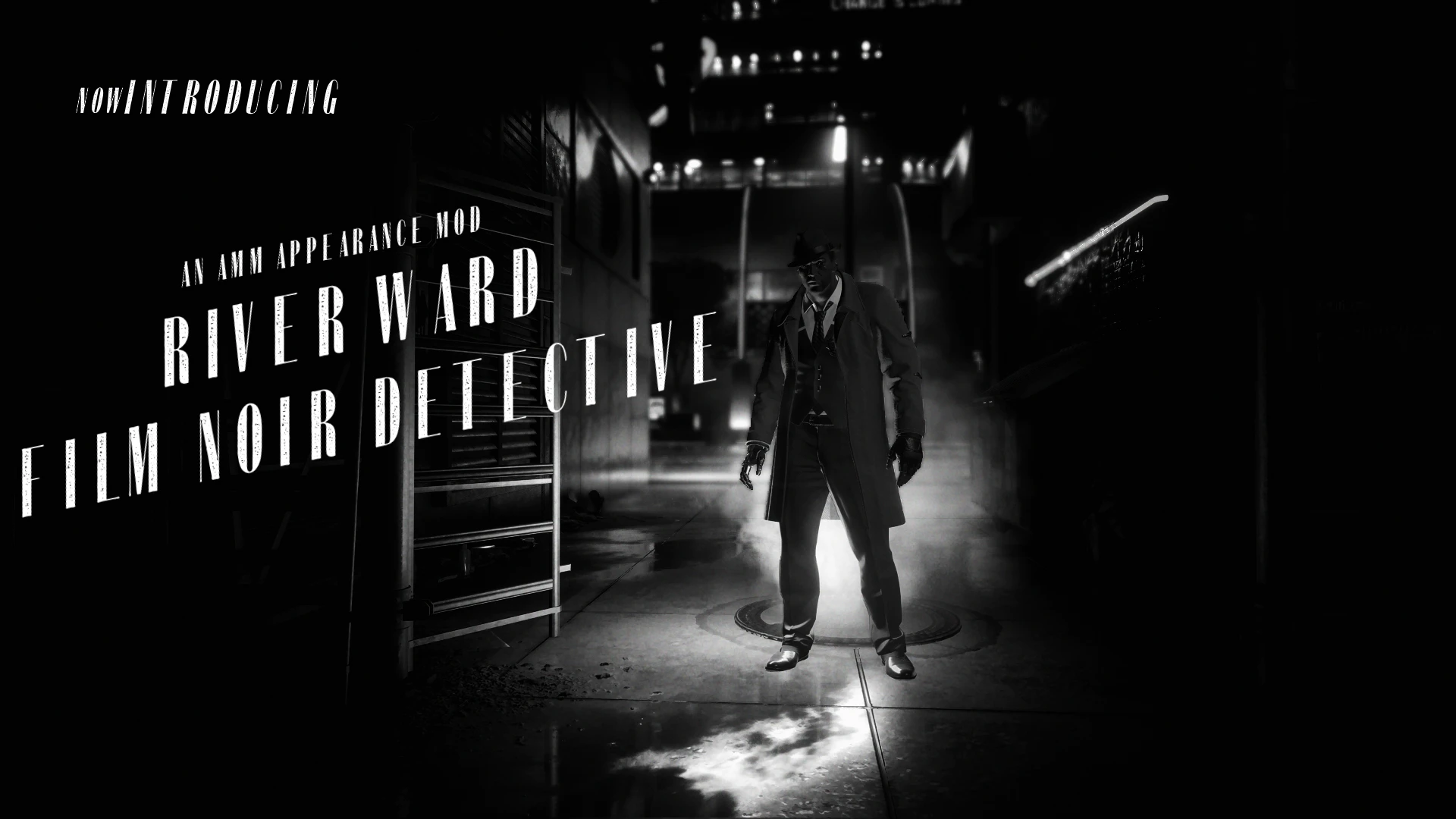
This mod includes two film noir inspired AMM appearances for River Ward and one bonus appearance using the 'Sobchak' outfit.
Requirements
Appearance Menu Mod
Installation
Download the file and extract its contents to your Cyberpunk 2077 folder (e.g. Steam\steamapps\common\Cyberpunk 2077)
Optional file: Some users have reported issues with River in Photomode when removing this mod, his default .app file is available as an optional download if needed as a workaround fix until I'm able to properly look at what might be causing the problem.
Compatibility
This mod doesn't affect River's default appearances but may not be compatible with other mods that affect River's .app file
Permissions
The appearances are made from vanilla game meshes but I have spent a lot of time on the refits and recolours. Therefore, if you'd like to unbundle and use any for your own projects, I'd appreciate it if you ask permission first.
Mods used for screenshots
Appearance Menu Mod
Masculine V Overhaul
Cyberpunk Autonomous ReShade HDR
If you're a River fan, check out my Randy Hospital Photo Replacer mod, if you haven't already!
A cosmetic mod that adds a film noir-inspired appearance for River Ward, usable with AMM. With 134 endorsements and over 10,000 downloads, it's a niche but popular choice for Cyberpunk 2077 players who want to give River a detective-style look. Last updated July 2025.
✨ Key Features
📊 Pros & Cons
✅ Pros
- Solid endorsement rate (134) for a niche cosmetic mod
- Over 10k downloads shows real demand
- Gives River a fresh detective vibe that fits the noir theme
⚠️ Cons
- Only one appearance option—no variants or customization
- Requires AMM, so if you don't have it, that's an extra install
- No screenshots or detailed preview in the description, so you're flying blind
For Cyberpunk 2077 players who use AMM and want to give River a film noir makeover for screenshots or roleplay. Skip if you don't use AMM or prefer gameplay-changing mods.
💡 Beginner Tips
- Make sure AMM is installed and updated before adding this mod, or it won't show up.
- Use AMM's in-game menu to apply the appearance to River—look for the new preset under his character options.
- If you don't see the appearance, check that the mod files are placed in the correct folder (usually 'archive/pc/mod' or 'mods' depending on your setup).
📊 Mod Details
- Game
- Cyberpunk 2077 Mods
- Author
- baldtwitlion
- Version
- 1
- Downloads
- 10,766
- Endorsements
- 134
- Category
- Appearance
- Created
- 12/10/2022
- Updated
- 7/7/2025
🔧 How to Install Cyberpunk 2077 Mods
Download from Nexus.
📖 Full step-by-step install guide for Cyberpunk 2077 →
Visit the official mod page for specific installation instructions for this mod.
🎮 Need cheat codes or console commands? Check ur gaming wiki for Cyberpunk 2077 commands, item IDs, and more.
Keep browsing — more Cyberpunk 2077 mods await