HDR FIX (HDR monitors ONLY)
⚪ Last updated 2020⚠️ Install Order · 6 steps
Install in this order, then this mod last — most mods fail to load without their framework and dependencies in place.
Preview
🔍 Analysis
- 👍 2.9% endorsement rate — high engagement, a strong quality signal
- 🏆 #36 of 185 Visuals and Graphics mods in this game by downloads
📋 About This Mod
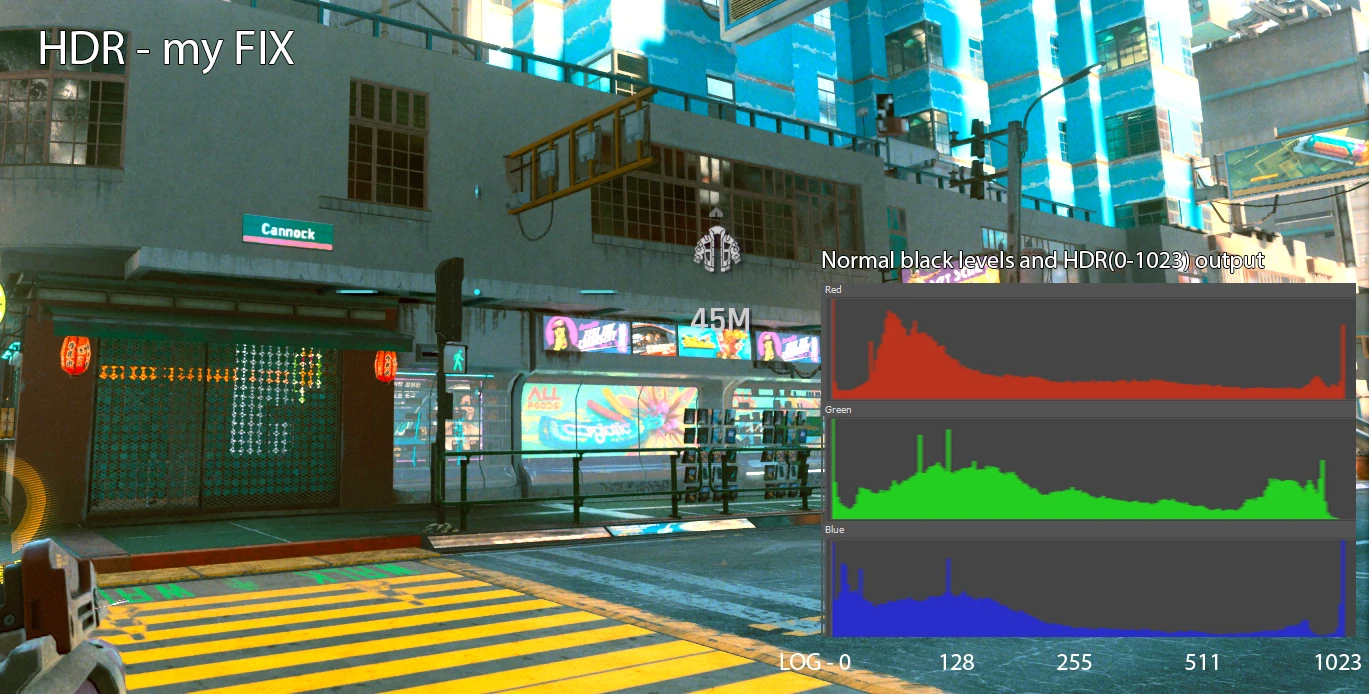
Fixes the issue of the image looking washed-out with HDR mode enabled, more info on the problem here Cyberpunk 2077 HDR is Broken
This is a reshade ".fx" file that lowers the black levels while maintaining the HDR peak luminance, bringing back true blacks and removing the green tint on dark scenes.
All other presets I tested here in Nexus, that darken the image, actually disable hdr, losing all the detail on the highlights.
This fix is more relevant for OLED, since most LCD(TN panels especially) can´t display below 2 (0-255)RGB anyways.
"Installation"
You need to download and install Reshade , then paste the "hdr_fix_102.fx" file in "...\Cyberpunk 2077\bin\x64\reshade-shaders\Shaders\", and enable it once ingame.
Update 1. 01
-Added some control over color tint, luminance and saturation(I still recommend leaving at default)
-Added a toggle to view which pixel are actually above SDR luminance
Update 1. 02
-Added an "adaptation" feature, that smartly lightens the shadows when is needed
I suggest the following:
Monitor Settings
Brightness : 50%
BackLight(OLED light) : 100%
Dynamic Tonemaping : HGIG
Black Level : High
Game settings
Maximum Brightness : ~1000
Tonemapping Midpoint : ~1. 8
HDR mode : HDR10 scRGB
GPU settings
Format output : RGB
Bit depth : 10bit
Dynamic output : full
A Reshade .fx file that lowers black levels while preserving HDR peak luminance, removing green tint on dark scenes. Works only on HDR monitors/TVs. 197 endorsements, last updated December 2020.
✨ Key Features
📊 Pros & Cons
✅ Pros
- Niche fix for HDR users who hate washed-out blacks (197 endorsements)
- Simple .fx file—just drop it into your Reshade folder
- Targets a specific visual annoyance (green tint) that many HDR setups suffer from
⚠️ Cons
- Only works on HDR monitors/TVs—useless for SDR players
- Last updated in 2020—may not work with current Reshade versions or game updates
For HDR monitor owners who play games with dark scenes and notice a green tint or crushed blacks. Skip if you're on a standard SDR display—this mod won't do anything for you.
💡 Beginner Tips
- Make sure your monitor is actually HDR-capable and HDR is enabled in Windows and in-game before applying this fix.
- Place the .fx file in your Reshade's Shaders folder, then enable it in the Reshade in-game overlay.
- Test in a dark scene (like a cave or night level) to see the difference—adjust the effect intensity if needed.
📊 Mod Details
- Game
- Cyberpunk 2077 Mods
- Author
- Salmo
- Version
- 1.01
- Downloads
- 6,910
- Endorsements
- 197
- Category
- Visuals and Graphics
- Created
- 12/18/2020
- Updated
- 12/28/2020
🔧 How to Install Cyberpunk 2077 Mods
Download from Nexus.
📖 Full step-by-step install guide for Cyberpunk 2077 →
Visit the official mod page for specific installation instructions for this mod.
🎮 Need cheat codes or console commands? Check ur gaming wiki for Cyberpunk 2077 commands, item IDs, and more.
Keep browsing — more Cyberpunk 2077 mods await