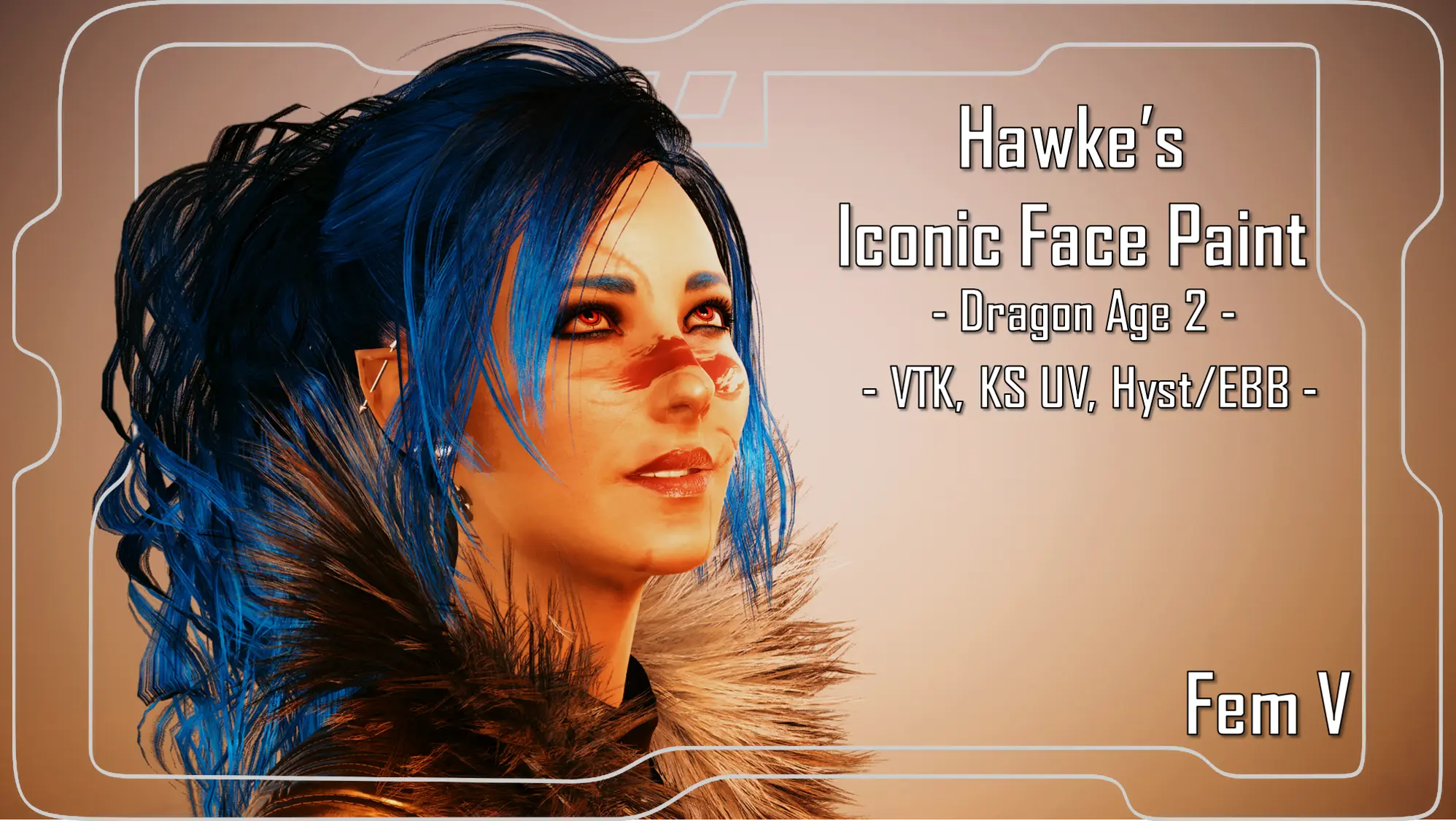
Hawke's Iconic Face Paint - VTK--KS UV--Hyst EBB - Tattoo for Fem V
⚪ Last updated 2023⚠️ Install Order · 6 steps
Install in this order, then this mod last — most mods fail to load without their framework and dependencies in place.
Preview
🔍 Analysis
- 🏆 #213 of 339 Appearance mods in this game by downloads
📋 About This Mod
Decided to do a fun little project; making Hawke's iconic face paint from Dragon Age 2 into a VTK mod! This was super fun to do. Now also includes a UV version for further body compatibility!!!
Hey! Thanks for clicking on my mod! Please be aware this version is Fem V only!
Check out my profile for the Masc V version of the mod!
I have now added a UV version so there is further body compatibility.
I am a huge fan of Dragon Age, and thought it'd be fun to add Hawke's iconic face paint from DA2 into the game!
This mod is super easy to install; I reccomend manual as you can make sure the files go where they need to go.
You can use these bodies and these versions of the mod:
Hyst/Enhanced Big Breast/EBB With Booty: VTK version of the mod.
VTK Toggle Feet Body: VTK version of the mod.
KS UV compatible bodies: KS UV version of the mod.
If you use Hyst’s body mods like Enhanced Big Breast, you can choose the VTK version of the tattoo, as those bodies seem to be compatible with VTK tattoos.
I tested the Hyst/VTK stuff myself with several of my tattoos and it all seems to work; just with a slight distortion. It’s not overly noticeable, I just wanted y’all to be aware.
Important Note: For Hyst body users, you need the HD Head from the VTK body mod files!!!
Want to support my mods in an additional way? Consider checking out my Patreon page. There's a bunch of tiers, but you can join for absolutely free, which will open my entire modding catalogue to you! This includes around 40 mods that haven't yet been uploaded to Nexus; again for free. (I am slowly uploading those here though) So yeah, consider checking out MeltingAngels' Patreon. We also have a Patron exclusive Discord server, with a wonderful community being built. That's free as well!
Installation (VTK/Hyst Bodies):
1) Install the VTK HD Toggle Feet Body or either Hyst body; go to the pages linked and follow their install instructions.
2) Download this mod.
3) Unzip the Zip file to somewhere on your desktop/PC.
4) Check the 'Read Me' note file.
5) Place the 'archive' file in your mod folder. On Steam, the folder path is as follows:
archive/pc/mod
6) Load up your game, and the tattoo should appear on your face!
Installation (KS UV):
1) Install the version of the KS UV framework you want; go to the page linked and follow their install instructions.
2) Download this mod.
3) Unzip the Zip file to somewhere on your desktop/PC.
4) Check the 'Read Me' note file.
5) Place the 'archive' file in your mod folder. On Steam, the folder path is as follows:
archive/pc/mod
(The 00_2 at the start of the file should ensure it loads
📊 Mod Details
- Game
- Cyberpunk 2077 Mods
- Author
- MeltingAngels
- Version
- 1
- Downloads
- 454
- Endorsements
- 13
- Category
- Appearance
- Created
- 6/2/2023
- Updated
- 6/6/2023
🔧 How to Install Cyberpunk 2077 Mods
Download from Nexus.
📖 Full step-by-step install guide for Cyberpunk 2077 →
Visit the official mod page for specific installation instructions for this mod.
🎮 Need cheat codes or console commands? Check ur gaming wiki for Cyberpunk 2077 commands, item IDs, and more.
Keep browsing — more Cyberpunk 2077 mods await