Hair visual fix Reshade
⚪ Last updated 2020⚠️ Install Order · 7 steps
Install in this order, then this mod last — most mods fail to load without their framework and dependencies in place.
Preview
🔍 Analysis
- 👍 4.3% endorsement rate — high engagement, a strong quality signal
- 🏆 #53 of 185 Visuals and Graphics mods in this game by downloads
📋 About This Mod
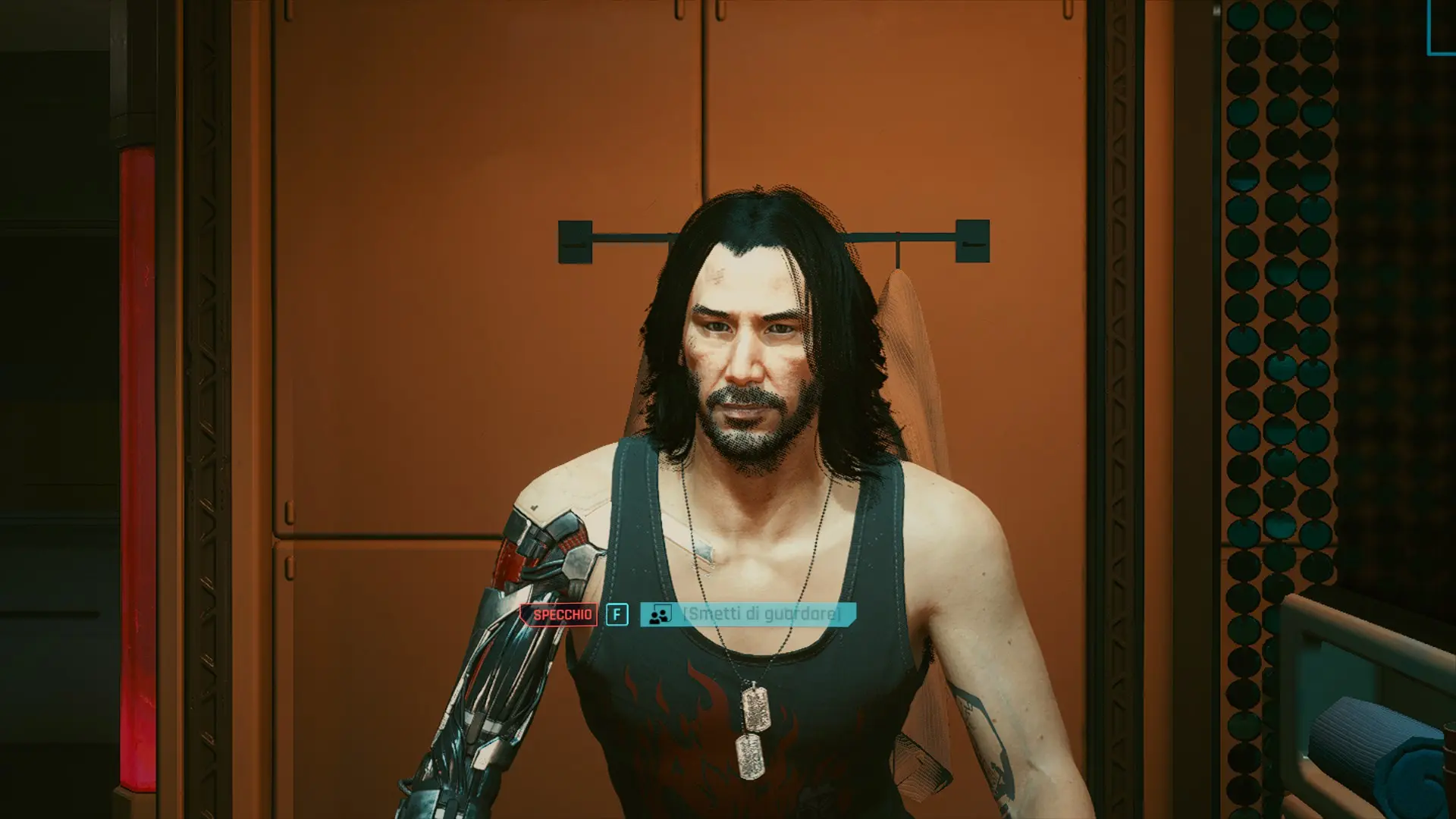
I was going nuts in attempt to fix the issue with the pixelated hair and beard, but I can't do much as I'm forced to play on 1080p and I can't use DLSS on my GTX1070, so I started playing with Reshade settings to try and mitigate the problem, and found some results that could be useful for you.
In short, download the preset added to this mod, or add the following 2 options to any other preset existing:
Subpix: Maximum possible
Edge detection treshold: 0
Darkness treshold: 0
NFAA (Normal_filter_anti_aliasing):
Default settings
I hope this can help some of you. Also be aware that the game will look a bit blurrier, so if you like a very sharp image, this preset might not be for you.
Hair visual fix Reshade is a Reshade preset for Cyberpunk 2077 that reduces pixelated hair and beard at 1080p, created by Walmont for GTX 1070 users who can't use DLSS. It has 273 endorsements and 6,423 downloads, last updated in December 2020.
✨ Key Features
📊 Pros & Cons
✅ Pros
- Community-tested with 273 endorsements and over 6,400 downloads — clearly helps others with the same issue.
- Targeted fix for a common visual annoyance without needing to upgrade hardware.
- Lightweight solution that just tweaks Reshade settings, no heavy performance hit.
⚠️ Cons
- Last updated in December 2020 — may not be compatible with the latest Cyberpunk 2077 patches or Reshade versions.
- Only addresses hair and beard pixelation; doesn't fix other visual issues.
- Requires Reshade setup, which can be intimidating for beginners.
For Cyberpunk 2077 players stuck on 1080p with mid-range GPUs like the GTX 1070 who are annoyed by fuzzy hair and beards. If you're already using Reshade or don't mind installing it, this preset is a quick fix. Skip if you're on higher resolutions or have DLSS available.
💡 Beginner Tips
- Make sure you have the latest Reshade installed and set up for Cyberpunk 2077 before adding this preset.
- If the preset doesn't work after a game update, try re-installing Reshade and reapplying the preset.
- You can tweak the preset's settings in-game using the Reshade overlay (Home key by default) to adjust to your taste.
📊 Mod Details
- Game
- Cyberpunk 2077 Mods
- Author
- Walmont
- Version
- 1
- Downloads
- 6,423
- Endorsements
- 273
- Category
- Visuals and Graphics
- Created
- 12/30/2020
- Updated
- 12/30/2020
🔧 How to Install Cyberpunk 2077 Mods
Download from Nexus.
📖 Full step-by-step install guide for Cyberpunk 2077 →
Visit the official mod page for specific installation instructions for this mod.
🎮 Need cheat codes or console commands? Check ur gaming wiki for Cyberpunk 2077 commands, item IDs, and more.
Keep browsing — more Cyberpunk 2077 mods await