DINOs Reshade
⚪ Last updated 2022⚠️ Install Order · 6 steps
Install in this order, then this mod last — most mods fail to load without their framework and dependencies in place.
Preview
🔍 Analysis
- 👍 4.1% endorsement rate — high engagement, a strong quality signal
- 🏆 #38 of 198 Visuals and Graphics mods in this game by downloads
📋 About This Mod
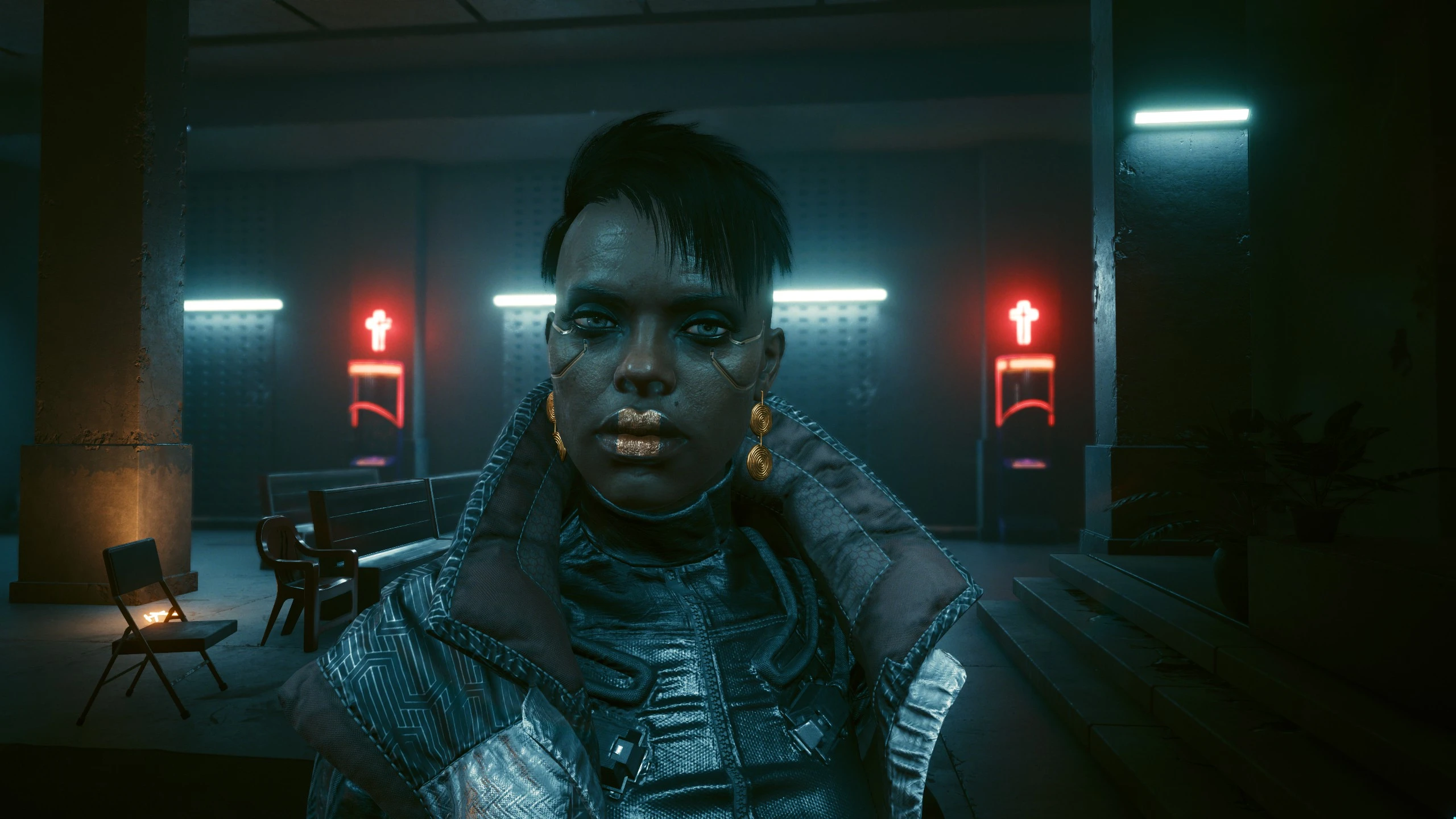
A preset that gives the game a touch of render graphics style. For playing AND screenshots.
I created this Reshade preset for myself. Goal was a nice render-style and slightly soft touch with better ambient occlusion. Check the Screenshots.
The current Reshade versions (5+) are having some trouble with depth accessing shaders in CP2077. Therefore i packed the 4. 91 Debbie Special build into the archive. There is no need to download the newest reshade. Just unpack the archive-file into the GAMEFOLDER\bin\x64 directory and you are set.
Credtis to Kadra@project7.rf.gd for compiling this special build of reshade and to all shader authors and all contributors.
Attention! The order of the shaders is important to avoid unnecessary UI disturbances. The effects fade out with the image content so that no shader artefacts are visible during blackouts/whiteouts.
📊 Mod Details
- Game
- Cyberpunk 2077 Mods
- Author
- FAKEFACTORY
- Version
- 1.0
- Downloads
- 603
- Endorsements
- 25
- Category
- Visuals and Graphics
- Created
- 8/22/2022
- Updated
- 8/22/2022
🔧 How to Install Cyberpunk 2077 Mods
Download from Nexus.
📖 Full step-by-step install guide for Cyberpunk 2077 →
Visit the official mod page for specific installation instructions for this mod.
🎮 Need cheat codes or console commands? Check ur gaming wiki for Cyberpunk 2077 commands, item IDs, and more.
Keep browsing — more Cyberpunk 2077 mods await