Adaptive Graphics Quality (AGQ)
⚪ Last updated 2023⚠️ Install Order · 6 steps
Install in this order, then this mod last — most mods fail to load without their framework and dependencies in place.
Preview
🔍 Analysis
- 👍 2.3% endorsement rate — high engagement, a strong quality signal
- 🏆 #25 of 30 Utilities mods in this game by downloads
📋 About This Mod
Description
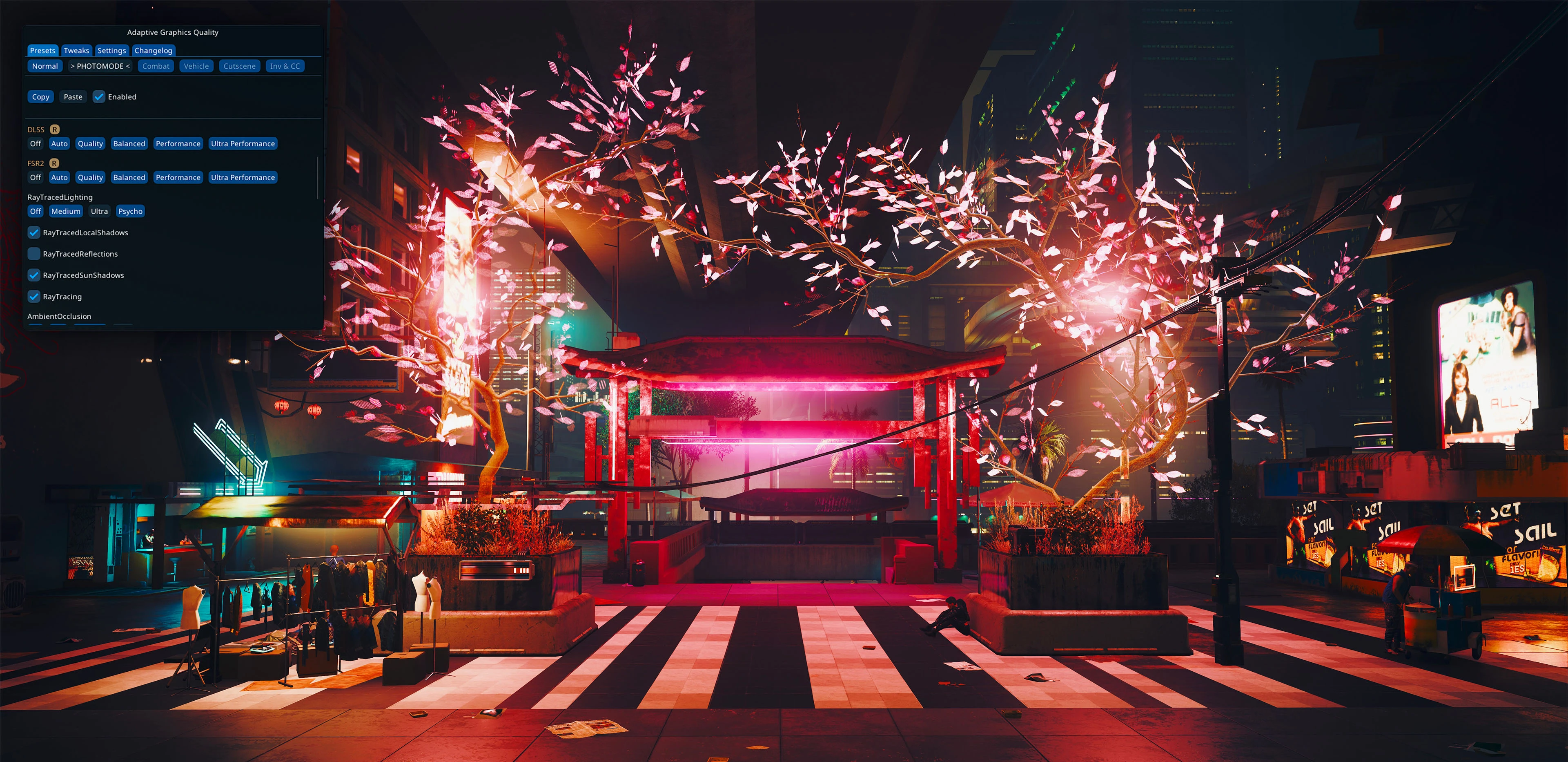
Dynamically switch graphics settings depending on the game context.
Set up a "Default" preset with higher settings for casual exploration, a "Combat" preset for when you need your FPS the most, and the "Photo Mode" preset for when you want the game to look as good as possible.
You can choose from six auto switch presets (Default, Combat, PhotoMode, Vehicle, Cutscene, and Menu) and up to 10 custom presets.
Additionally, you may want to set up NVIDIA DSR/AMD VSR feature to be able to play the game at a higher resolution than your screen can handle. This will allow you to automatically switch to 4K whenever the Photo Mode is opened.
Furthermore, under the "Tweak" tab, you can adjust some of the internal graphics settings (such as Bloom, RayBounce, etc).
Reshade users
A few settings (DLSS, FSR2, Resolution, etc) force Reshade to reload.
This results in a quick stutter, which gets quite annoying when getting in and out of combat.
Do not change settings colored yellow to prevent this.
Additionally, you can force Reshade to only compile shaders that are enabled. This speeds up the reloading process. ("Reshade Menu" -> "Settings" -> "Load only enabled effects").
Note that Ray Tracing, as demanding as it is, does not reload Reshade and does not cause stutter. So if you want to quickly boost your FPS just turn off the Ray Tracing if you use it.
API (v1. 2. 0+)
This mods has simple public API to interact with:
GetMod("AdaptiveGraphicsQuality").api. IsEnabled() -- check if mod is currently active
GetMod("AdaptiveGraphicsQuality").api. Enable() -- activate mod
GetMod("AdaptiveGraphicsQuality").api. Disable() -- deactivate mod
GetMod("AdaptiveGraphicsQuality").api. DisableAndSetToNormal() -- deactivate mod and force "Normal" preset
Installation
1. Make sure you have Cyber Engine Tweaks installed.
2. Drop the content of an archive into your cyberpunk directory (where the "bin" folder is).
Credits
-
[]psiberx for cet-kit
[
]CyberEngineTweaks team for CyberEngineTweaks
Adaptive Graphics Quality (AGQ) dynamically switches graphics settings based on context, aiming to balance performance and visuals. With 879 endorsements and 38,107 downloads, it's a moderately popular utility for gamers seeking automated graphics adjustments. Last updated in December 2023, it remains a relevant tool for optimizing in-game performance.
✨ Key Features
📊 Pros & Cons
✅ Pros
- Solid community trust with 879 endorsements.
- Over 38,000 downloads show real-world usage.
- Utility category fits performance-focused gamers.
⚠️ Cons
- Description is thin—no details on which games or settings are supported.
- Last updated over a year ago, so may not support newer games or patches.
For gamers who want automatic graphics tuning without manual tweaking. If you play multiple titles and value convenience, this could help. Skip if you prefer manual control or need game-specific features not mentioned.
💡 Beginner Tips
- Check if your game is compatible before installing, as the description doesn't list supported titles.
- Start with default settings to see how AGQ adjusts graphics in different scenarios.
- Monitor performance in demanding areas to verify the mod is working as intended.
📊 Mod Details
- Game
- Cyberpunk 2077 Mods
- Author
- Bonaniki
- Version
- 1.5.1
- Downloads
- 38,107
- Endorsements
- 879
- Category
- Utilities
- Created
- 7/17/2021
- Updated
- 12/7/2023
🔧 How to Install Cyberpunk 2077 Mods
Download from Nexus.
📖 Full step-by-step install guide for Cyberpunk 2077 →
Visit the official mod page for specific installation instructions for this mod.
🎮 Need cheat codes or console commands? Check ur gaming wiki for Cyberpunk 2077 commands, item IDs, and more.
Keep browsing — more Cyberpunk 2077 mods await