Control_ReShade
⚪ Last updated 2019Preview
🔍 Analysis
- 👍 7.1% endorsement rate — high engagement, a strong quality signal
- 🏆 #5 of 19 Visuals and Graphics mods in this game by downloads
📋 About This Mod
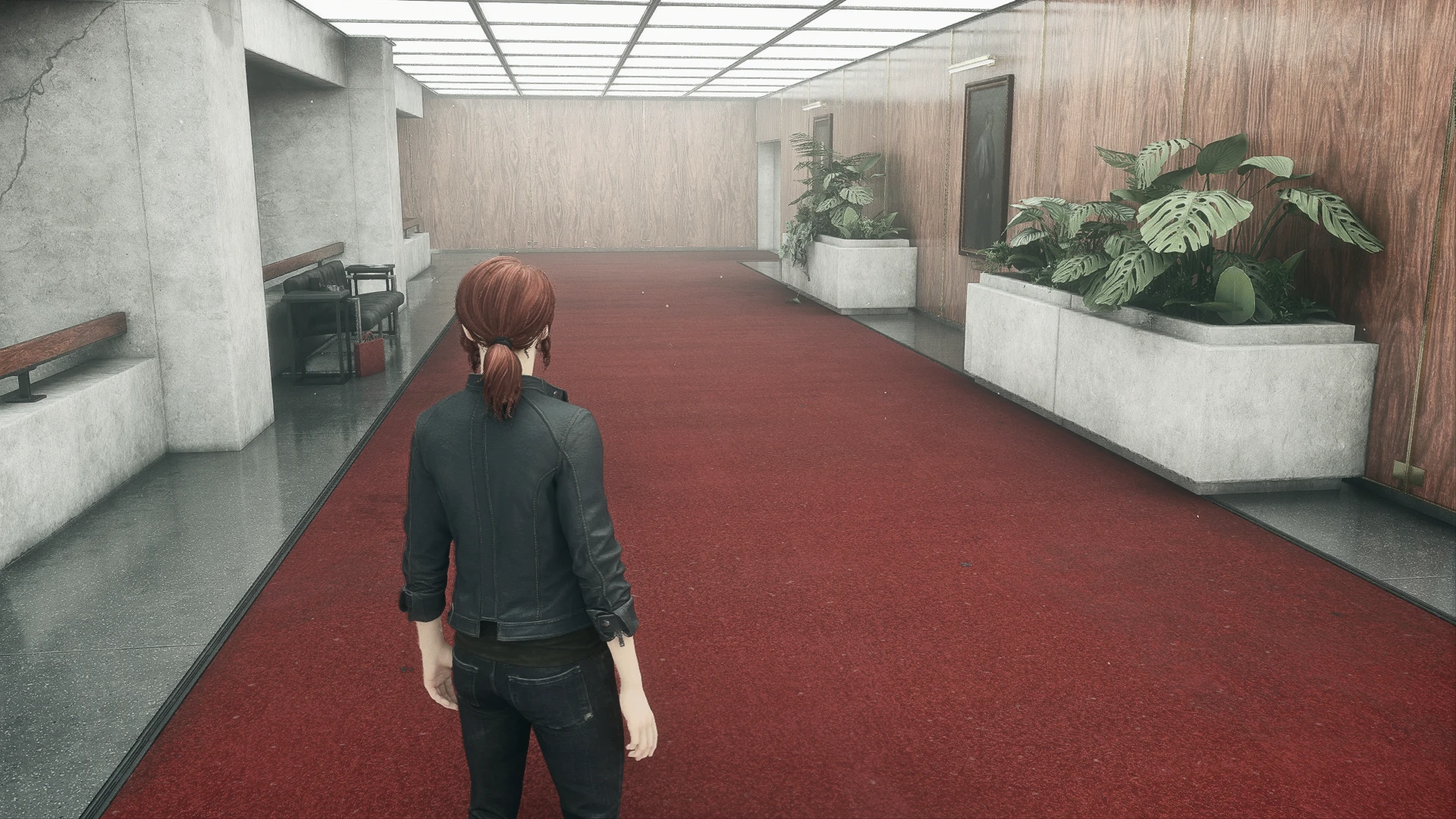
Adds color correction, better lighting & sharpness. If you like my preset, please endorse it. Thank you!
How To Install My File: Extract it with 7zip & place it in your Control folder where the game's .exe is located ( D:\Games\Control ).
How To Install ReShade: 1.) Launch the ReShade Installer & select the Control.exe ( D:\Games\Control )
2.) Select the game's API - it is DX10+
3.) ReShade will ask if you want to download any .fx files, select all of them, click okay to download them & click okay to install them
4.) ReShade should say Succeeded! Now, you can close the ReShade Installer.
IMPORTANT! When launching the game: if it fails to launch, Crashes To Desktop or your controller isn't working you will need to rename the dxgi file to d3d11, it is located in the same folder you installed my file & ReShade ( D:\Games\Control ).
To open the ReShade menu in-game press the HOME (pos1) key on your keyboard, once the menu is open click the drop-down arrow to open the drop-down menu & select my file Control_ReShade from the list. If you do not see my file in the list you will have to manually add by clicking the + symbol next to the drop-down arrow, then type in the full name of my file just like this: Control_ReShade.ini & press ENTER.
To close the ReShade menu press the HOME (pos1) key on your keyboard.
📊 Mod Details
- Game
- Control Mods
- Author
- Jeff B
- Version
- V1
- Downloads
- 1,796
- Endorsements
- 128
- Category
- Visuals and Graphics
- Created
- 8/29/2019
- Updated
- 8/29/2019
🔧 How to Install Control Mods
Download from the official mod page and follow its install instructions. Use a mod manager where supported.
📖 Full step-by-step install guide for Control →
Visit the official mod page for specific installation instructions for this mod.
🎮 Need cheat codes or console commands? Check ur gaming wiki for Control commands, item IDs, and more.
Keep browsing — more Control mods await