SoulsVein
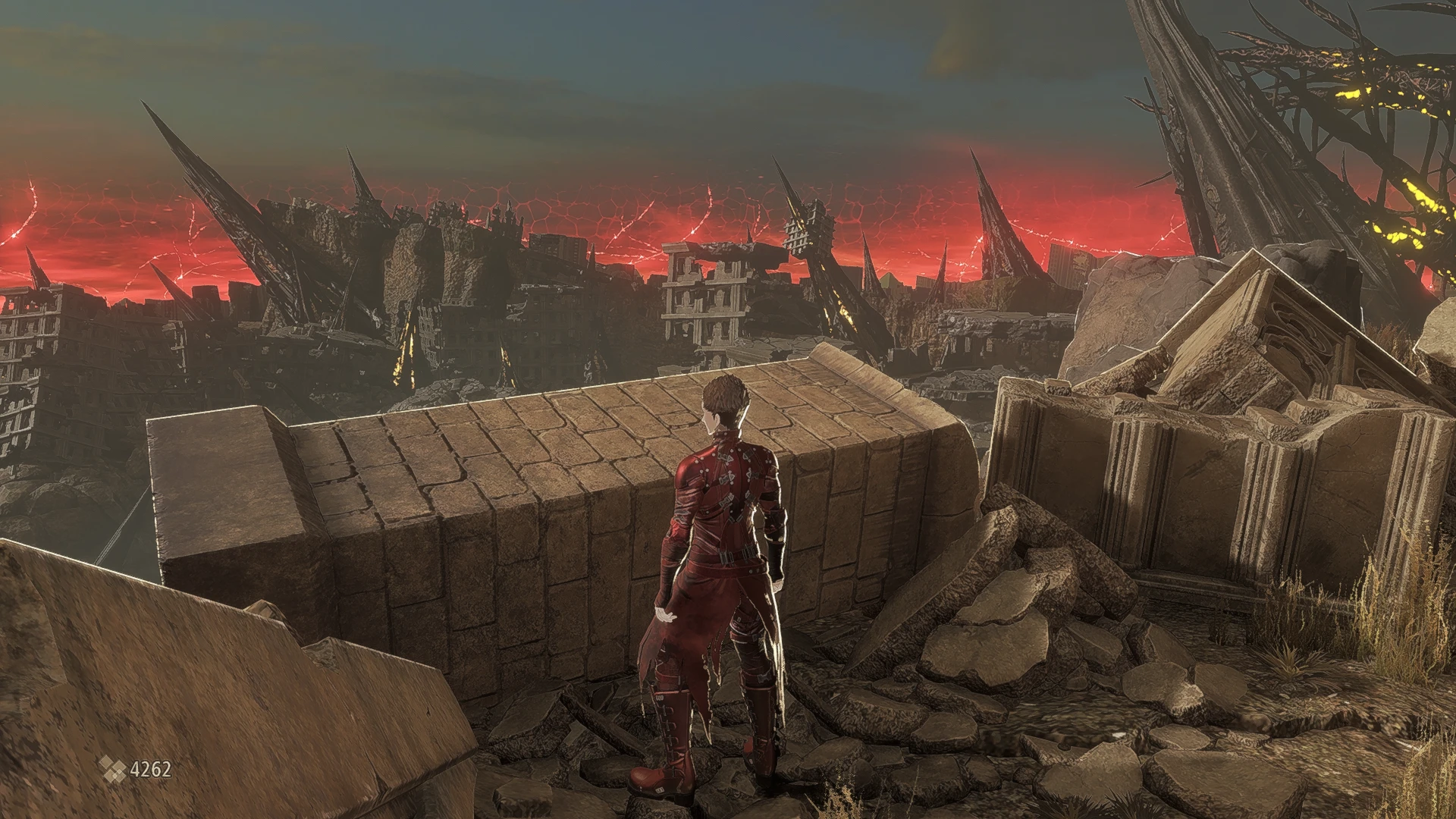
⚪ Last updated 2019Preview
🔍 Analysis
- 👍 5.4% endorsement rate — high engagement, a strong quality signal
- 🏆 #5 of 23 Visuals and Graphics mods in this game by downloads
📋 About This Mod
This is just the .ini file, you will need the latest version of ReShade to use it. You can get it here: https://reshade.me .....
How to Install My File:
Extract my file with 7Zip & place it in your CODE VEIN Win64 folder (D:\SteamLibrary\steamapps\common\CODE VEIN\CodeVein\Binaries\Win64)
How to Install ReShade:
1.) Launch the ReShade Installer & select the game's .exe "CodeVein-Win64-Shipping.exe" (D:\SteamLibrary\steamapps\common\CODE VEIN\CodeVein\Binaries\Win64)
2.) Select the game's API - it is OpenGL
3.) ReShade will ask if you want to download any .fx files? Select all of them, click okay to download them & install them
4.) ReShade will say Succeeded! You can close the ReShade Instaler now
5.) Once in-game you will need to open the ReShade Menu by pressing the Home (pos1) key on your keyboard. Press the drop-down arrow to open the drop-down menu & select my file "SoulsVein" from the list. If you do not see my file in the list you will have to manually add it by pressing the + key next to the drop-down arrow, then type in the full name of my file just like this: SoulsVein.ini & press Enter.
To close the ReShade Menu press the Home (pos1) key on your keyboard.......
When launching the game: if it fails to launch, Crashes To Desktop or your controller isn't working you will need to rename the OpenGL32 file to d3d11. It is located in the same folder you installed my file & ReShade (D:\SteamLibrary\steamapps\common\CODE VEIN\CodeVein\Binaries\Win64).
If renaming the file doesn't work you will need to disable your Steam Overlay as it can conflict with the ReShade Overlay.
SoulsVein is a visual preset for Dark Souls that enhances color correction, sharpness, and HDR without oversaturating the palette. It requires setting in-game brightness to 85. With 426 endorsements and 7,921 downloads, it's a popular choice for players seeking a balanced visual upgrade.
✨ Key Features
📊 Pros & Cons
✅ Pros
- Community-approved with 426 endorsements and nearly 8k downloads
- Enhances visuals without ruining the game's moody atmosphere
- Simple to install—just drop files and adjust brightness
⚠️ Cons
- Last updated in 2019—may not be compatible with the latest game patches
- Requires manual brightness adjustment to 85, which might not suit all setups
For Dark Souls players who want a subtle visual upgrade without overhauling the game's look. Perfect if you're tired of washed-out colors but don't want a flashy ENB. Skip if you prefer dramatic reshades or need compatibility with the latest updates.
💡 Beginner Tips
- Set your in-game brightness to exactly 85 before testing the preset.
- If you use a mod manager, manually place the files in the game directory to ensure they load correctly.
- Compare screenshots before and after to see if the sharpness boost suits your monitor.
📊 Mod Details
- Game
- Codevein Mods
- Author
- Jeff B
- Version
- V1
- Downloads
- 7,921
- Endorsements
- 426
- Category
- Visuals and Graphics
- Created
- 10/2/2019
- Updated
- 10/2/2019
🔧 How to Install Code Vein Mods
Download from Nexus Mods.
📖 Full step-by-step install guide for Code Vein →
Visit the official mod page for specific installation instructions for this mod.
🎮 Need cheat codes or console commands? Check ur gaming wiki for Code Vein commands, item IDs, and more.
Keep browsing — more Code Vein mods await