A.K. Reshade and visual improvements
⚪ Last updated 2019⚠️ Install Order · 1 step
Install in this order, then this mod last — most mods fail to load without their framework and dependencies in place.
Preview
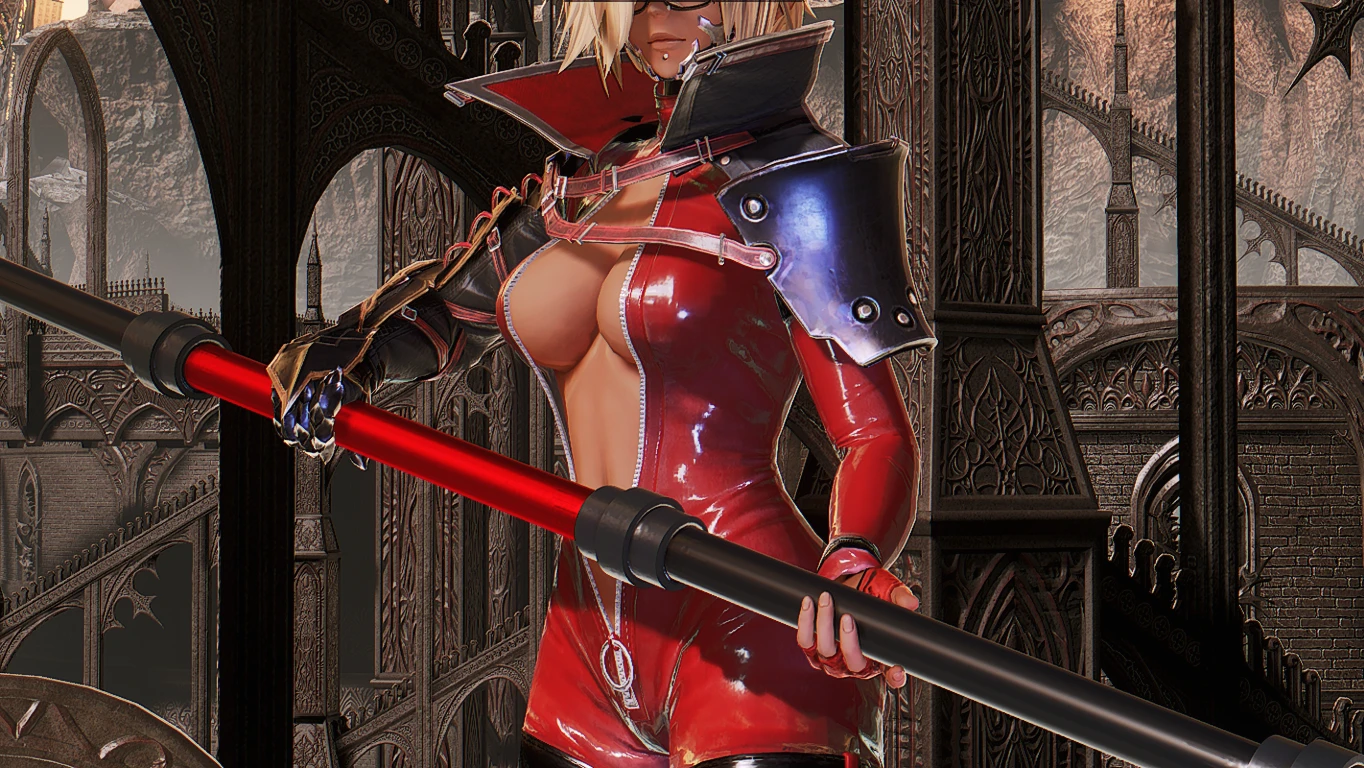
🔍 Analysis
- 👍 4.0% endorsement rate — high engagement, a strong quality signal
- 🏆 #3 of 23 Visuals and Graphics mods in this game by downloads
📋 About This Mod
1 - Download the latest Reshade, https://reshade.me/
2 - Launch the Reshade and select the CodeVein-Win64-Shipping.exe. "SteamLibrary\steamapps\common\CODE VEIN\CodeVein\Binaries\Win64\CodeVein-Win64-Shipping.exe
3 - On Reshade Launcher, select OpenGL.
4 - Click to download when asked after selecting Vulkan, then install all selected.
5 - Unzip my file, this will give you the .ini you need, copy to the same folder you installed the Reshade.
7 - Change the opengl32.dll to d3d11.dll
6 - Open the Game, press Home and select my preset, A. K. Reshade. The DOF is disabled by default, to activate it press End on Keyboard.
VISUAL IMPROVEMENTS
This is optional but highly recommended if you have at very least a good VGA with 3GB VRAM. My specs are an fx8350 with an R9-280x 3GB.
1 - Download the improved Visuals and Performance you'll have two choices, I'm using the Performance Oriented Config, it works well with the other file I uploaded. This will give great improvement, If you have a better pc, use the main one. Follow his instructions and install one of them.
2 - After downloading any of the files from Improved Visuals and Performance open the Engine.ini, and disable the Tonemap (this is very important) r. TonemapperFilm=1 change it to 0
Extra Step -
For this one, make sure you have more than 8GB RAM since it will take a lot more of RAM with this file.
The second file you can download from here will boost and improve even more the game, just unzip it at the %LocalAppData%\CodeVein\Saved\Config\WindowsNoEditor\Remember to always make a backup from the files you're overwriting.
If you followed these instructions you'll notice the lighting, shadow, and texture will improve considerably.
If you try the improvement files without the minimum requirement, it's your own risk.
A Reshade preset by Avallonkao that aims to make the game cleaner, with guides to improve textures and visuals. It has 357 endorsements and nearly 9,000 downloads, last updated in November 2019. For players seeking a visual overhaul with a focus on clarity.
✨ Key Features
📊 Pros & Cons
✅ Pros
- Solid community backing with 357 endorsements and nearly 9k downloads
- Aims for a cleaner look, which can reduce visual clutter
- Includes guides for further texture and visual improvements
⚠️ Cons
- Last updated in 2019, so may not work with the latest game patches or Reshade versions
- Requires Reshade, which adds an extra setup step
For players who want a cleaner, more polished look without heavy visual overhauls. If you're comfortable with Reshade and tweaking settings, this preset could be a good starting point. Skip if you prefer vanilla graphics or want a more dramatic visual change.
💡 Beginner Tips
- Make sure to download the latest Reshade version and follow the on-screen prompts to select your game executable.
- After installing, use the in-game Reshade overlay (usually Shift+F2) to adjust the preset's intensity to your liking.
- Check the mod's comments section for any user-provided compatibility notes with newer game versions.
📊 Mod Details
- Game
- Codevein Mods
- Author
- Avallonkao
- Version
- 1.5
- Downloads
- 8,968
- Endorsements
- 357
- Category
- Visuals and Graphics
- Created
- 11/15/2019
- Updated
- 11/24/2019
🔧 How to Install Code Vein Mods
Download from Nexus Mods.
📖 Full step-by-step install guide for Code Vein →
Visit the official mod page for specific installation instructions for this mod.
🎮 Need cheat codes or console commands? Check ur gaming wiki for Code Vein commands, item IDs, and more.
Keep browsing — more Code Vein mods await