code vein toggle hud (gameplay)
⚪ Last updated 2019Preview
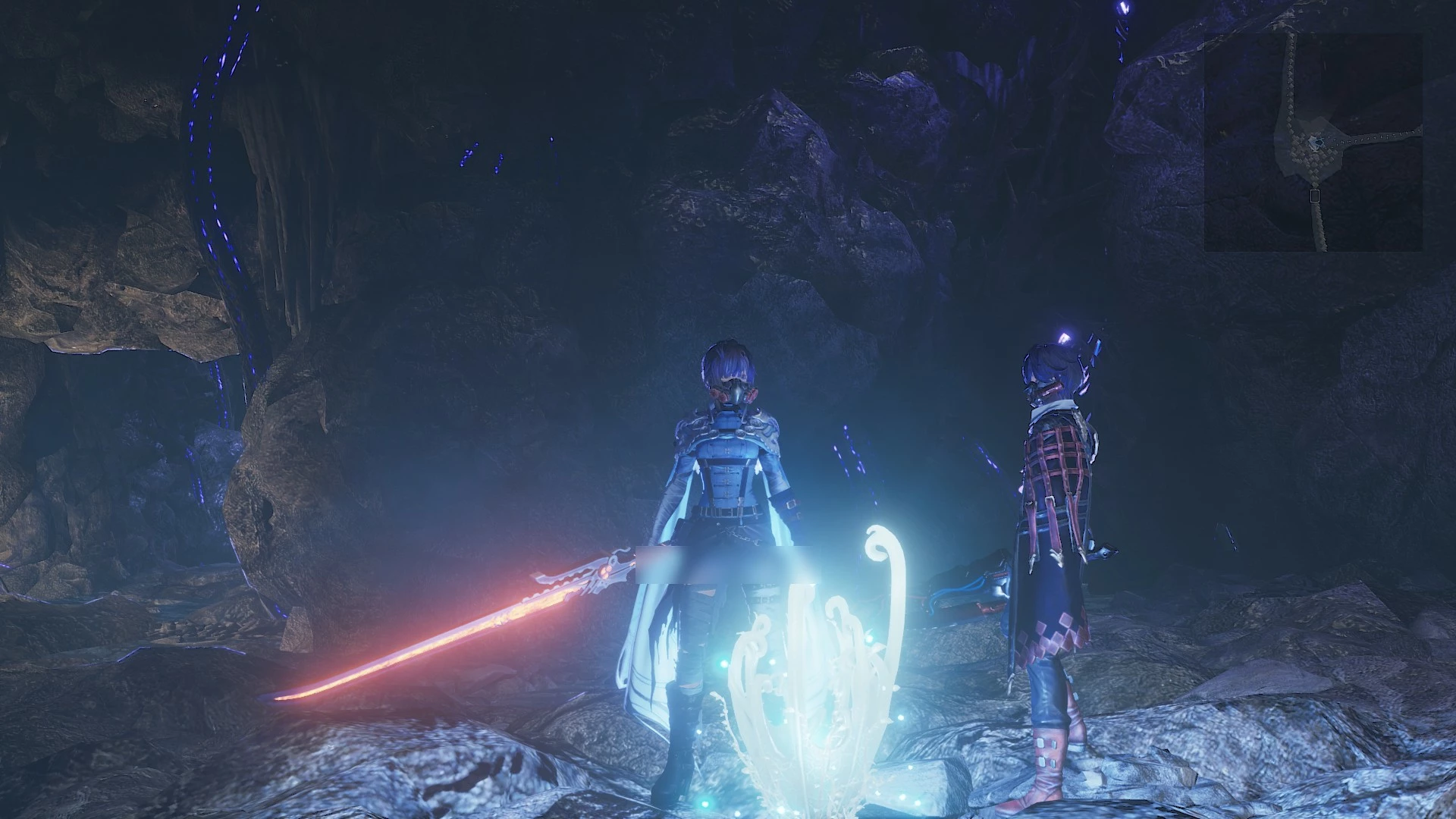
🔍 Analysis
- 👍 5.9% endorsement rate — high engagement, a strong quality signal
- 🏆 #105 of 129 Miscellaneous mods in this game by downloads
📋 About This Mod
toggle gameplay hud (not map) on / offdecrease map opacity
- description
Code vein a well lit game alas slightly a bit too much
of the 'lets sucker punch you from precarious ledges' school
of game play, but never the less still engaging.
This tweak allows you to toggle the hud through:
Key=XB_X hud off
Key=XB_A hud on
Key=XB_START hud on
These buttons have been selected as a form of auto
on / off however if you want something different see
further tweaking below.
- install
Copy the contents of the zip file to the install folder of code vein, the folder which
contains CodeVein-Win64-Shipping.exe. (code vein\CodeVein\Binaries\Win64)
- optional install
If you do not like using unverified dll's you can download 3dmigoto from
https://github.com/bo3b/3Dmigoto/releases
download version 1. 3. 16 and place the following dlls in the install dir of code vein
d3d11.dll (64bit)
d3dcompiler_46.dll
then copy ShaderCache and ShaderFixes from the zip file and the d3dx.ini
to the same dir aka folder.
!note: if you choose to use the d3dx.ini contained in the github package
make sure to set (line 248):
the default setting is:
which sets 3dmigoto to a debug mode.
- verify
After running the game the folder ShaderFixes should contain the .bin versions:
29666d32512b8309-ps_replace.bin
4f489b9956bd3e30-ps_replace.bin
645fbe441f81610c-ps_replace.bin
29666d32512b8309-ps_replace.txt
4f489b9956bd3e30-ps_replace.txt
645fbe441f81610c-ps_replace.txt
This means that the file(s) .txt have been compiled by 3dmigoto (d3d11.dll)
- tested
Tested with version 1. 01. 86038 of code vein on win 7 / nvidia 1050gtx ti
See screenshot for settings game.
- performance
No performance impact measured.
- further tweaking
If you like you can compare the modified shader, ShaderCache contains
the original shader, to alter values.
There are two shaders that have been modified for toggling (see comment in file):
// toggle hud with button or key
// toggle text companion name with button or key
if you do not want map transparency remove:
4f489b9956bd3e30-ps_replace.txt
// decrease opacity map more transparent map right top corner
or if you want the map to toggle add:
float4 iniParams = IniParams. Load(0);
if (iniParams.x == 1) {discard;}
float4 r0,r1,r2,r3;
uint4 bitmask, uiDest;
float4 fDest;
(see other shaders for example)
More info on adding a toggle see:
https://www.redd
📊 Mod Details
- Game
- Codevein Mods
- Author
- thrive4
- Version
- 1.0
- Downloads
- 727
- Endorsements
- 43
- Category
- Miscellaneous
- Created
- 11/25/2019
- Updated
- 11/25/2019
🔧 How to Install Code Vein Mods
Download from Nexus Mods.
📖 Full step-by-step install guide for Code Vein →
Visit the official mod page for specific installation instructions for this mod.
🎮 Need cheat codes or console commands? Check ur gaming wiki for Code Vein commands, item IDs, and more.
Keep browsing — more Code Vein mods await