code vein care package
⚪ Last updated 2019Preview
🔍 Analysis
- 🏆 #110 of 129 Miscellaneous mods in this game by downloads
📋 About This Mod
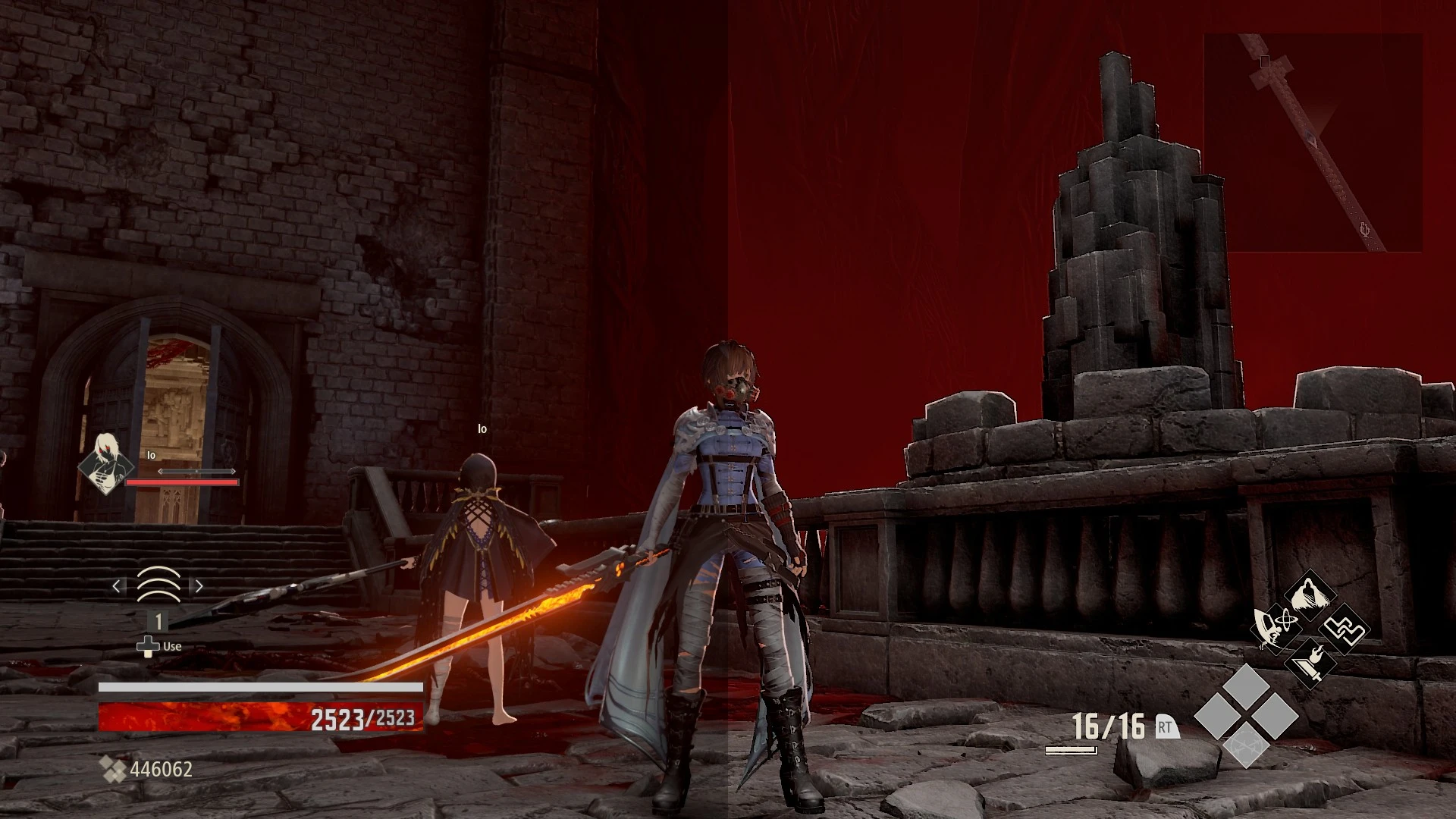
decrease map opacity in main hudtone map reduces darknessbump and relief enhances textures09/11/2019 added an option b with only the map opacity fix
- description
Code vein a well lit game alas slightly a bit too much
of the 'lets sucker punch you from precarious ledges' school
of game play, but never the less still engaging.
These tweaks give the map (top right corner) a bit less opacity
and some reshade tonemaping reduces excessive darkening plus a
bump / relief shader high lights the texture details (works
nicely with the cell shade look of the game)
note in game use shift-f2 for reshade menu
and deselect bumpcart if the bump relief is
not to your liking.
- install
Copy the contents of the zip file to the install folder of code vein, the folder which
contains CodeVein-Win64-Shipping.exe. (code vein\CodeVein\Binaries\Win64)
- optional install
The following instructions are only needed
if you do not like using unverified dll's you can:
download 3dmigoto from
https://github.com/bo3b/3Dmigoto/releases
download version 1. 3. 16 and place the following dlls in the install dir of code vein
d3dcompiler_46.dll
then copy ShaderCache and ShaderFixes from the zip file to the same dir aka folder.
download reshade from
https://reshade.me/
install only dxgi.dll (64bits) to the install dir aka folder of code vein.
Then copy the reshade folder plus ReShade.ini and dxgi.ini
to the install dir of code vein.
- verify
After running the game the folder ShaderFixes should contain the .bin versions:
4f489b9956bd3e30-ps_replace.bin
4f489b9956bd3e30-ps_replace.txt
This means that the file(s) .txt have been compiled by 3dmigoto (d3d11.dll)
- tested
Tested with version 1. 01. 86038 of code vein on win 7 / nvidia 1050gtx ti
See screenshot for settings game.
- performance
reshade / 3dmigoto gpu usage 1080p@~55fps
without - clock 1772Mhz gpu usage ~70%
with - clock 1772Mhz gpu usage ~77%
approximately 7% increase (1050gtx ti on win 7)
max gpu: 1772Mhz gpu usage 100%
*clamped frame rate to 55. 7 no sync
- further tweaking
If you like you can compare the modified shader, ShaderCache contains
the original shader, to alter values.
launch with (unreal 4 command line parameters):
CodeVein-Win64-Shipping.exe -norc -nowrite -nodatabase -useallavailablecores -noforcefeedback -nosplash -fullscreen -nosteam
📊 Mod Details
- Game
- Codevein Mods
- Author
- thrive4
- Version
- 1.0
- Downloads
- 492
- Endorsements
- 28
- Category
- Miscellaneous
- Created
- 11/8/2019
- Updated
- 11/9/2019
🔧 How to Install Code Vein Mods
Download from Nexus Mods.
📖 Full step-by-step install guide for Code Vein →
Visit the official mod page for specific installation instructions for this mod.
🎮 Need cheat codes or console commands? Check ur gaming wiki for Code Vein commands, item IDs, and more.
Keep browsing — more Code Vein mods await