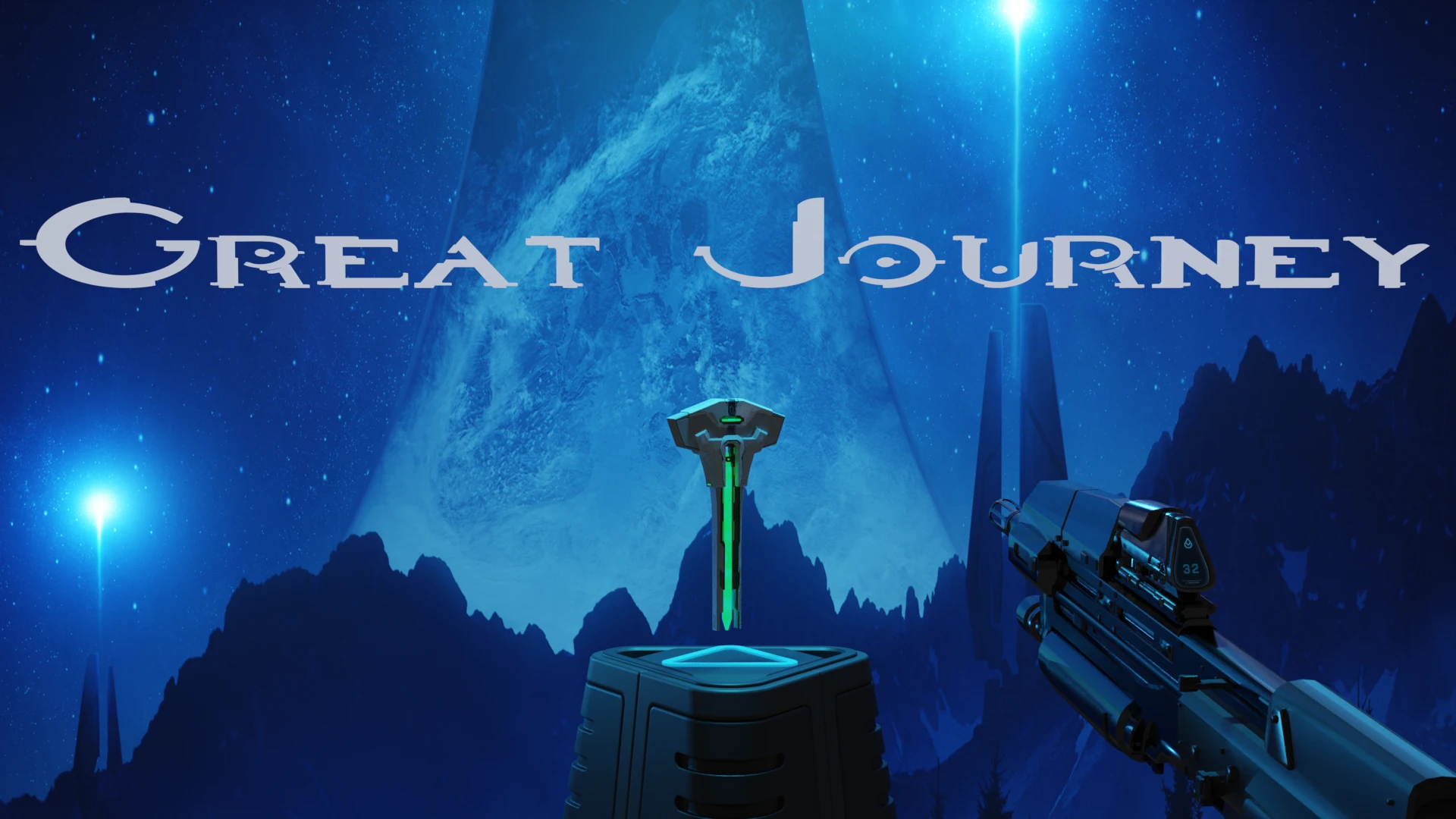
(U10) Great Journey - A Halo Overhaul mod by Fisher
⚪ Last updated 2022Preview
🔍 Analysis
- 👍 2.0% endorsement rate — high engagement, a strong quality signal
- 🏆 #87 of 371 Weapons mods in this game by downloads
📋 About This Mod
GREAT JOURNEY: A Halo Overhaul Mod
This mod is a work-in-progress. See roadmap below for planned updates :) Please report any bugs and provide suggestions in the forum/posts section. THANKS!
I currently have it in a working state, but there may be bugs and some missing content.
I am continuing to work on this mod and will provide more updates in the next few weeks. Please test out and enjoy the mod in the meantime.
Thanks and Cheers!
- Fisher
Halo Spawn Event
1) Take the "Halo Activation Index" from the "GreatJourney" category in the SpawnBook (marked with a Reclaimer symbol).
2) A Forunner Altar will spawn nearby. To start the event, place the Activation Index on the Forerunner Artifact ...
2) Grab the Slide/Bolt of the weapon and pull it back, then release to chamber the first round. (If the weapon has an ammo counter, it will now update)
3) When empty, press the Spell-Menu button to eject the magazine.
4) To get more ammo, spawn a Magazine (or for carrying ammo spawn a Pouch) from the "GreatJourneyAmmo" section of the book.
For the Shotgun
You must re-chamber/pump the shotgun after each shot. When empty, you can pump the slide backwards to open the receiver for more shotgun shells.
Available Weapons
(See roadmap for incoming weapons)
[] Assault Rifle
[] Battle Rifle
[] DMR - Designated Marksman Rifle
[] M6G Magnum
[] M6C Socom
[] UNSC SMG
[] M90 Shotgun
[] Brute Mauler
[] Brute Spiker
[]Gravity Hammer
About: Laser Sights allow you to aim accurately while "hip-firing". They provide minor self-illumination (emission) to the world and are programmed to draw onto surfaces you point at, while tapering off when pointed to "infinity".
To toggle a laser sight On/Off, HOLD the "SpellMenu" button for a half-second (using the hand that is holding the primary gun handle). If you press the SpellMenu button for a short time only, it will eject the Magazine instead of toggling the laser.
Currently, Laser Sights are only available on the following weapons:
-
[] M6C Socom (ODST Magnum)
[
] M6G Magnum[] Misriah SMG
[] Designated Marksman Rifle (DMR)
If you want to switch the behavior (i.e. short press toggles laser, long-press ejects magazine), you can edit the following two lines in the "modules" section of each weapon (found in the mod folder under GreatJourney/Weapons/
"laserTogglePriority": false,
"laserToggleHoldTime": 0. 5
"laserTogglePriority" - (default = false) If set to true, short-press toggles the laser, long-press ejects magazine
"laserToggleHoldTime" - (default = 0. 5) The number of seconds required for a "long-press" to register. Decrease this number if you want the toggling to be faster/more responsive.
==============================================================Flash Lights==============================================================About: Flashlights will dynamically illuminate surfaces and can create immersive visual effects when combined with the Unity URP used in B&S.
To toggle a flash light On/Off, Press either the "Trigger" or
Great Journey is a work-in-progress Halo overhaul mod for Blade and Sorcery U10, adding a Halo-themed spawn event and a variety of UNSC and Brute weapons. It includes a tutorial for reloading and ammo management, and the author plans further updates. The mod has 763 endorsements and 38,250 downloads.
✨ Key Features
📊 Pros & Cons
✅ Pros
- 763 endorsements indicate a positive community reception.
- 38,250 downloads show significant interest and usage.
- Active development with planned updates, as stated by the author.
⚠️ Cons
- Work-in-progress: may contain bugs and missing content, as noted by the author.
- Requires manual reloading mechanics, which may be complex for some players.
- Rebuilt for U10, so it may not be compatible with other game versions.
This mod is for Halo fans who enjoy immersive weapon mechanics and want to bring Halo weapons into Blade and Sorcery. It's also for players who like event-driven gameplay. However, it may not suit those who prefer simple, plug-and-play weapon mods without manual reloading or those who dislike work-in-progress content.
💡 Beginner Tips
- Read the in-game tutorial in the description to learn the reloading mechanics.
- Spawn a magazine or pouch from the 'GreatJourneyAmmo' section to carry extra ammo.
- For the shotgun, remember to pump after each shot and open the receiver when empty.
📊 Mod Details
- Game
- Blade And Sorcery Mods
- Author
- Fisher
- Version
- 3.1.0
- Downloads
- 38,250
- Endorsements
- 763
- Category
- Weapons
- Created
- 10/7/2020
- Updated
- 1/17/2022
🔧 How to Install Blade & Sorcery Mods
Use Vortex or manual. Drop mods into /Mods/ folder.
📖 Full step-by-step install guide for Blade & Sorcery →
Visit the official mod page for specific installation instructions for this mod.
🎮 Need cheat codes or console commands? Check ur gaming wiki for Blade & Sorcery commands, item IDs, and more.
Keep browsing — more Blade & Sorcery mods await