PlayStation Icons for AC Black Flag
⚪ Last updated 2020⚠️ Install Order · 1 step
Install in this order, then this mod last — most mods fail to load without their framework and dependencies in place.
Preview
🔍 Analysis
- 👍 2.5% endorsement rate — high engagement, a strong quality signal
- 🏆 #1 of 14 User Interface mods in this game by downloads
📋 About This Mod
Brief:
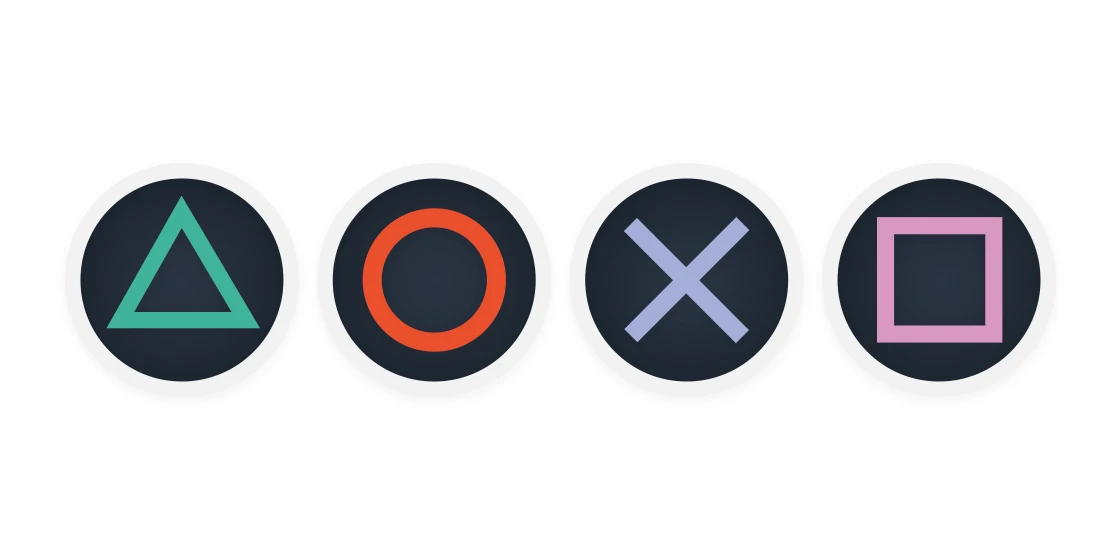
This mod changes the icons from Xbox to PlayStation. The icons are all located in one texture file. Make sure you are using RESOREP. Follow this guide to make it much easier to use. An easy RESOREP method to let you use all your texture mods. It is required.
Issues:
The only issue with this mod is the Circle icon is a little cut off as you can see in the screenshots. This is because the space in the texture reserved for B is very small so trying to fit a Circle in there and make it look decent was really hard. But I've tried my best and think it's as good as it can be given the limitation. If anyone thinks they can do better please feel free to try.
If you like this mod feel free to check out my other mods:
Mafia: Definitive Edition - PlayStation Icons
Mafia 3 - PlayStation Icons
Mafia 2: Definitive Edition - PlayStation Icons
Mafia 2: Classic - PlayStation Icons
Witcher 3 - PlayStation 4 Icons
Dear Diary - PlayStation Buttons Patch
Mass Effect 2 PlayStation Icons
SkyUI The Adventurer Theme Mod - PS4 Icons Patch
Imperial UI for SkyUI
Far Cry 3 - PlayStation Buttons Mod
ESO Gamepad UI
Xbox One Buttons Icons for SkyUI
Playstation 4 Button Icons for SkyUI - Special Edition
Playstation 4 Button Icons for SkyUI - Legendary Edition
Fallout 3 - Playstation 4 Button Icons
Fallout New Vegas - Playstation 4 Button Icons
The Elder Scrolls IV: Oblivion - Playstation Button Icons
Bioshock Remastered Playstation Button Icons
Dark Souls 3 PS4 Controller Icons for IGP11
This mod replaces Xbox button icons with PlayStation icons in Assassin's Creed IV: Black Flag, using Resorep texture replacer. It's a simple UI cosmetic mod for players who prefer PlayStation button prompts. With 143 endorsements and 5,836 downloads, it's a niche but appreciated tweak.
✨ Key Features
📊 Pros & Cons
✅ Pros
- Does exactly what it says – swaps Xbox prompts for PlayStation ones, no more confusing buttons
- Solid community support with 143 endorsements and 5,836 downloads
- Lightweight and doesn't touch gameplay, just the UI
⚠️ Cons
- Requires Resorep, an external tool, which adds setup steps
- Last updated in 2020 – might not work with the latest game patches
- No screenshots or detailed instructions in the description, so you're on your own for install
For AC Black Flag players on PC who use a PlayStation controller and want the UI to match. Also for anyone who just prefers the look of PlayStation icons. Skip if you're fine with Xbox prompts or don't want to bother with Resorep.
💡 Beginner Tips
- Make sure you have Resorep installed and configured before adding this mod, as it's required for the textures to load.
- After installing, launch the game and check the button prompts in the menu – if they don't change, verify Resorep is running and the mod files are in the correct folder.
- If you're using a PlayStation controller, also check your game's controller settings to ensure the button mapping matches the new icons.
📊 Mod Details
- Game
- Assassinscreedivblackflag Mods
- Author
- EASKATER
- Version
- 1.0
- Downloads
- 5,836
- Endorsements
- 143
- Category
- User Interface
- Created
- 10/25/2020
- Updated
- 12/22/2020
🔧 How to Install Assassin's Creed IV: Blac Mods
Download from Nexus Mods.
📖 Full step-by-step install guide for Assassin's Creed IV: Blac →
Visit the official mod page for specific installation instructions for this mod.
🎮 Need cheat codes or console commands? Check ur gaming wiki for Assassin's Creed IV: Blac commands, item IDs, and more.
Keep browsing — more Assassin's Creed IV: Blac mods await