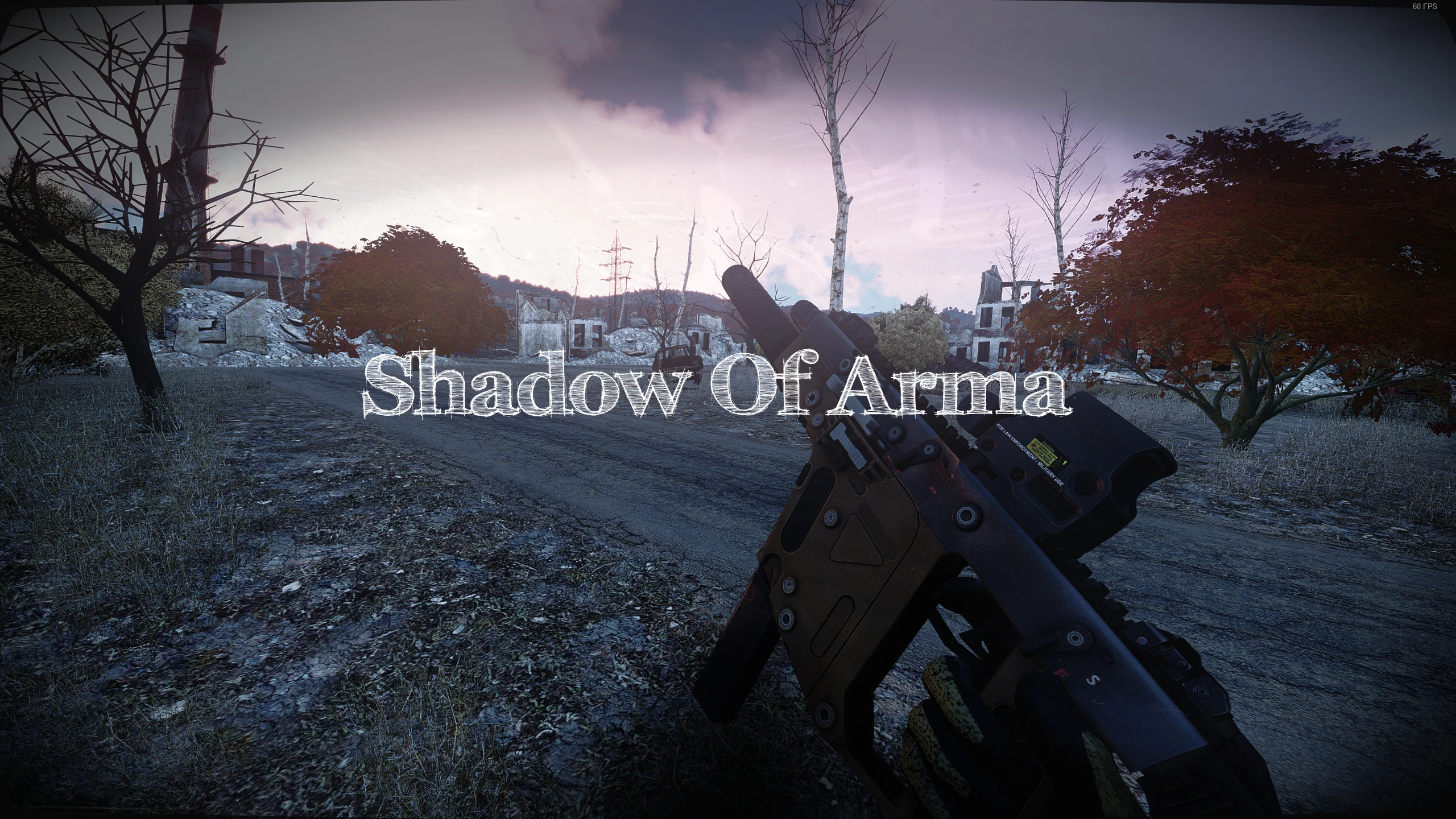
Shadow of Arma - Reshade Preset
⚪ Last updated 2024This mod may not work until the author updates it. Check for an update, or see the rollback guide.
⚠️ Install Order · 1 step
Install in this order, then this mod last — most mods fail to load without their framework and dependencies in place.
Preview
🔍 Analysis
- 👍 1.1% endorsement rate — high engagement, a strong quality signal
- 🏆 #6 of 59 Miscellaneous mods in this game by downloads
📋 About This Mod
Shadow of Arma takes heavy inspiration from games like Stalker and Tarkov and brings a touch of their visuals to the game.
Looking For a Group to play Arma with? come and play with me over at Project Awesome We're a community of like minded gamers that just want to play games and have a good time
KNOWN ISSUES
When opening the map in certain lighting it will be black to solve this, we keybind GloomAO to your map key, so it disables when opening map and enables whenclosing map
Installation Guide
This section will cover installation of Reshade and its presets
- Step 1: Head to the Reshade Website and click "Download Reshade version with full add-on support
- Step 2: Run the Reshade installer it will warn you that it is for singleplayer games, this can safely be ignored as it is added to Battle Eyes internal whitelist
- Step 3: Select the Arma3_x64.exe confirm and select DirectX10/11/12
- step 4: Skip the preset stage on the Effect Package page click "uncheck all" TWO Times this will automatically check everything
- Step 5: Congrats Arma now has a reshade install!
Preset Install
- Step 1: Extract the "Presets" folder and paste it in your Arma 3 Directory
- Step 2: the presets are now installed launch the game to configure further
Configuring the Presets
- Step 1: Press the "HOME" key to open the reshade interface, select the setting tab at the top
- Step 2 : Move to the settings tab at the top, copy the keybinds in the red box, this is important for the nightvision modes
- Step 3: Go back to the home page, click the drop down and select "Shadow of Arma"
Important NVG Explanation!
due to how reshade operates and the subtle differences between normal eyes, FLIR and NVG we need to use the keybinds we setup earlier to change modes
Dual Mode Nods
When turning NVG's on we use N to cycle the NVG modes and presets, simply press N the ammount of times you need to cycle, This CANT break
Single Mode Nods
When turning NVG's on we use N when turning the nods "OFF" we use "Ctrl + N" THIS CAN BREAK if you press just "N"
Shadow of Arma is a ReShade preset for Arma 3 that brings Stalker and Tarkov-inspired visuals to the game. It includes custom keybinds for map and night vision modes, with a known issue where the map appears black in certain lighting. The preset requires manual ReShade installation and configuration.
✨ Key Features
📊 Pros & Cons
✅ Pros
- 16 endorsements from the community
- 1,477 downloads indicate moderate usage
- Last updated in January 2024, showing recent maintenance
⚠️ Cons
- Requires manual ReShade installation and configuration
- Known issue with map appearing black in certain lighting
- Dependent on ReShade and keybind setup for full functionality
This mod is for Arma 3 players who want a grittier, more atmospheric visual style inspired by Stalker and Tarkov. It's ideal for those comfortable with installing and configuring ReShade presets. Players who prefer out-of-the-box solutions or dislike tweaking keybinds may want to skip.
💡 Beginner Tips
- Follow the installation guide step-by-step, especially the part about unchecking all effects twice to ensure everything is selected.
- Set the keybinds as instructed to avoid the black map issue and to properly use NVG modes.
- Join the Project Awesome community if you need help or want to play with others.
📊 Mod Details
- Game
- Arma 3 Mods
- Author
- TomoKIN
- Version
- V1.1
- Downloads
- 1,477
- Endorsements
- 16
- Category
- Miscellaneous
- Created
- 12/8/2023
- Updated
- 1/13/2024
🔧 How to Install ArmA 3 Mods
Subscribe on Steam Workshop. Enable mods in Arma 3 Launcher.
📖 Full step-by-step install guide for ArmA 3 →
Visit the official mod page for specific installation instructions for this mod.
🎮 Need cheat codes or console commands? Check ur gaming wiki for ArmA 3 commands, item IDs, and more.
Keep browsing — more ArmA 3 mods await