A3 Visual Overhaul
⚪ Last updated 2023This mod may not work until the author updates it. Check for an update, or see the rollback guide.
⚠️ Install Order · 1 step
Install in this order, then this mod last — most mods fail to load without their framework and dependencies in place.
Preview
🔍 Analysis
- 👍 0.9% endorsement rate
- 🏆 #2 of 59 Miscellaneous mods in this game by downloads
📋 About This Mod
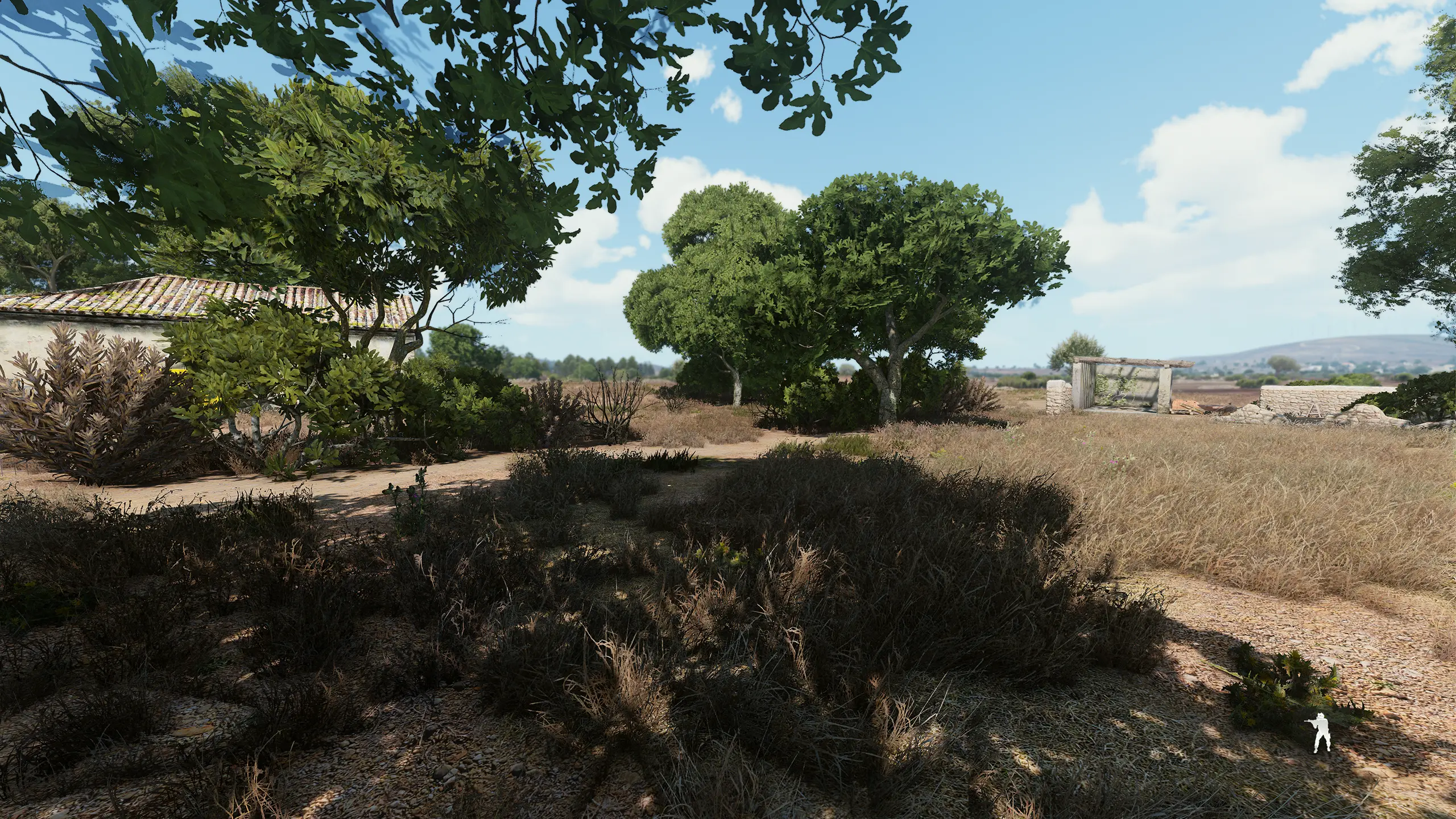
This preset will completely change the look of the game during gameplay, whether in missions during the day or at night, as there are also some shaders that will activate when you press your "N" key for night vision. For the preset to work correctly, it is necessary that you correctly configure your Depth buffer in Reshade.
For the preset to work correctly, make sure your Reshade depth of field settings are correct, I won't teach it here as there are many tutorials on YouTube.
Keep in mind that it will consume some fps, if it drops too much for you, just disable some shaders, such as MXAO and CinematicDOF.
The shader sequence matters, so don't change it. Inside the folder there are 2 example images of how your shaders were without night vision and with night vision.
1NUv-oE0k4M
A3 Visual Overhaul is a ReShade preset for Arma 3 that transforms the game's visuals during day and night missions, including custom shaders for night vision activated via the 'N' key. It requires correct Depth buffer configuration and may impact performance, with options to disable heavy shaders like MXAO and CinematicDOF.
✨ Key Features
📊 Pros & Cons
✅ Pros
- 64 endorsements indicate community approval.
- 6,787 downloads show moderate popularity.
- Includes night vision shaders, adding unique functionality.
⚠️ Cons
- Requires manual ReShade Depth buffer configuration, which may be complex.
- Performance impact may be significant, requiring shader adjustments.
- Shader sequence must not be changed, limiting customization.
This mod is for Arma 3 players who want a dramatic visual overhaul and are comfortable configuring ReShade. It's not for those seeking a simple plug-and-play experience or who have low-end systems sensitive to FPS drops.
💡 Beginner Tips
- Watch YouTube tutorials on configuring ReShade's Depth buffer to ensure the preset works correctly.
- If FPS drops are too severe, disable MXAO and CinematicDOF shaders in ReShade.
- Remember to disable ACE night vision in-game to avoid conflicts with the preset's night vision shaders.
📊 Mod Details
- Game
- Arma 3 Mods
- Author
- lNommad
- Version
- 1.0
- Downloads
- 6,787
- Endorsements
- 64
- Category
- Miscellaneous
- Created
- 10/11/2023
- Updated
- 10/11/2023
🔧 How to Install ArmA 3 Mods
Subscribe on Steam Workshop. Enable mods in Arma 3 Launcher.
📖 Full step-by-step install guide for ArmA 3 →
Visit the official mod page for specific installation instructions for this mod.
🎮 Need cheat codes or console commands? Check ur gaming wiki for ArmA 3 commands, item IDs, and more.
Keep browsing — more ArmA 3 mods await