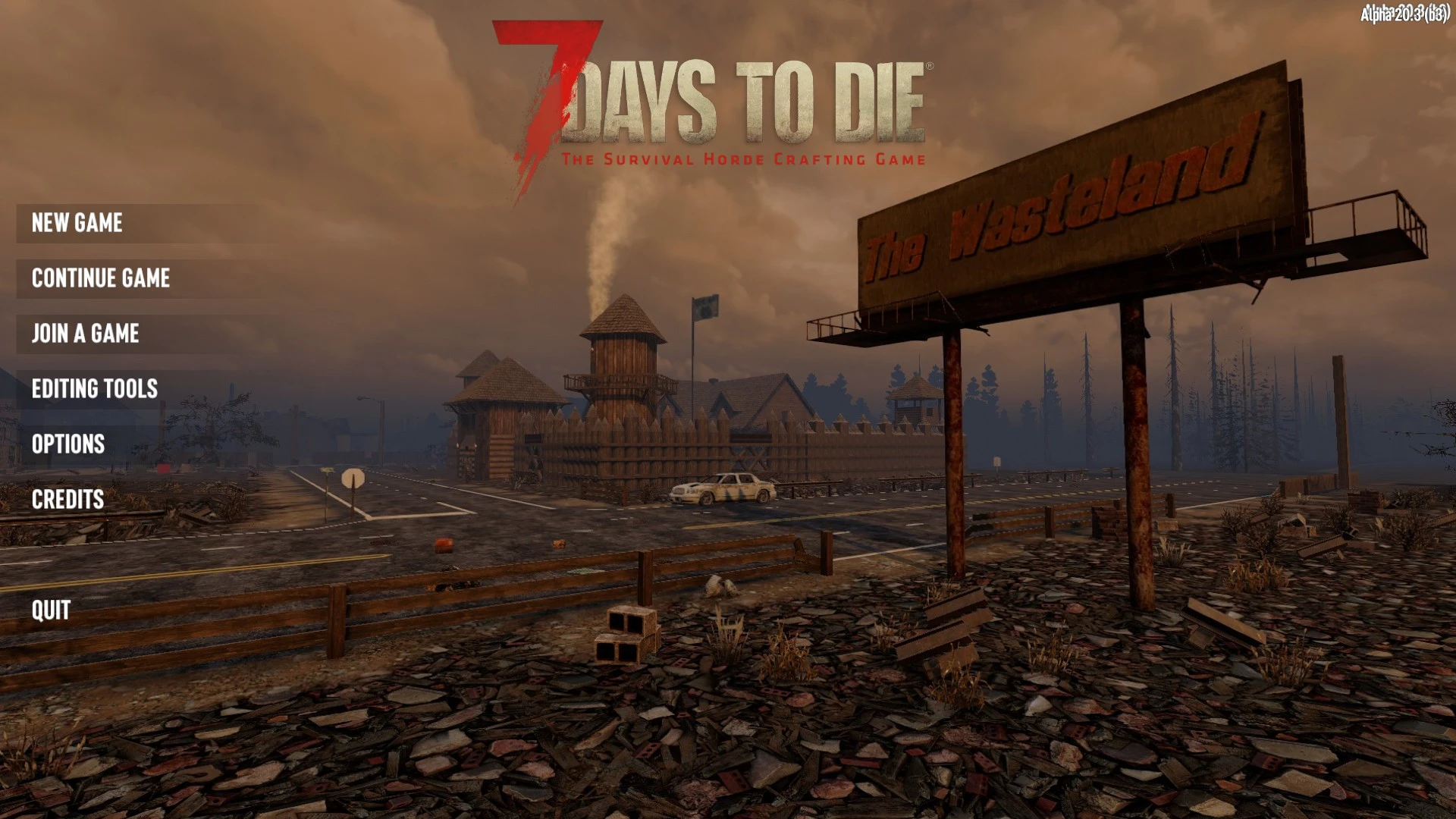
Random Mainmenu Background
🟡 Updated this yearPreview
🔍 Analysis
- 👍 2.0% endorsement rate — high engagement, a strong quality signal
- 🏆 #14 of 25 Utilities mods in this game by downloads
📋 About This Mod
This should be a client only mod. If some other mods requires it for randomized backgrounds but you prefer your default one, you should be safe to remove this mod without breaking anything.
The overview pretty much summarizes the usage of this mod, so I'll give a brief introduction on how to use it here.
To get this mod into effect, you need to add window_group named "menuBackground + custom identifier" for the background, and "mainMenuLogo + custom identifier" for the logo to XUi_Menu/xui.xml. Then I'll randomly pick one from these custom window groups. If there is no custom ones, the default one without custom identifier is loaded.
For example:
In XUi_Menu/xui.xml we have following window_groups:
<test name="XUi_Menu/xui.xml">
<append xpath="/xui/ruleset[@name='default']">
<window_group name="menuBackgroundTest1" actionSet="false">
<window name="backgroundTest1" />
</window_group>
<window_group name="menuBackgroundTest2" actionSet="false">
<window name="backgroundTest2" />
</window_group>
</append>
</test>
Then in XUi_Menu/windows.xml we just add those window like vanilla background and logo:
<test name="XUi_Menu/windows.xml">
<append xpath="/windows">
<window name="backgroundTest1" anchor="CenterCenter" pos="0,0" width="1050" height="780" depth="-3">
<texture depth="1" color="" texture="@modfolder:Textures/test1.png" name="bgTexture" anchor_left="#cam,0,-5" anchor_bottom="#cam,0,-5" anchor_right="#cam,1,5" anchor_top="#cam,1,5" />
</window>
<window name="backgroundTest2" anchor="CenterCenter" pos="0,0" width="1050" height="780" depth="-3">
<texture depth="1" color="" texture="@modfolder(SMXlib)://Textures/smxmenu_window_background.png" name="bgTexture" anchor_left="#cam,0,-5" anchor_bottom="#cam,0,-5" anchor_right="#cam,1,5" anchor_top="#cam,1,5" />
</window>
</append>
</test>
EAC must be off.
Random Mainmenu Background lets you set multiple main menu backgrounds and logos, then randomly loads one each time. A simple utility for players who want variety in their game's main menu. With 605 endorsements and frequent updates, it's a community favorite.
✨ Key Features
📊 Pros & Cons
✅ Pros
- Community-approved with 605 endorsements and 30k downloads
- Actively maintained (last updated Dec 2025)
- Easy to use — just set your images and let it randomize
⚠️ Cons
- Only affects the main menu — no in-game changes
- Requires manual setup of image files
- Limited to backgrounds and logos, no other customization
For players who are tired of seeing the same main menu every time they launch the game. If you like customizing your game's look and want a fresh feel each startup, this is for you. Skip if you don't care about the main menu or want deeper UI changes.
💡 Beginner Tips
- Make sure your images are in a supported format (like PNG or JPG) and placed in the correct folder as per the mod's instructions.
- Test with two images first to see how the random selection works before adding more.
- If you use a mod manager, check if it supports this mod for easier installation.
📊 Mod Details
- Game
- 7 Days To Die Mods
- Author
- closerex
- Version
- 1.3.0
- Downloads
- 30,075
- Endorsements
- 605
- Category
- Utilities
- Created
- 4/2/2022
- Updated
- 12/14/2025
🧩 Commonly Used Together
Users add these mods to the same collections — a real compatibility signal, not an AI guess.
🔧 How to Install 7 Days to Die Mods
Use Vortex or manual. Most mods go in /Mods/ folder.
📖 Full step-by-step install guide for 7 Days to Die →
Visit the official mod page for specific installation instructions for this mod.
🎮 Need cheat codes or console commands? Check ur gaming wiki for 7 Days to Die commands, item IDs, and more.
Keep browsing — more 7 Days to Die mods await