Custom Player Action Manager
🟡 Updated this yearThis mod may not work until the author updates it. Check for an update, or see the rollback guide.
⚠️ Install Order · 1 step
Install in this order, then this mod last — most mods fail to load without their framework and dependencies in place.
Preview
🔍 Analysis
- 👍 1.3% endorsement rate — high engagement, a strong quality signal
- 🏆 #2 of 25 Utilities mods in this game by downloads
📋 About This Mod
Requires Quartz. If you are using SMX, you can ignore this requirement since Quartz is included in SMXcore; but if issue occurs in Control option panel, download latest Quartz and extract the .dll inside into SMXcore and overwrite.
Must be installed on both server and client. EAC must be off.
Recommended to pair with Allow Combo Keys. For compatibility with SMX, check out this patch.
-----------------------------------------------------------------------------------------------
7 days to die manages player input by InControl, with 5 PlayerActionSet and an ActionSetManager. Those sets are: PlayerActionsLocal, PlayerActionsGlobal, PlayerActionsGUI, PlayerActionsPermanent and PlayerActionsVehicle, which are all implementation of another abstraction on PlayerActionSet: PlayerActionsBase.
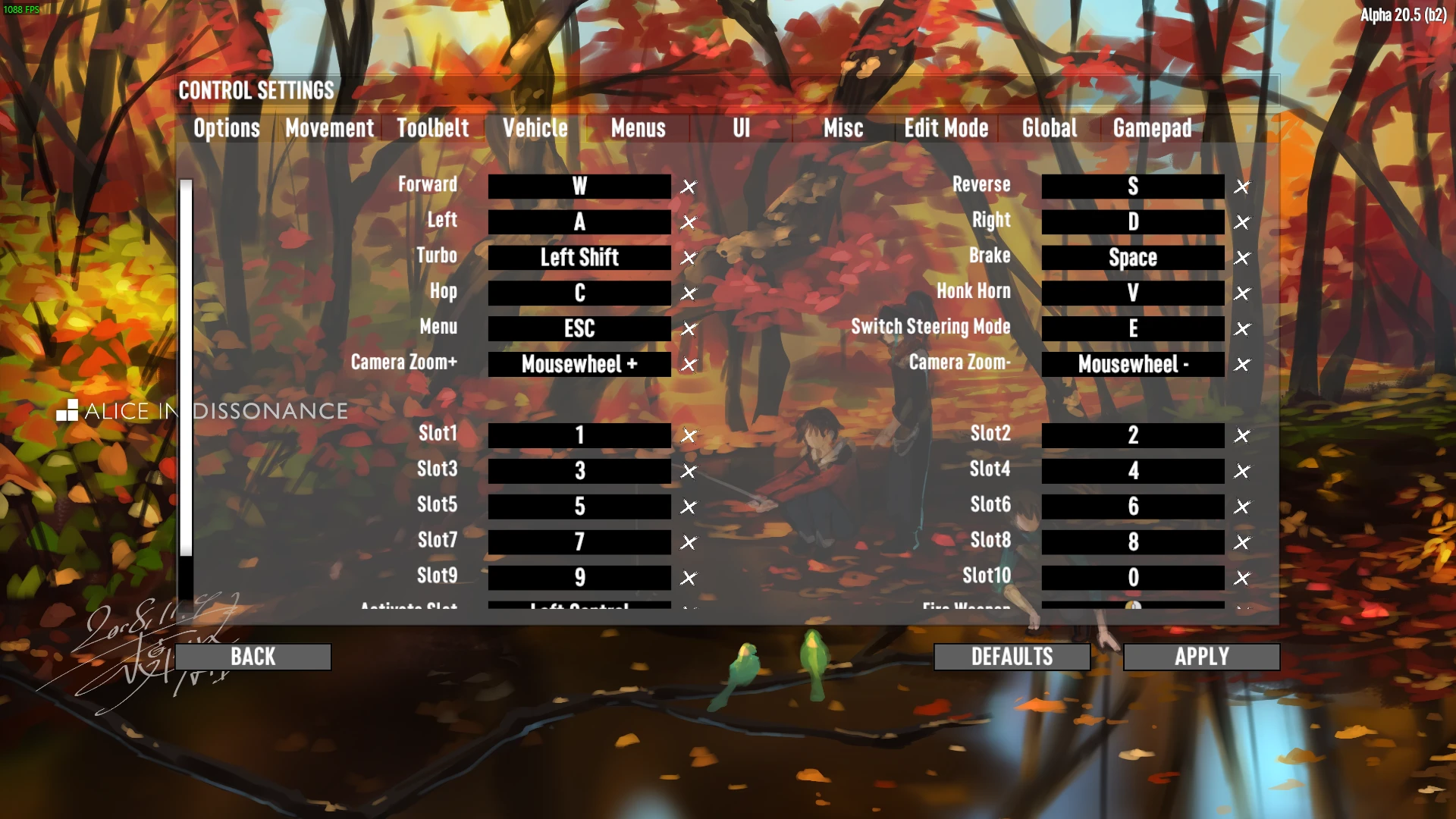
If a modder wants to add a custom PlayerActionSet, he will need to create it manually at some point after mods loaded, patch XUiC_OptionsControls to insert the actions into the panels, inject into pref save and handle control reset. When this happens in multiple mods, different ways of dealing with things might conflict with each other.
With this mod, you only need to create your actions with default key mapping, and it will get all the other chores done.
Moreover, this mod adds a scrollbar to the Control option panel when the options children rect height exceeds the panel height. Note that the mouse wheel scroll is disabled due to some collision issue with NGUI, you can only scroll the view with the scrollbar.
Detailed instructions and source code on GitHub.
Credit to Laydor, the author of Quartz for guiding me on ui stuff.
Custom Player Action Manager is a utility mod for 7 Days to Die that simplifies adding custom PlayerActionSets by automating UI integration, save injection, and control reset. It requires Quartz, must be installed on server and client, and adds a scrollbar to the Control options panel. It has 997 endorsements and 79,504 downloads.
✨ Key Features
📊 Pros & Cons
✅ Pros
- 997 endorsements indicate community approval.
- 79,504 downloads show significant usage.
- Actively maintained with a recent update on 2025-12-19.
⚠️ Cons
- Requires Quartz as a dependency, which may complicate installation.
- Must be installed on both server and client, and EAC must be off, limiting multiplayer use.
- Mouse wheel scrolling is disabled in the Control panel due to NGUI collision, only scrollbar works.
This mod is for 7 Days to Die modders who want to add custom key bindings without dealing with the complex underlying systems. It's also useful for server admins who need to manage multiple mods that add actions. Players who don't mod or play on EAC-enabled servers should skip it.
💡 Beginner Tips
- If you use SMX, you can skip installing Quartz separately, but be ready to overwrite the SMXcore DLL if control options cause issues.
- Ensure EAC is disabled on both server and client before installing.
- Pair with Allow Combo Keys for better key combination support, and check the SMX patch for compatibility.
📊 Mod Details
- Game
- 7 Days To Die Mods
- Author
- closerex
- Version
- 1.3.3
- Downloads
- 79,504
- Endorsements
- 997
- Category
- Utilities
- Created
- 5/26/2022
- Updated
- 12/19/2025
🧩 Commonly Used Together
Users add these mods to the same collections — a real compatibility signal, not an AI guess.
🔧 How to Install 7 Days to Die Mods
Use Vortex or manual. Most mods go in /Mods/ folder.
📖 Full step-by-step install guide for 7 Days to Die →
Visit the official mod page for specific installation instructions for this mod.
🎮 Need cheat codes or console commands? Check ur gaming wiki for 7 Days to Die commands, item IDs, and more.
Keep browsing — more 7 Days to Die mods await