PhD Bigger Vehicle Storage (A21)
⚪ Last updated 2023Preview
🔍 Analysis
- 👍 4.0% endorsement rate — high engagement, a strong quality signal
- 🏆 #21 of 66 User Interface mods in this game by downloads
📋 About This Mod
PhD Bigger Vehicle Storage
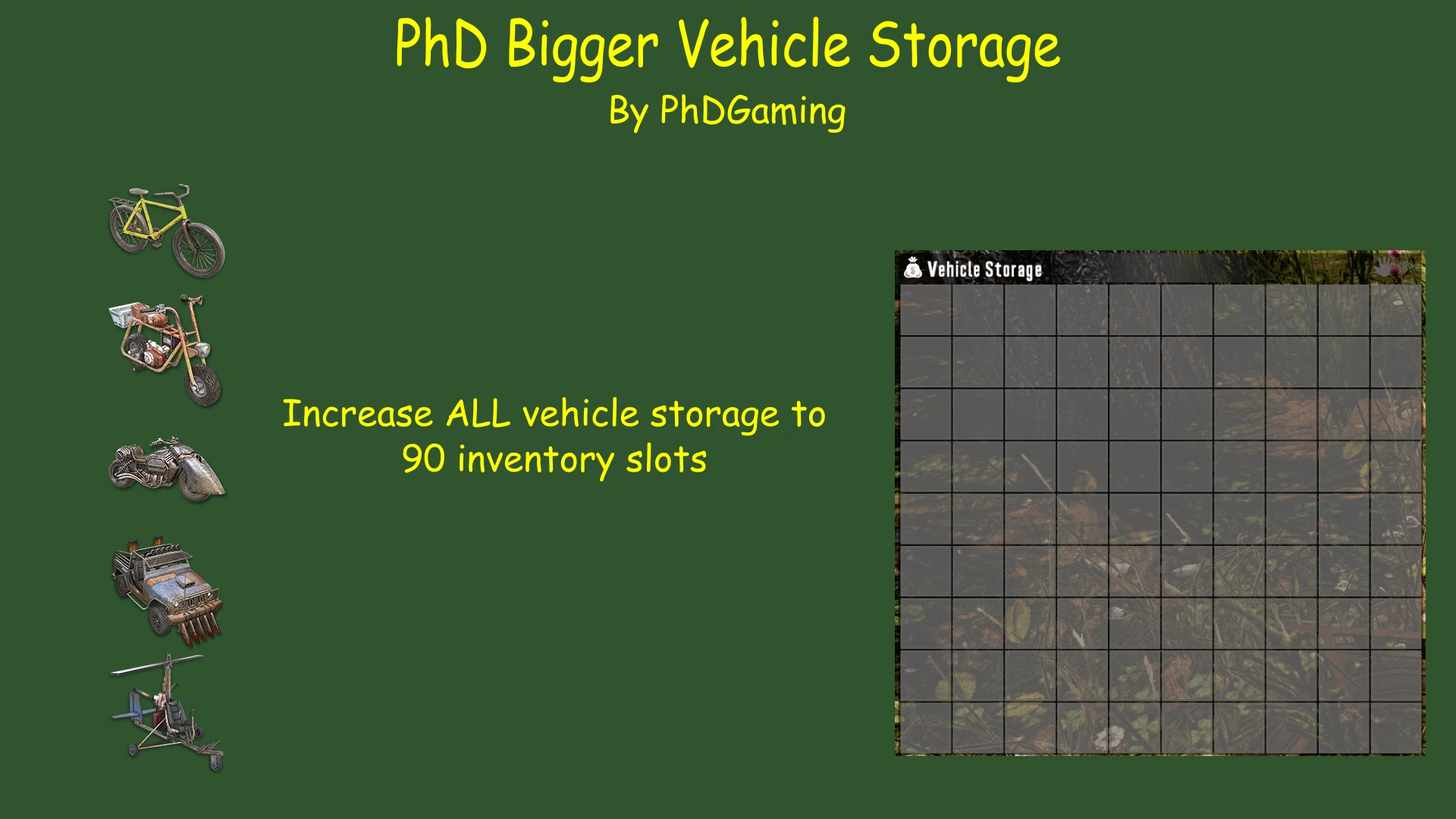
• Increases all vehicle's storage to 90 slots
• Requires a 16:9 or better resolution
• You will not see the increased vehicle storage size until picking it up and placing it back down again.
Other mods in this series:
PhD Bigger Crafting Queue (my original mod)
-
[]Increases crafting queue from 4 spaces to either 10 or 20 spaces.
[
]20 Space version requires the install of PhD Bigger Backpack and Secure Storage ChestPhD Bigger Forge Input
• Increases forge input from 2 spaces to 3 spaces.
PhD Bigger Backpack and Secure Storage Chest
-
[]Increases backpack size to 120 slots
[
]Increases Secure Storage Chest to 143 slots[]Requires a 16:9 resolution or better
[]Applies to Secure Storage Chests built after installing the mod only
WARNING!!! Any inventory will be lost when downsizing inventory containers that result from uninstalling this mod.This mod is NOT compatible with SMX - By Sirillion.
Let me know what you think. I'm always open to suggestions and comments. Please don't forget to hit the endorse button if you like the mod. It's a big help! Thanks!
I'd also welcome any donations (Patreon)! Thanks!
My Other Mods:
PhD Bigger Crafting Queue (A21)
PhD Bigger Backpack and Secure Storage (A21)
PhD Bigger Forge Input (A21)
PhD Bigger Output Queue (A21)
PhD Disassemble IT (A21)
PhD Just Better (A21)
PhD Nailgun (A21)
PhD Better 30K Stacks (A21)
INSTALLATION:
ALWAYS backup your game! THIS SHOULD ALWAYS BE DONE BEFORE INSTALLING ANY NEW MOD - EVEN WITH A MOD MANAGER!
The best way to install mods is to use a mod manager. I use Vortex. But there are others available such as Mod Organizer 2 and Nexus Mod Manager. There should be a button to learn more about Vortex on the Nexus webpage. The other two can be downloaded from Nexus; just search for them. There are videos available on YouTube on how to install and setup these programs that I would suggest you watch. They might also help you decide which of the three you'd like to use. Installing a mod is then just as simple as pressing the button on the download page. Your installed mod manager will do the rest.
To install a mod manually:
1. Back up your game files!
2. Create a folder called "Mods" in your 7 Days to Day installation folder - "\steamapps\common\7 Days To Die"
3. Extract the folder in the Mod's zip file into the Mods directory. Each mod you install should have its own directory.
4. Start the Game
-
[]Increases backpack size to 120 slots
PhD Bigger Vehicle Storage (A21) is a user interface mod that increases all vehicle storage to 90 inventory slots. It has 1,299 endorsements and 32,301 downloads, last updated in August 2023. The mod is simple and focused, aiming to enhance vehicle inventory capacity.
✨ Key Features
📊 Pros & Cons
✅ Pros
- High endorsement ratio (1,299 endorsements) indicates community approval
- Substantial download count (32,301) shows widespread use
- Simple, single-purpose design reduces potential conflicts
⚠️ Cons
- May not be compatible with other mods that alter vehicle storage
- Limited to a single feature, offering no additional customization
This mod is for players who find the default vehicle storage too small and want a quick, straightforward increase to 90 slots. It's ideal for those who play with vehicles frequently and need more carrying capacity. Players who prefer more comprehensive overhauls or who use many mods that affect vehicles might want to check compatibility first.
💡 Beginner Tips
- Back up your save files before installing any mod to prevent data loss.
- Check if other installed mods modify vehicle storage to avoid conflicts.
- After installation, verify the change in-game by accessing a vehicle's storage.
📊 Mod Details
- Game
- 7 Days To Die Mods
- Author
- PhDGaming
- Version
- 2.0
- Downloads
- 32,301
- Endorsements
- 1,299
- Category
- User Interface
- Created
- 7/9/2020
- Updated
- 8/14/2023
🧩 Commonly Used Together
Users add these mods to the same collections — a real compatibility signal, not an AI guess.
🔧 How to Install 7 Days to Die Mods
Use Vortex or manual. Most mods go in /Mods/ folder.
📖 Full step-by-step install guide for 7 Days to Die →
Visit the official mod page for specific installation instructions for this mod.
🎮 Need cheat codes or console commands? Check ur gaming wiki for 7 Days to Die commands, item IDs, and more.
Keep browsing — more 7 Days to Die mods await