QuickStack
🟡 Updated this yearThis mod may not work until the author updates it. Check for an update, or see the rollback guide.
⚠️ Install Order · 1 step
Install in this order, then this mod last — most mods fail to load without their framework and dependencies in place.
Preview
🔍 Analysis
- 👍 1.7% endorsement rate — high engagement, a strong quality signal
- 🏆 #3 of 66 User Interface mods in this game by downloads
📋 About This Mod
Make sure you do not delete the 0_TFP_Harmony folder from Mods.
Contributions:
-
[]I've published the code for quickstack on github. Everyone is welcome to contribute, modify, fix, improve or add new features.[/]
[]To other mod authors that want to include all or parts of my mod into theirs, you have full permission as long as you abide by the permissions and credits. A link to this webpage should be enough. If you make any improvements in quickstack, while not necessary, it would be greatly apprectiated if you contribute those.[/]
[]If you have any questions, you can post a message here, or DM me on discord Westwud.[/]
[]Thanks to NoHomeLike192. 168. 8. 1 for implementing proper multiplayer quickstack/restock.[/]
[]Thanks to Danzo for adding Russian localization.[/]
[]Thanks to Schn1ek3 for adding German localization.[/]
[]Thanks to Odin1888 for providing a quick update for v2. 2.[/]
Features:
-
[]Enables the player to quickly deposit items from their inventory to nearby containers without the need to open them. The default range is 7 blocks in each direction i.e. 15x15x15 area cenetered on the player. The player can also press Left Alt + X to trigger the same functionality.[/]
[]Enables the player to quickly restock items from nearby containers to their inventory without the need to open them. The default range is 7 blocks in each direction i.e. 15x15x15 area cenetered on the player. The player can also press Left Alt + Z to trigger the same functionality.[/]
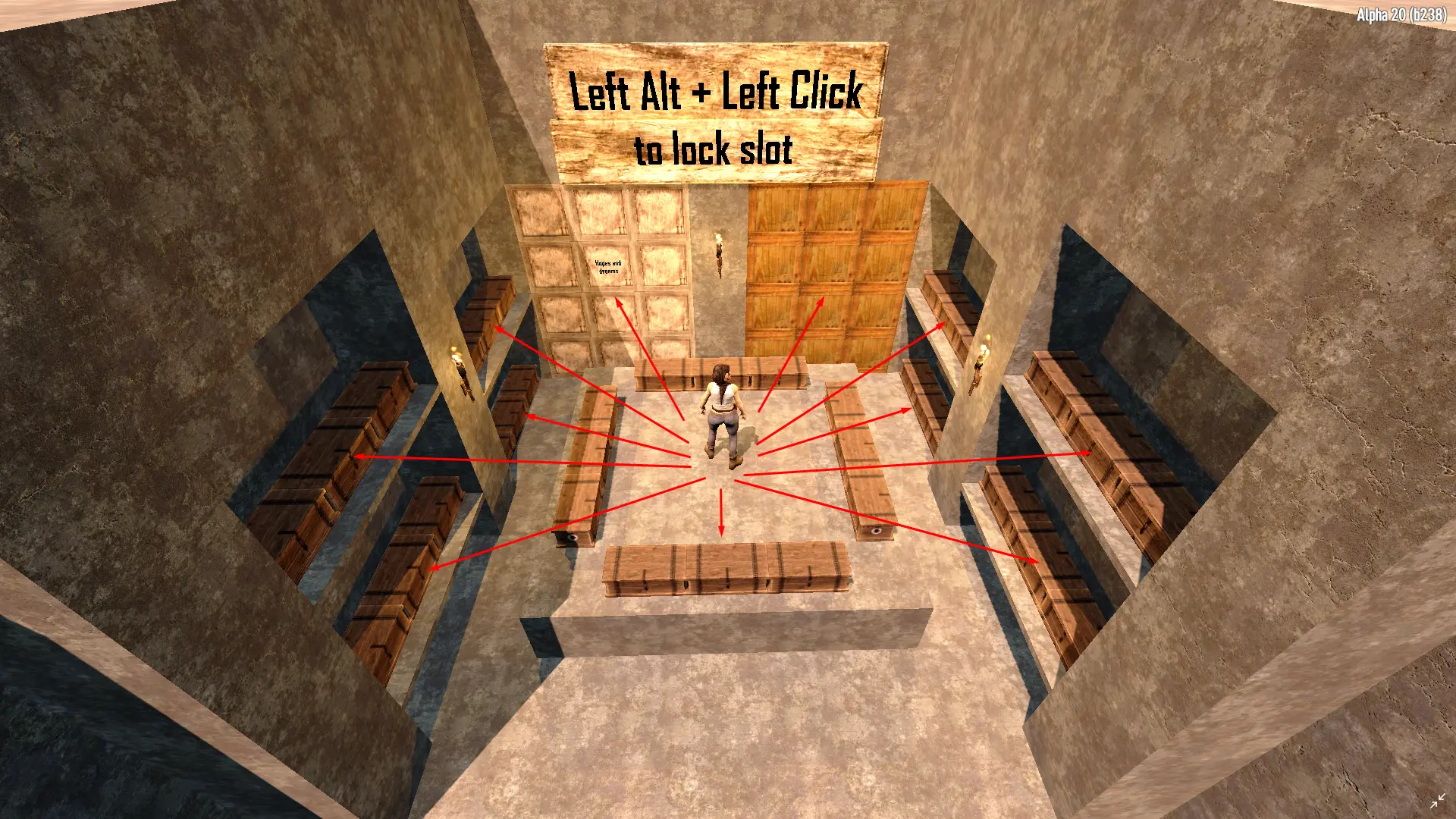
[]Enables the player to lock specific slots by holding Left Alt and left clicking on the desired slot.[/]
[]Hotkeys and stash range are configurable in QuickStackConfig.xml. Stash range can be any number between 0 and 127, anything outside this range will be reverted back to 7.[/]
[]If you need to quickly change any settings in QuickStackConfig.xml, you can use the "reloadqs" or "reloadquickstack" command to do it instead of restarting the game.[/]
Important notes:
-
[]Easy anti cheat (EAC) must be disabled for this mod to work due to haveing a custom dll. You can disable it from 7dLauncher.exe for singleplayer, and from the serverconfig.xml for your dedicated server.[/]
[]If you want to play multiplayer, both the client and server must have the mod installed.[/]
[]This mod can be installed or uninstalled at any time during your playthrough. However it is always a good idea to backup your worlds.[/]
How to install:
-
[]Singleplayer: Copy the Quickstack folder to your "C:\Users\<USER>\AppData\Roaming\7DaysToDie\Mods" or "7 Days to Die/Mods" folder. If you do not have a "Mods" folder, you can create one manually.[/]
[]Multiplayer: Copy the Quickstack folder to your "7 Days to Die Dedicated Server/Mods" folder. If you do not have a "Mods" folder, you can create one manually.[/]
[]Be sure to not place the QuickStack folder in another QuickStack folder when extracting. For example
/Mods/QuickStack/QuickStack.dll - Good and /Mods/QuickStack/QuickStack/QuickStack.dll - Bad[/]
How to uninstall:
-
[]Delete the QuickStack folder from the Mods folder.[/]
Other Mods:
-
[]If the mod you're trying to use alongside quickstack does not modify "windows.xml" (namely windowBackpack), it should be compatible without any issues.[/]
[]Use the hotkeys to quickstack and restock in case another mod overwrites the quickstack and restock icons.[/]
[]If the above doesn't work, then the mods are not compatible.[/]
-
[]If the mod you're trying to use alongside quickstack does not modify "windows.xml" (namely windowBackpack), it should be compatible without any issues.[/]
-
[]Delete the QuickStack folder from the Mods folder.[/]
-
[]Singleplayer: Copy the Quickstack folder to your "C:\Users\<USER>\AppData\Roaming\7DaysToDie\Mods" or "7 Days to Die/Mods" folder. If you do not have a "Mods" folder, you can create one manually.[/]
-
[]Easy anti cheat (EAC) must be disabled for this mod to work due to haveing a custom dll. You can disable it from 7dLauncher.exe for singleplayer, and from the serverconfig.xml for your dedicated server.[/]
-
[]Enables the player to quickly deposit items from their inventory to nearby containers without the need to open them. The default range is 7 blocks in each direction i.e. 15x15x15 area cenetered on the player. The player can also press Left Alt + X to trigger the same functionality.[/]
QuickStack is a user interface mod that lets players quickly deposit or restock items from nearby containers without opening them, with a default range of 7 blocks in each direction. It features configurable hotkeys, slot locking, and a reload command. The mod has 4,627 endorsements and 274,256 downloads.
✨ Key Features
📊 Pros & Cons
✅ Pros
- High download count of 274,256 indicates strong community adoption.
- Active development with recent update on 2026-06-27.
- Open-source code on GitHub encourages community contributions and transparency.
⚠️ Cons
- Configuration range is limited to 0-127, with values outside reverting to 7, which may be restrictive for some users.
- Mod is specific to a particular game (likely 7 Days to Die) and may not be useful for other games.
This mod is for players who frequently manage inventory and containers in the game, wanting to save time by avoiding manual opening of containers. It's also for mod users who appreciate configurable hotkeys and open-source contributions. Players who prefer minimal mod dependencies or play without Harmony might want to skip.
💡 Beginner Tips
- Ensure the 0_TFP_Harmony folder is not deleted from the Mods directory, as it is required for the mod to function.
- Use the 'reloadqs' command in-game to apply config changes without restarting, which is handy for tweaking settings.
- Hold Left Alt and left-click to lock slots, preventing accidental deposits or restocks of important items.
📊 Mod Details
- Game
- 7 Days To Die Mods
- Author
- Westwud
- Version
- 1.7.5
- Downloads
- 274,256
- Endorsements
- 4,627
- Category
- User Interface
- Created
- 4/4/2021
- Updated
- 6/27/2026
🧩 Commonly Used Together
Users add these mods to the same collections — a real compatibility signal, not an AI guess.
🔧 How to Install 7 Days to Die Mods
Use Vortex or manual. Most mods go in /Mods/ folder.
📖 Full step-by-step install guide for 7 Days to Die →
Visit the official mod page for specific installation instructions for this mod.
🎮 Need cheat codes or console commands? Check ur gaming wiki for 7 Days to Die commands, item IDs, and more.
Keep browsing — more 7 Days to Die mods await