Car Making Bagedit Helper
⚪ Last updated 2022Preview
📋 About This Mod
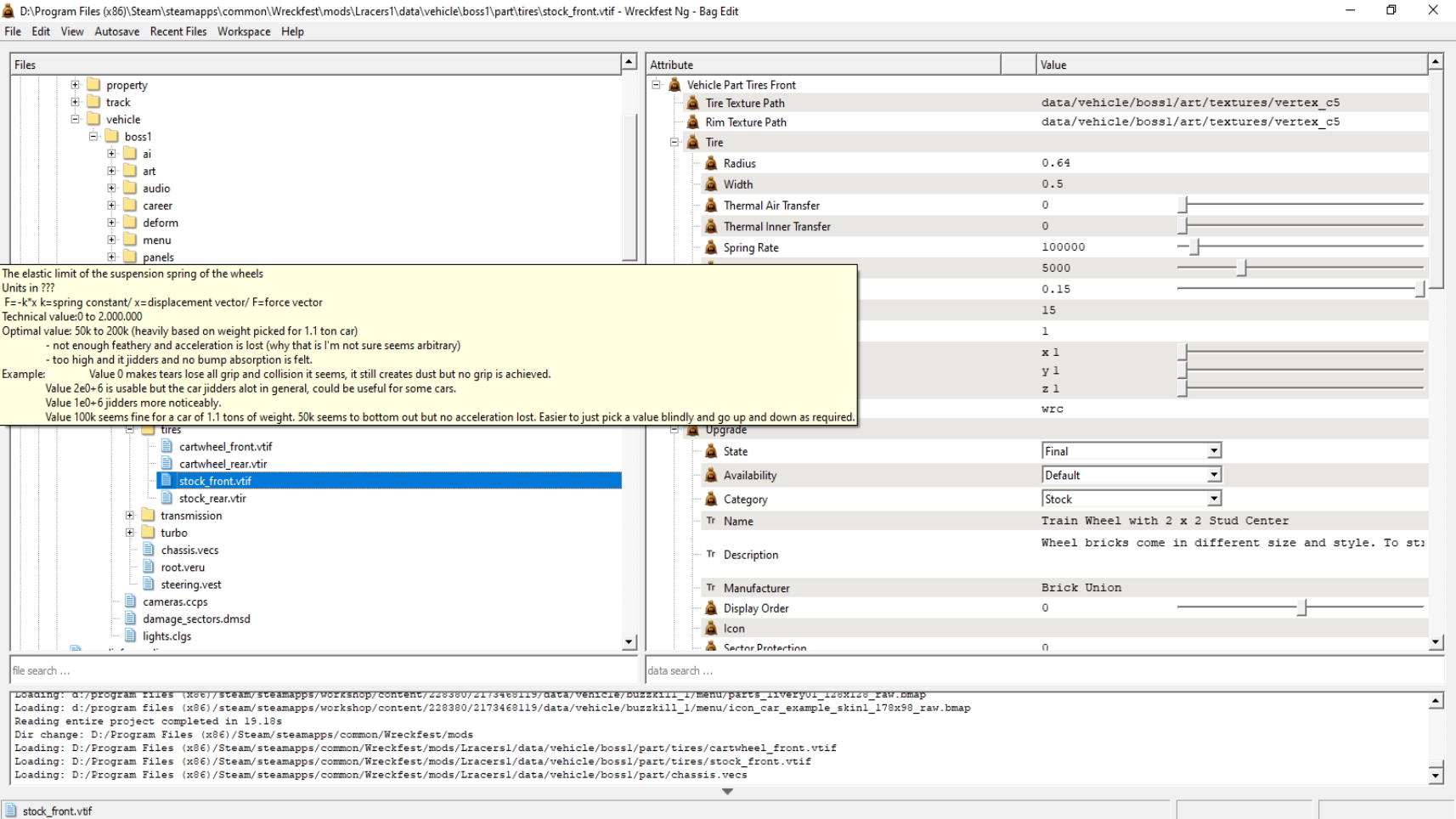
I thought when I was making a car and I'm suppose to look at every car setting and tweak them and then forget about it the next day? You can add comments so why not do that first... Camera(with examples),Car Icon Camera, Steering, Transmission (locked only), Damage Sectors, Gearbox(no shift AI file yet), Engine, Chassis, Tires and lots of small things. This may or may not be 100% correct after I'm done I'll make a couple cars and I'm sure I'll be able to find mistakes when creating very non-Wreckfest physics cars. To install copy the comments.ini from the steam workshop directory "yourstuff\Steam\steamapps\workshop\content\228380\" to Wreckfest/BagEdit folder. Make sure to back up your own comments though, it needs to be said I like when it's been told to me every time too. For links you gotta rightclick, edit the comment and mark the link manually no blue text in those text boxes unfortunatly. Excel documents are usually opened with OpenOffice ever since Vista added huge buttons to office, so unfortunate but off topic. Tell me if they're incorrects, adds or spelling error things. And excuse the screenshots of an obviously broken car I'm inventing wheels, lots of them and they're stuck together and are suppose to drive...
📊 Mod Details
- Game
- Wreckfest Mods
- Author
- 76561198051273387
- Version
- N/A
- Downloads
- 53
- Endorsements
- 0
- Category
- Car, UI
- Created
- 1/3/2022
- Updated
- 1/7/2022
🔧 How to Install Wreckfest Mods
Subscribe on Steam Workshop. Mods auto-download and install. Launch the game to activate.
📖 Full step-by-step install guide for Wreckfest →
Visit the official mod page for specific installation instructions for this mod.
🎮 Need cheat codes or console commands? Check ur gaming wiki for Wreckfest commands, item IDs, and more.
Keep browsing — more Wreckfest mods await