Blender Tiled Track Example
⚪ Last updated 2021Preview
🔍 Analysis
- 🏆 #115 of 141 Track mods in this game by downloads
📋 About This Mod
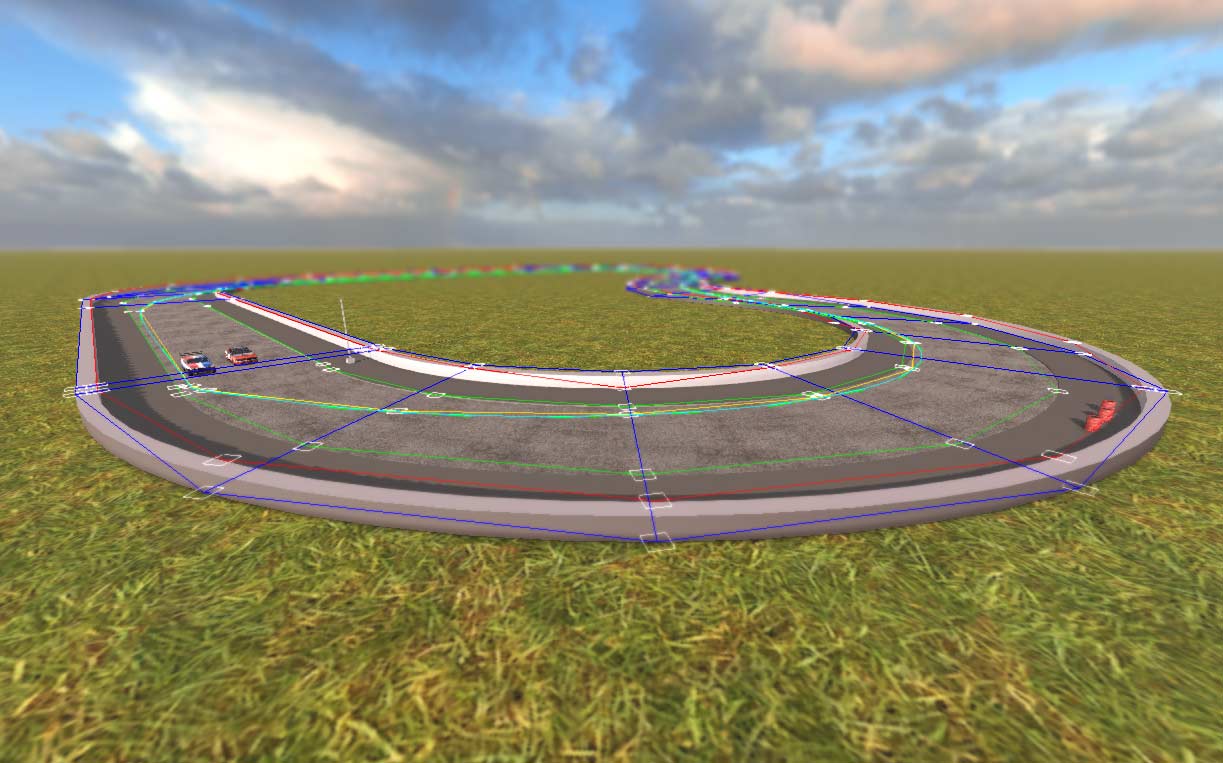
Example of tiled track making with Blender. Includes Blender files and simple tileset. Make it your own: Prepare files: Download files with steam or from http://vga.mywire.org/wf/tilesmap5.zip and copy to C:\Program Files (x86)\Steam\SteamApps\common\Wreckfest\mods\tilesmap\ Install tools: Install Blender https://www.blender.org Install Bgo Exporter http://vga.mywire.org/wf/ to export .scne files. Edit Track file: data\track\tilesmap\tilesmap.blend - Move tiles around - Copy tiles with copy-paste or Duplicate Linked (Alt+D) to retain linking. - Export changes to tilemap.scne with Bgo Exporter. Edit tileset files: data\art\objects\tiles - Tiles include routes, starpoints etc. and visual #xref placeholder for Blender. - Do not touch routes if possible, they are hard to edit. - Files are linked to Main track file (File > Link) so Blender visuals will automatically update. Short tiles - Removed for causing issues with automatic routing. - Add them back with File > Link > Browse to .blend > Object > #xref. - Enable moving with Object > Relations > Make library override. - Number all tiles so they appear in right order in Blender's listing. License: - All files are free to use.
📊 Mod Details
- Game
- Wreckfest Mods
- Author
- 76561198062586791
- Version
- N/A
- Downloads
- 213
- Endorsements
- 0
- Category
- Track
- Created
- 5/14/2021
- Updated
- 5/30/2021
🔧 How to Install Wreckfest Mods
Subscribe on Steam Workshop. Mods auto-download and install. Launch the game to activate.
📖 Full step-by-step install guide for Wreckfest →
Visit the official mod page for specific installation instructions for this mod.
🎮 Need cheat codes or console commands? Check ur gaming wiki for Wreckfest commands, item IDs, and more.
Keep browsing — more Wreckfest mods await