Wiedzmin Lighting Mod Cinematic Reshade Preset
⚪ Last updated 2022Preview
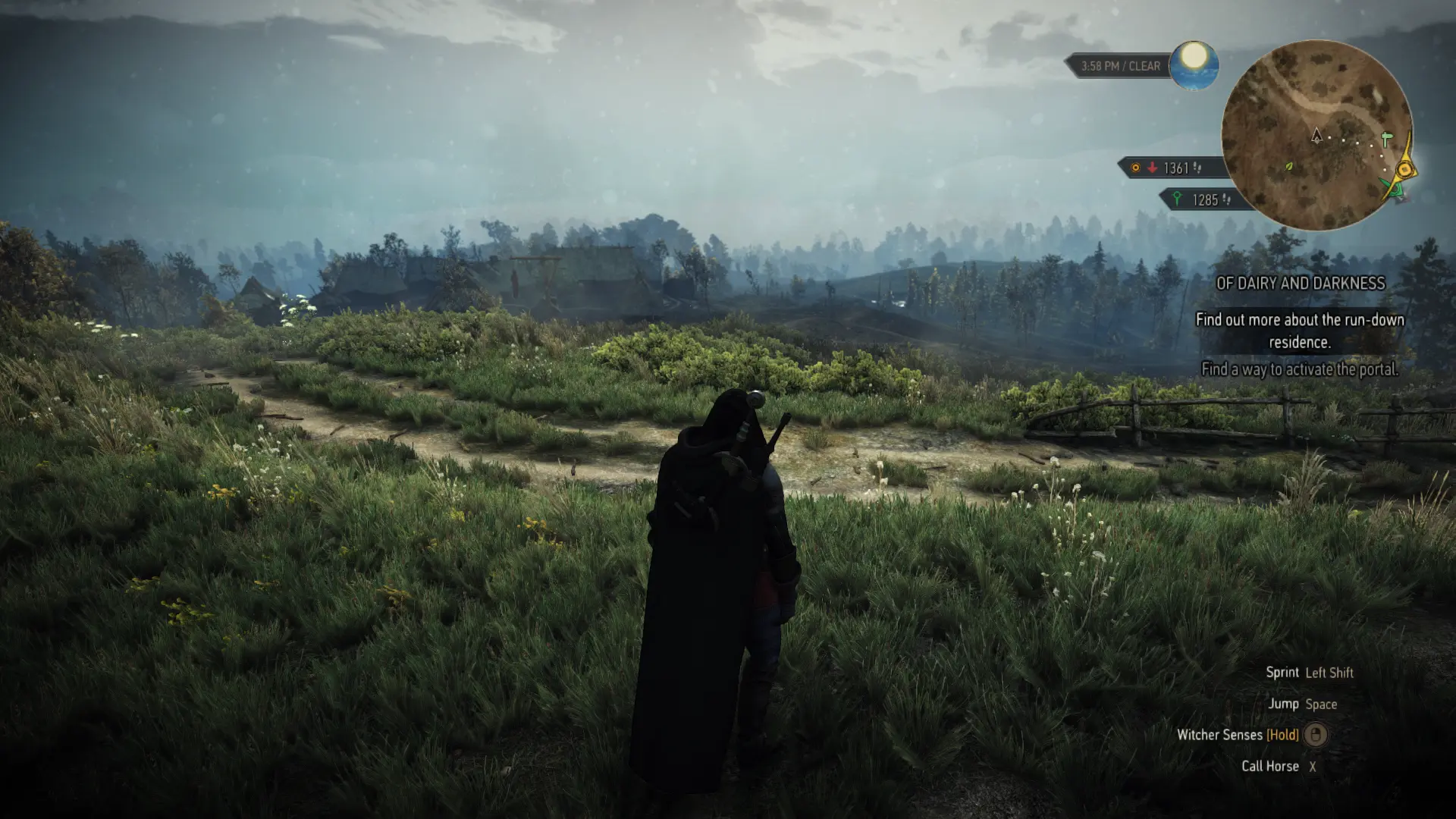
🔍 Analysis
- 👍 3.3% endorsement rate — high engagement, a strong quality signal
- 🏆 #36 of 186 ReShade Preset mods in this game by downloads
📋 About This Mod
How about playing in a movie?This Reshade preset enhances the visuals of WLM, making it appear very cinematic and close to realism.It adds great depth and range to the environment, resulting in stunning scenery and landscape views.I have
This is a custom preset that I have crafted for the latest version of WLM and PLM8 along with the HD Reworked mod to bring out the rustic environment of the game and give it an earthy look that resembles a cinematic visual effect of the Medieval era.
I have included Reshade 4. 9 in the file.
(YOU CAN DOWNLOAD THE LATEST RESHADE VERSION FROM THE REQUIREMENTS SECTION)
Instructions -
1. Run the ReShade installer program, selecting the folder that contains Witcher3.exe from the install location
2. Select Direct3D 10+ and Select to download all the options from ReShade
3. Download this mod file and place Cinematic 1.ini into the same folder as Witcher3.exe
4. Launch the game and press "HOME" to bring up the ReShade menu
5. Select Cinematic 1.ini from the drop-down menu.
Enjoy the preset, tweak it as per your preference, and PLEASE ENDORSE for more presets in the future.
📊 Mod Details
- Game
- Witcher3 Mods
- Author
- Yonkai
- Version
- 1.32
- Downloads
- 2,490
- Endorsements
- 83
- Category
- ReShade Preset
- Created
- 1/5/2022
- Updated
- 1/5/2022
🔧 How to Install The Witcher 3 Mods
Download from Nexus Mods.
📖 Full step-by-step install guide for The Witcher 3 →
Visit the official mod page for specific installation instructions for this mod.
🎮 Need cheat codes or console commands? Check ur gaming wiki for The Witcher 3 commands, item IDs, and more.
Keep browsing — more The Witcher 3 mods await