TheWhiteWolf Cut Realistic Shader Next Gen Only
⚪ Last updated 2024Preview
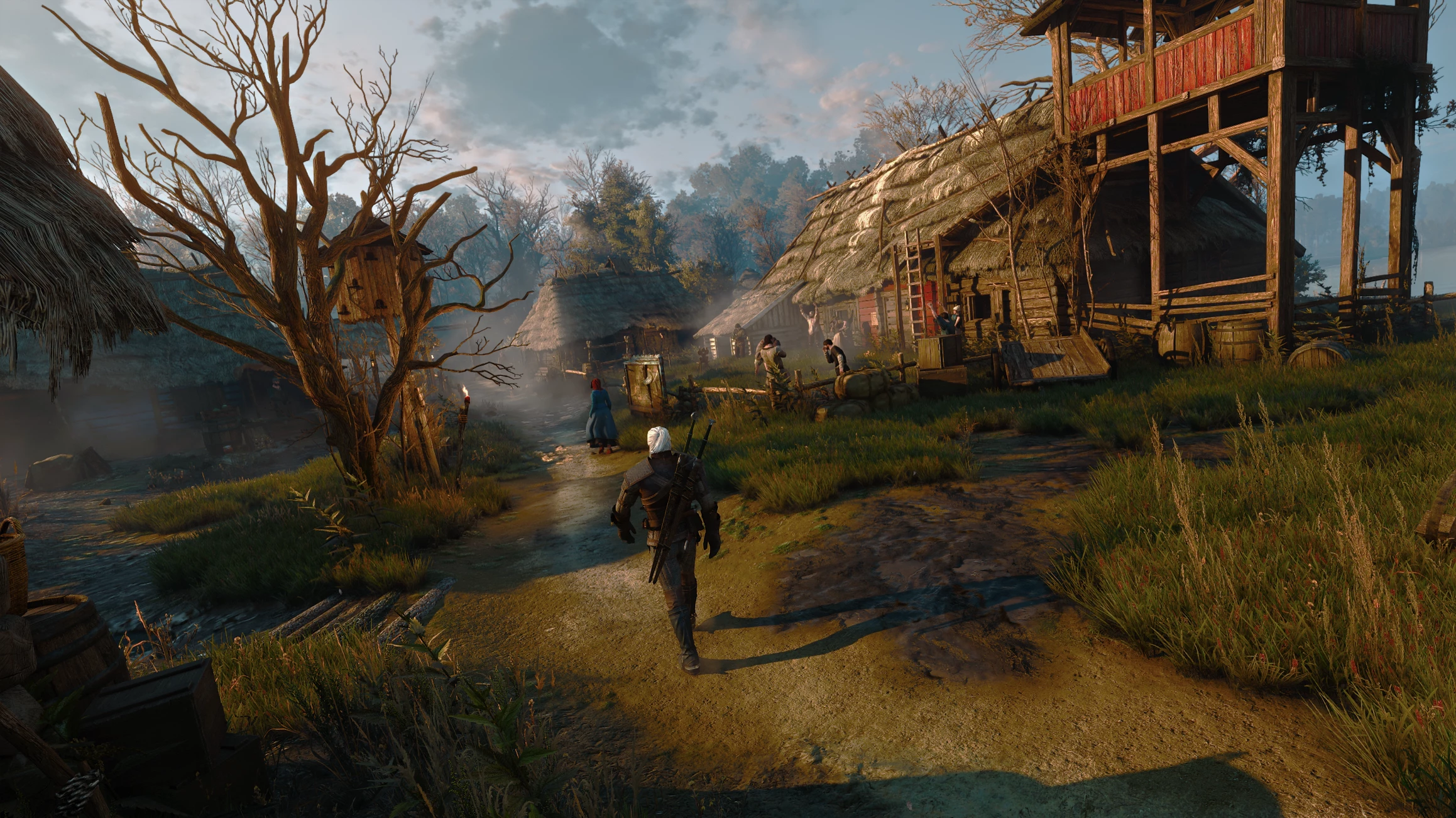
🔍 Analysis
- 👍 2.5% endorsement rate — high engagement, a strong quality signal
- 🏆 #17 of 186 ReShade Preset mods in this game by downloads
📋 About This Mod
TheWhiteWolf Cut Realistic Shader for The Witcher 3 aims to give a realistic look to the Vanilla Lighting of the game.Works on Next Gen Only.
Requeriments:
- Use Original Vanilla Lighting that the game have for this reshade.
Important Notes:
- On Next Gen Reshades can sometimes crash the game, this is probably because of dxgi.dll or the effects that reshades use, but i have been playing for hours now and had my most crashes on booting or on loading screens for the first time i started the game.
- Every time you load a save for the first time you will experience some suttiring for about 3 or 4 seconds but it will disappear, this happens because the reshade is loading the effects.
- This Reshade can be use with Frame Gen or Frame Gen Mod.
- The reshade was tested only with Ray Tracing ON, but without RT should work fine also.
- This reshade can be heavy on performace expected to get a few fps lost, Performance will vary depending on mods and hardware you have.
- The Nights with this Reshade are Bright, I couldn't adjust them to be more darker without sacrificing the day time because of the shadows, if the nights this bright bothers you, try using the Darker Nights Next-Gen mod but be warned that I have not tested the reshade with this mod as this mod conflicts heavily with other mods that I use, depending on your feedback, maybe later I'll try to find another solution to make the nights darker.
- This Preset was not tested with HDR.
- I recommend using the same in-game brightness setting as me ↓
- Installation:
(Very important do not skip this setps)
- Download the the reshade from here - Reshade
- Install the reshade on bin\x64_dx12 or dx11 dependig in what dx you play in.
- When you are in game you need to open the reshade overlay by pressing the key (Home), then select my The White Wolf Reshade.ini.
- Important Step on the reshade make sure that on (Edit global definitions) the third option is 0 instead of 1, but you can try both and see how it looks on your monitor, by default i set it to 0.
- If your a new to modding the witcher use Script Merger program to resolve conflicts on the mods.
- Any problems with the reshade can be report it here or on My Discord Server.
- Nvidia Users - Go to you Nvidia Control panel then Change Resolution and look for the option Dynamic Range, by defualt it should be on Limited, change it to Complete, the reason for this change is if the reshade on you monitor it looks washout changing this option it should fix it and is also the option that i use on mine.
📊 Mod Details
- Game
- Witcher3 Mods
- Author
- The White Wolf
- Version
- 2.0
- Downloads
- 3,341
- Endorsements
- 84
- Category
- ReShade Preset
- Created
- 7/14/2024
- Updated
- 7/30/2024
🔧 How to Install The Witcher 3 Mods
Download from Nexus Mods.
📖 Full step-by-step install guide for The Witcher 3 →
Visit the official mod page for specific installation instructions for this mod.
🎮 Need cheat codes or console commands? Check ur gaming wiki for The Witcher 3 commands, item IDs, and more.
Keep browsing — more The Witcher 3 mods await