SwideR's Natural Colors for Immerisve Lighting OldGen and NextGen
⚪ Last updated 2024Preview
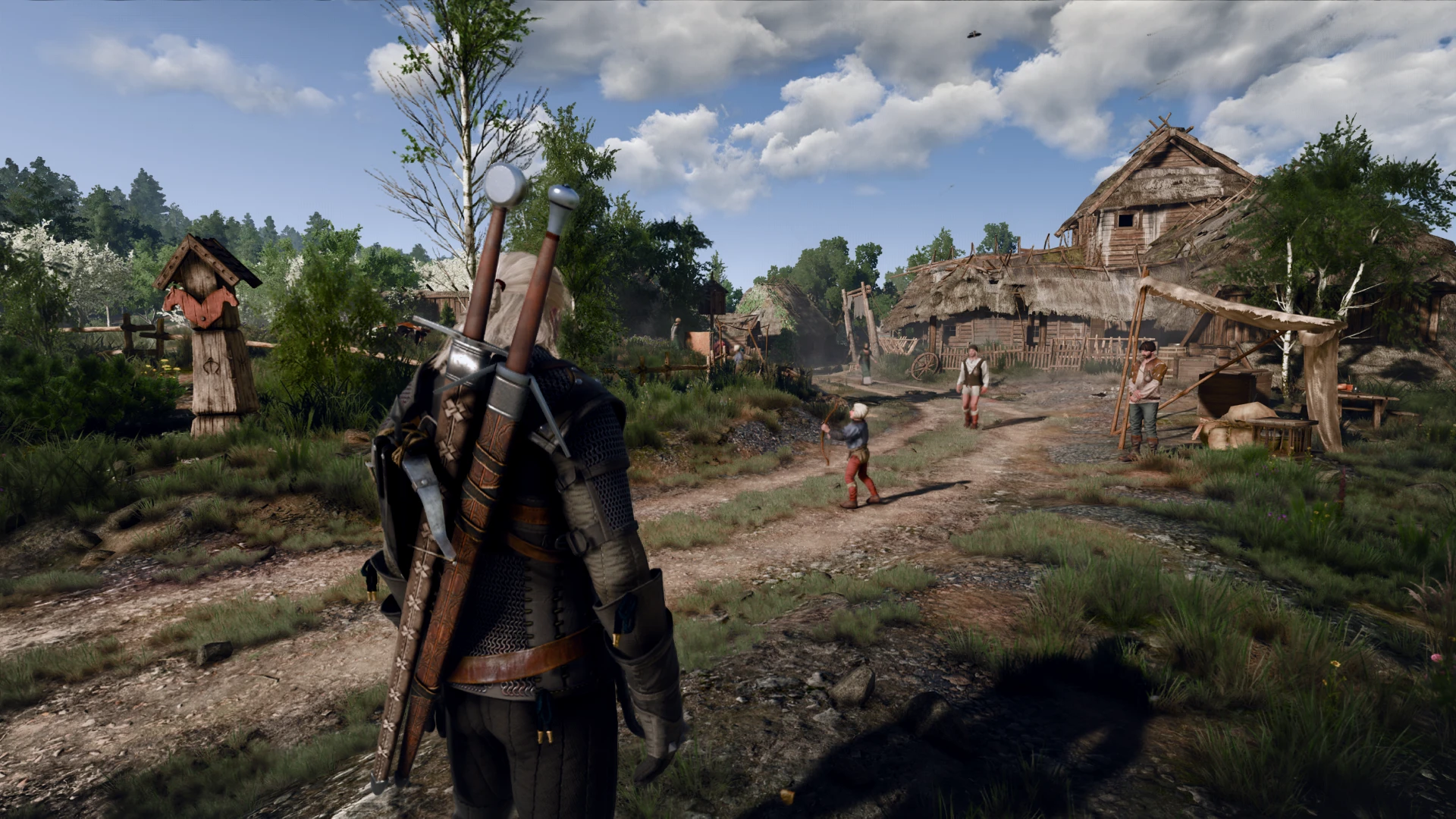
🔍 Analysis
- 👍 2.2% endorsement rate — high engagement, a strong quality signal
- 🏆 #89 of 186 ReShade Preset mods in this game by downloads
📋 About This Mod
Reshade preset for Immersive Lighting mod.
DESCRIPTION:
The preset provides more natural lighting and color palette. It is meant to be used with Immersive Lighting mod. I made both OldGen and NextGen (DX12 only) version. The NextGen version's screenshots were taken with RayTracing on. However, the preset also looks good without it.
In order to achieve the visuals from the screenshots you'll also have to:
1. Install MrRox's Immersive Lighting.
2. Install KnightTec's BlitzFX (OldGen only).
3. Install FumioShwartz's Better Light Sources.
4. Install Boostin4kix Lina ScoutBr0's Next Generation LOD (OldGen only).
5. Install Atmospheric Nights mod (OldGen only). DOWNLOAD LINK BELOW.
6. Install shaedhen's Darker Nights upgraded to NextGen by teresatiger (NextGenOnly).
Installation:
1. Download and extract the preset.
2. OldGen: Paste the files into The Witcher 3's main directory/bin/x64.
NextGen: Paste the files into The Witcher 3's main directory/bin/x64_dx12.
3. Overwrite the files if asked.
RECOMMENDED SETTINGS:
Bloom - OFF
DOF - OFF
Sharpnening - LOW
ATMOSPHERIC NIGHTS DOWNLOAD GUIDE:
Since the mod was removed from nexusmods.com. It is impossible to download it the normal way.
This is a link to Illumlv's upload of the mod from his GitHub.
📊 Mod Details
- Game
- Witcher3 Mods
- Author
- SwideR
- Version
- 1.0
- Downloads
- 1,712
- Endorsements
- 37
- Category
- ReShade Preset
- Created
- 3/20/2024
- Updated
- 3/20/2024
🔧 How to Install The Witcher 3 Mods
Download from Nexus Mods.
📖 Full step-by-step install guide for The Witcher 3 →
Visit the official mod page for specific installation instructions for this mod.
🎮 Need cheat codes or console commands? Check ur gaming wiki for The Witcher 3 commands, item IDs, and more.
Keep browsing — more The Witcher 3 mods await