Nemeyeth's Natural Reshade Preset and Modlist WIP
⚪ Last updated 2017Preview
🔍 Analysis
- 👍 4.7% endorsement rate — high engagement, a strong quality signal
- 🏆 #117 of 186 ReShade Preset mods in this game by downloads
📋 About This Mod
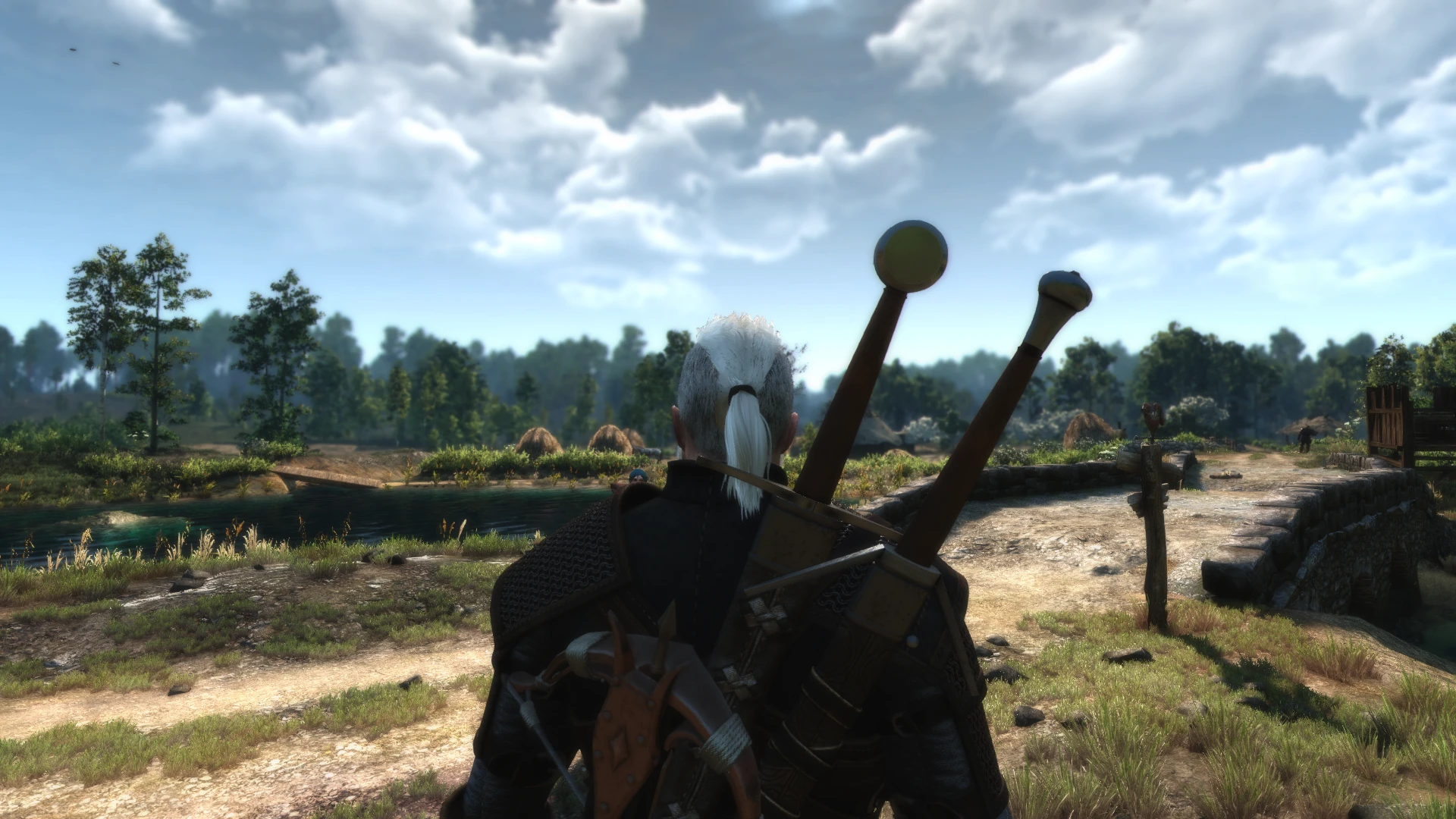
Just a simple reshade for Wiedzmin Lighting Mod
- --------------------------------------------------------------------------------------------------------------------
- Information
- --------------------------------------------------------------------------------------------------------------------
Reshade! This is a simple reshade created by me from scratch using reshade framework. This one softly darkens the image, enhances colors and shadows, gives the game a new and better look. I carefully handpicked some postprocess effects to make it viable, immersive and beautiful. Interiors, caves and dungeons are a lot darker darker than in vanilla game so you must prepare for that. Also, you should expect a tinyfps hit depending on your machine stats.
Modlist! I realized that a sole reshade is not enough to make the game look like and behave the way I want it to. So, I decided to search for some mods to tweak the game for me. Here, you can find a list of mods that I use and also you can download a mods.settings file to skip the process of making that list. Thre is only one conflict.
Script Merger and Mod Merger! The Witcher is not Skyrim so you cannot have hundreds of mods. The game will not start if you have too many mods - if that happens be sure to use mod mergers or texture mergers to be able to play and have all the mods you want to have. Also, use script merger to avoid script conflicts. If you use all my mods there is only one conflict which is not affecting the gameplay... I guess. The Witcher has to be tweaked that way.
- ---------------------------------------------------------------------------------------------------------------------
- Installation
- ---------------------------------------------------------------------------------------------------------------------
1. Download the newest version of the file 2. Extract everything to your bin\x64 folder 3. Download Wiedzmin Lighting Mod 4. Extract the mods to your mods folder 7. Play da game!
- ---------------------------------------------------------------------------------------------------------------------
- Configuration
- ---------------------------------------------------------------------------------------------------------------------
To achieve te same effect that I have on my screenshots you have to increase your ingame gamma and monitor settings properly - just change color wartmth, brightness and contrast till you are satisfied. You should also turn off every postprocessing effect except depth of field and ambient occlusion.
----------------------------------------------------------
📊 Mod Details
- Game
- Witcher3 Mods
- Author
- Nemeyeth
- Version
- 1.0
- Downloads
- 1,331
- Endorsements
- 62
- Category
- ReShade Preset
- Created
- 2/15/2017
- Updated
- 10/15/2017
🔧 How to Install The Witcher 3 Mods
Download from Nexus Mods.
📖 Full step-by-step install guide for The Witcher 3 →
Visit the official mod page for specific installation instructions for this mod.
🎮 Need cheat codes or console commands? Check ur gaming wiki for The Witcher 3 commands, item IDs, and more.
Keep browsing — more The Witcher 3 mods await