Migu's E3 ReShade BETA
⚪ Last updated 2017Preview
🔍 Analysis
- 👍 4.2% endorsement rate — high engagement, a strong quality signal
- 🏆 #67 of 186 ReShade Preset mods in this game by downloads
📋 About This Mod
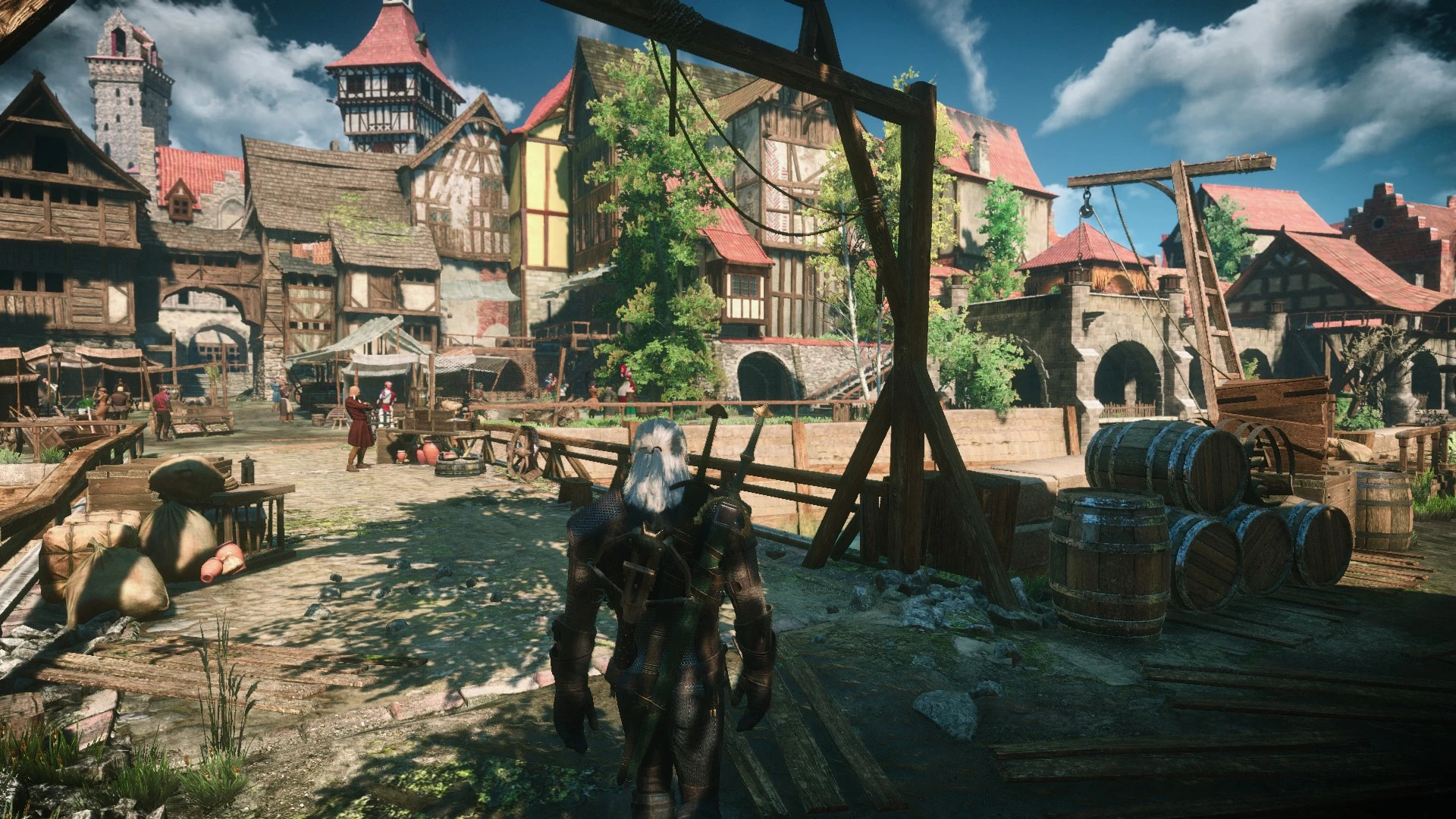
An E3 ReShade for Wiedzmin Lighting. Still in Beta so I will be taking feedback and making changes accordingly.
Migu's E3 is a ReShade preset originally created for use with the Wiedzmin Lighting mod by Mishikedman. Download it here
I haven't had the time to test it with any other lighting mods yet, but I do expect it to work fine. If you do use this with some other lighting mod, make sure to post a comment about your experiences in the mod's comment section! I recommend setting your gamma a bit lower than your usual setting.
FAqwSLbyO1U Installation: 1. Download the latest version of ReShade from https://reshade.me/
2. Install like normal and MAKE SURE YOU INSTALL ALL STANDARD EFFECTS!
So click 'Yes' here
3. Download and open MiguE3.zip
4. Extract / copy paste / move MiguE3.ini into your Witcher 3 > bin > x64 folder
5. In game press Shift + F2 to open ReShade's in game menu
(6. Go through the tutorial if it's your first time using ReShade)
7. Choose MiguE3.ini from the dropdown menu
📊 Mod Details
- Game
- Witcher3 Mods
- Author
- Migupoika
- Version
- BETA1.1
- Downloads
- 1,932
- Endorsements
- 81
- Category
- ReShade Preset
- Created
- 6/4/2017
- Updated
- 6/4/2017
🔧 How to Install The Witcher 3 Mods
Download from Nexus Mods.
📖 Full step-by-step install guide for The Witcher 3 →
Visit the official mod page for specific installation instructions for this mod.
🎮 Need cheat codes or console commands? Check ur gaming wiki for The Witcher 3 commands, item IDs, and more.
Keep browsing — more The Witcher 3 mods await