Final Dark Witcher - 4K and 1080p
⚪ Last updated 2015Preview
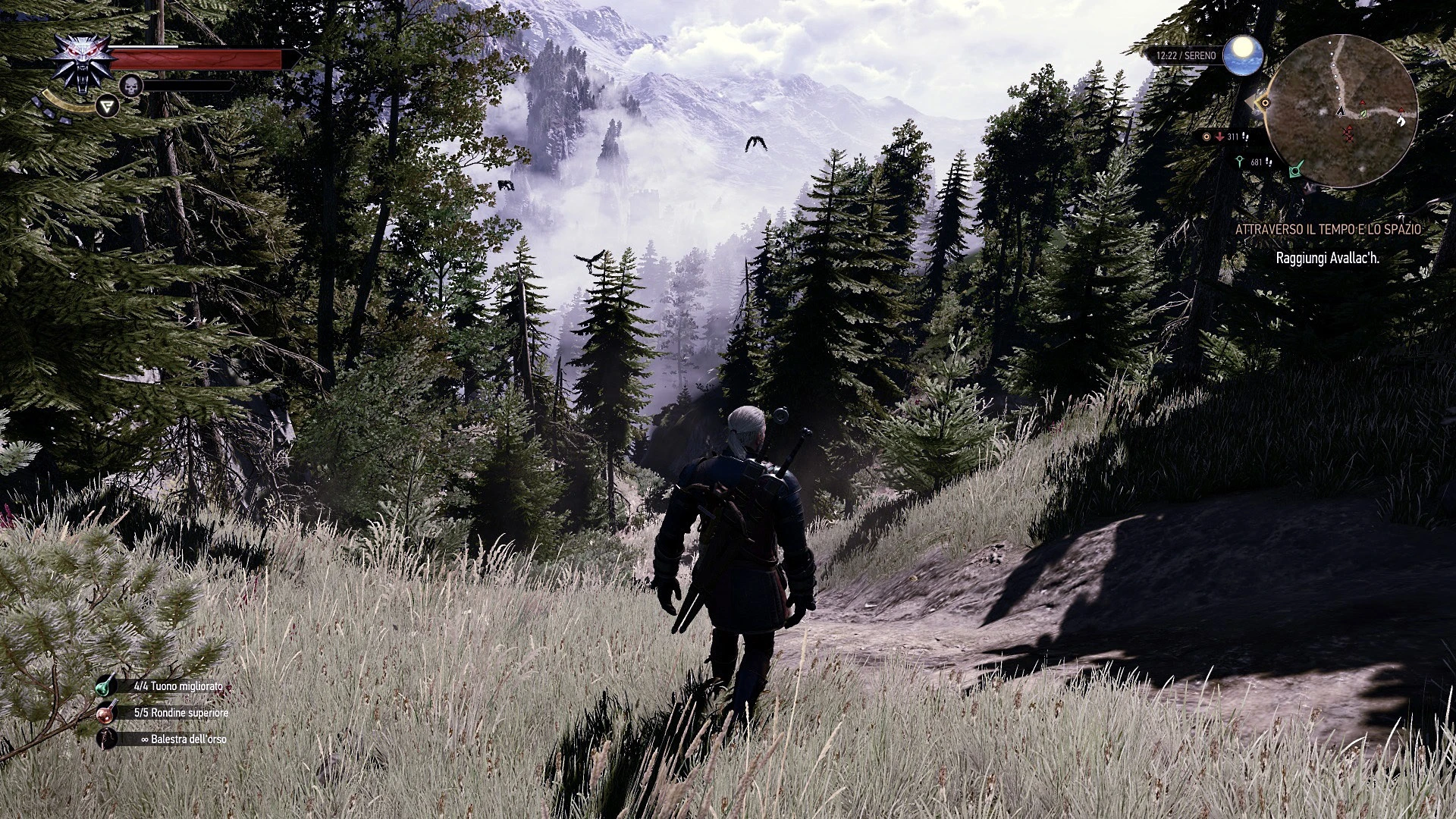
🔍 Analysis
- 👍 2.9% endorsement rate — high engagement, a strong quality signal
- 🏆 #23 of 127 Visuals and Graphics mods in this game by downloads
📋 About This Mod
A mod to enhance the looking and performance of The Witcher 3
The Witcher 3 Wild Hunt - "Final Dark Witcher" by ambledhoh
11/06/2015
- minor changes, all dlc enabled, minor fixes on NPC popin, better sharpering (not that aggressive has before)
NB : if you want to enable "hairworks" read the FAQ on the "readme" 08/06/2015
- 1. 03 released, minor fixes in the .ini, new sharpering for both version, NO NEED TO TONE YOUR TV NOW FOR COLOR, sweetfx profile updated!
WHAT ABOUT FPS?
Frames like 34-37fps running with horse, 40-45fps inside cities, 50+fps inside house, 30+fps during cutscenes (i play locked at 32frames with RTSS) :
TESTED SETUP @4K :
- i7 5820k 4. 4ghz
- 16gb ddr4 corsair vengeance 2666
- gtx titan x clocked at 1300mhz
!!!The mod is especialy created for 4K setup, it may do not look as intended on any resolution below 3840x2160!!!
The mod want to reach the highest quality possible with good performance in every situation!
Here the list of changes :
- new sharpering tone
- 1080p version have AA enabled
- disabled motion blur, vignette, dof (gameplay), in game AA
- enhanced smooth shadow (more realistic and better performance)
- locked control scheme to pad (can be changed)
- sweetfx profile for better dark colors (i modified the "ss v1. 1 profile" that i like, credit to him!)
- enhanced view (better compromise in performance and quality)
- better grass (and performance)
- textures filtering optimized
- almost no pop in in every area i tested (some remain but i think is the game engine O:)
- balanced npc
- better controller sensivity
- performance hairwork only on Geralt
- optimized level of detail
INSTALLATION :
NB : AFTER WHATEVER CHANGES YOU MADE IN THE "USER. SETTINGS" MAKE IT ALWAYS AS READ ONLY
NB2: DO NOT CHANGE ANYTHING IN THE GAME AFTER INSTALL THE MOD, IF YOU WANNA DO CHANGES DO IT YOURSELF BY "USER. SETTINGS"
What you have to do!
- - start the game vanilla without any mod like sweetfx
- let your gamma to default "1"
- calibrate the gamme from your monitor/tv to see the wolf face in the center (not barely but not even full seen)
- make a backup of "config" folder located in "The Witcher 3 Wild Hunt/bin/"
- now copy the folder named "config" to the "bin" folder and if asked overwrite
- then copy folder "x64" to your "bin" folder
- now copy "user.settings" in the folder "The Witcher 3" in your "Documents" and overwrite
📊 Mod Details
- Game
- Witcher3 Mods
- Author
- ambledhoh
- Version
- 1.04b
- Downloads
- 3,294
- Endorsements
- 95
- Category
- Visuals and Graphics
- Created
- 6/5/2015
- Updated
- 6/11/2015
🔧 How to Install The Witcher 3 Mods
Download from Nexus Mods.
📖 Full step-by-step install guide for The Witcher 3 →
Visit the official mod page for specific installation instructions for this mod.
🎮 Need cheat codes or console commands? Check ur gaming wiki for The Witcher 3 commands, item IDs, and more.
Keep browsing — more The Witcher 3 mods await