TW2 Controller Liberation Mod (Steam and Xpadder)
⚪ Last updated 2017Preview
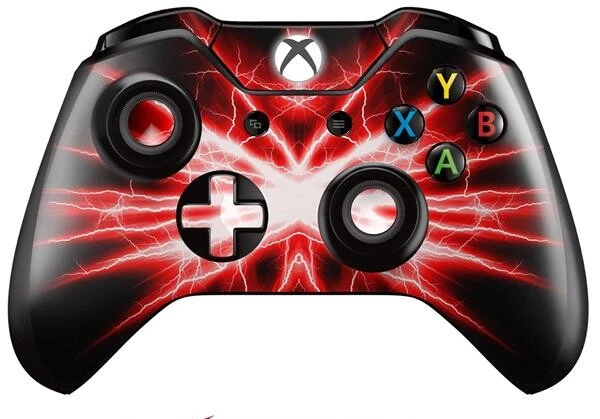
🔍 Analysis
- 👍 3.4% endorsement rate — high engagement, a strong quality signal
- 🏆 #11 of 28 User Interface mods in this game by downloads
📋 About This Mod
This is the culmination of my tweaking of the Controller scheme over the 30hours I spent playing TW2. With one or two presses, it provides quick access to all spells, inventory, maps, journal, character, quick save and toggle UI visibility,
I love this game and I love CDPR but TW2 sure has the clumsiest Controller layout I've ever come across. This mod attempts to fix that. The aim was to make the controller as versatile as a Keyboard. With one or two buttons, it provides quick access to: all spells, inventory, maps, journal, character, quick save and toggle UI visibility. It adds a mouse cursor to the UI for controller which you can move around with right stick and click with right trigger. It also adds scroll wheel emulation in the UI at two different speeds.
CONTROL SCHEME
Start Button:
Normal Press: Esc (pause menu or go back).
Long Press: Journal.
LB+Start: Character Menu.
Back Button:
Normal: Inventory
LB+Back: Inventory
B - Aard -> Yrden (the -> implies a long press)
X - Quick Attack -> Axi // can also be used to select, do functions or loot
Y - Heavy Attack -> Igni // can also be used to press enter
A - Roll or Accept
DPad arrows:
Normal: use that for navigating menus + all the usual functions of the game (sheath, swords etc)
DPad+LB extra = function
Sticks for camera and walking
LT - target -> quick menu
LB+RT - Quen
When you hit the back button the cursor speeds up, right trigger becomes LMouse, left stick becomes a scroll wheel. This is particularly useful when managing your inventory etc. Control scheme will revert back to normal when you press Escape. You'll be able to use the controller as a mouse cursor in all the UIs.
When fist fighting, hit left stick button. When you're done fist fighting, hit any shoulder or back buttons or left trigger.
INSTALLATION:
This mod requires XPadder or Steam.
Download the main file and follow the Instructions within:
Step 1 - Load the Xpadder profile OR, if you have Steam, load this profile (made by Hughuwa for this mod): steam://controllerconfig/witcher2/1214459997
Step 2 - Place xinput1_3.dll in the same dir that has the main executable. The purpose of this dll is to block the game from seeing the controller as it will interfer with my xpadder profile. The dll was made in xbox360ce (an open source software). You can make one yourself using this software by simply leaving everything empty.
Step 3 - Patch User.ini with my control scheme. Instruction on what to patch are included in mod.
Step 4 - Mod fist fights. My Xpadder profile is essentially a keyboard and mouse control scheme on a controller. This mean that you will be getting WASD prompts when fist fighting. I found those prompts very confusing, so I modded the Fist fights to give me prompts corresponding to to the controller buttons. There's a precompiled patch for vanilla and FCR2. There'
📊 Mod Details
- Game
- Witcher2 Mods
- Author
- thebunnyrules
- Version
- 1.0
- Downloads
- 2,006
- Endorsements
- 68
- Category
- User Interface
- Created
- 11/25/2017
- Updated
- 11/25/2017
🔧 How to Install Witcher2 Mods
Download from Nexus Mods.
📖 Full step-by-step install guide for Witcher2 →
Visit the official mod page for specific installation instructions for this mod.
🎮 Need cheat codes or console commands? Check ur gaming wiki for Witcher2 commands, item IDs, and more.
Keep browsing — more Witcher2 mods await