Watch Dogs 2 Autowalker
⚪ Last updated 2019Preview
🔍 Analysis
- 👍 5.4% endorsement rate — high engagement, a strong quality signal
- 🏆 #78 of 190 Miscellaneous mods in this game by downloads
📋 About This Mod
Watch Dogs 2 Autowalker
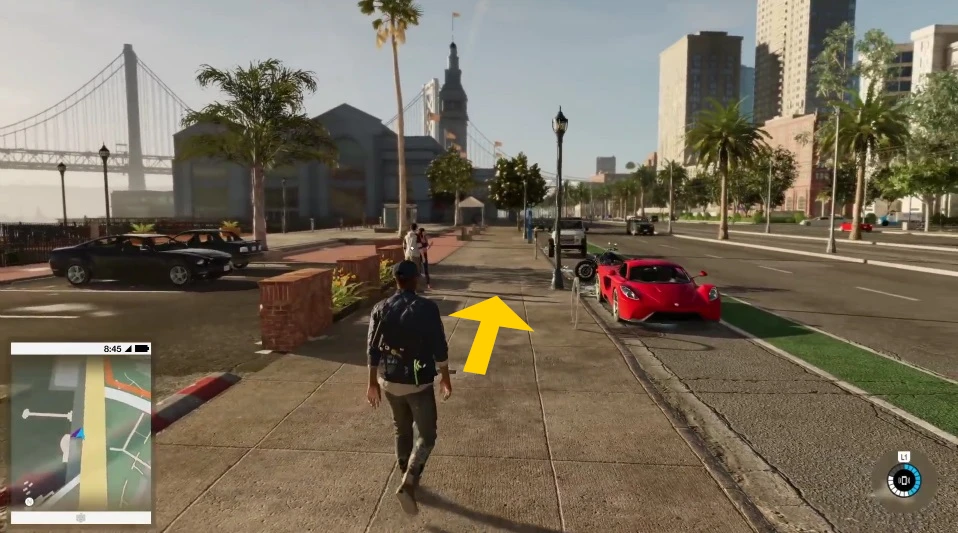
Watch Dogs 2 Autowalker enables automatic walking or running forward so you can relaxed move forward with no need to press "w" constantly.
Also very useful to avoid carpal tunnel syndrome.
Usage
1) Start Autowalker.exe before (or while playing) Watch Dogs 2
2) Start (or switch back to) Watch Dogs 2
Start autowalking
F1 Auto walk
^ Auto run
LCtrl general autowalk stop button
Stop autowalking
Press same autowalk key again
or press general autowalk stop button (LCtrl)
If you are autowalking, the scroll lock LED of your keyboard is lightened, as a sign that you are in autowalk mode. If you stop autowalking the light will go out again.
You also can change directly between the different autowalk modes:
F1: Marcus automatically walks, then
^ : Marcus automatically runs, then
F2: marcus automatically walks, then again
F2: Marcus stops autowalking
Customize autowalk keys
You can customize autowalk keys in Autowalk.ini
Please be sure that the customized keys are not in use by Watch Dogs 2, to avoid interferences.
After changing restart autowalker.
Troubleshooting
If Autowalk does not work:
- Start Autowalker as administrator
- Please be sure that in the control settings of Watch Dogs 2 "w" is configured as the "move forward"-key.
Please note
- Only start autowalking in appropriate situation, that means if your player is ready to walk.
- Dont start autowalking if you are in dialogues, ingame menus, etc.
- While you are autowalking don't open any ingame menus like map, inventory screen, etc.
- While you are autowalking don't switch to windows desktop (alt-tab)
If you appreciate this mod I am happy about endorsement, thank you!
Watch Dogs 2 Autowalker is a small utility mod that lets you toggle automatic forward movement, so you can walk or run without holding the W key. It's a simple quality-of-life tool for players who want to reduce hand strain or multitask while exploring. With 92 endorsements and last updated in 2019, it's a niche but functional addition.
✨ Key Features
📊 Pros & Cons
✅ Pros
- Simple and effective for reducing hand fatigue during long sessions.
- Useful for multitasking or taking a break from constant key pressing.
- Small download (1,703 downloads) with a dedicated following (92 endorsements).
⚠️ Cons
- Last updated in 2019 — may not work with the latest game patches.
- Limited to a single function; no customization options like toggle key or speed settings.
For Watch Dogs 2 players who want to reduce hand strain or free up their hands while exploring. Also handy for streamers or players who like to walk around while chatting. Skip if you want gameplay changes — this is purely a convenience tool.
💡 Beginner Tips
- Check if the mod is compatible with your game version, as it hasn't been updated since 2019.
- Test the autowalk feature in a safe area to ensure it doesn't interfere with mission objectives.
- If you use a mod manager, install it manually by placing files in the game directory for best results.
📊 Mod Details
- Game
- Watchdogs2 Mods
- Author
- Obelix
- Version
- 1.0
- Downloads
- 1,703
- Endorsements
- 92
- Category
- Miscellaneous
- Created
- 8/25/2019
- Updated
- 8/25/2019
🔧 How to Install Watch Dogs 2 Mods
Download from Nexus Mods.
📖 Full step-by-step install guide for Watch Dogs 2 →
Visit the official mod page for specific installation instructions for this mod.
🎮 Need cheat codes or console commands? Check ur gaming wiki for Watch Dogs 2 commands, item IDs, and more.
Keep browsing — more Watch Dogs 2 mods await