Pickup Notification Tweaker
⚪ Last updated 2023Preview
🔍 Analysis
- 👍 1.8% endorsement rate — high engagement, a strong quality signal
- 🏆 #79 of 398 User Interface mods in this game by downloads
📋 About This Mod
Pickup Notifications Tweaker
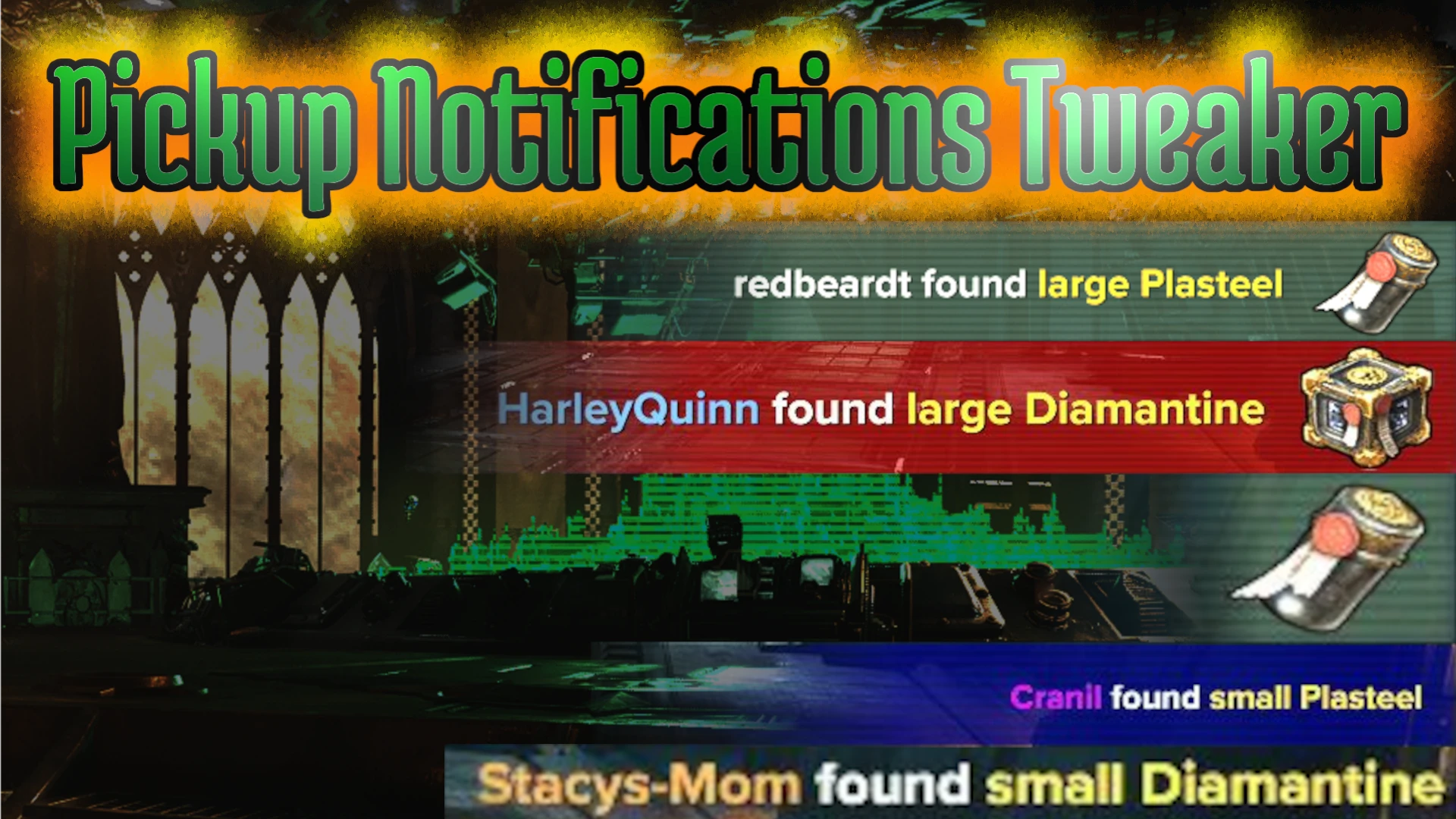
This mod gives you access to a bunch of settings (via the Darktide Mod Framework's Mod Options) that enables you to customise the behaviour and appearance of the material/loot pickup notifications encountered during missions.
The currently available customisations are:
-
[]Toggle text.
[
]Toggle icon.[]Toggle background.
[]Toggle sounds.
[]Customise background colour via sliders selecting the alpha, red, green, and blue components.
[]Adjust scale/size from 20% to 200% default size.
Additionally, to help you find settings right for you, you can use the chat command /pnt_test to generate a random pickup notification at any time.
Installation
As with other mods that use the Darktide Mod Loader and Darktide Mod Framework, once those are installed, all you need to do is unzip the downloadable file so that the pickup_notif_tweaker folder is in your mods folder, then add the name of the folder (pickup_notif_tweaker) to your mod_load_order.txt.
IMPORTANT NOTE: The name of the mod has changed from loot_notif_tweaker to pickup_notif_tweaker in order to be more consistent with naming in the Darktide lua codebase. Please remove the old version.
Usage
Hit escape and click Mod Options or hit F4 then click Pickup Notifications Tweaker to get to your settings. As mentioned above you can then use the /pnt_test chat command to try out your settings.
If you'd like to support my work you can donate some moneys via my BuyMeACoffee.
Pickup Notification Tweaker is a user interface mod that adds a variety of settings for customizing loot and material pickup notifications. It has 234 endorsements and over 13,000 downloads, last updated in March 2023. This mod is for players who want to tailor their notification experience.
✨ Key Features
📊 Pros & Cons
✅ Pros
- Solid community trust with 234 endorsements and over 13k downloads.
- Niche UI tweak that fills a specific need for notification customization.
- Lightweight addition that doesn't overhaul the whole UI.
⚠️ Cons
- Last updated in March 2023, so may not be compatible with the latest game patches.
- Limited to notification tweaks only – no other UI changes.
- Potential conflicts with other UI overhaul mods that alter the same notification elements.
For players who find the default pickup notifications cluttered or distracting and want to fine-tune them. If you're a UI purist who wants more control over your HUD, this is for you. Skip if you're looking for a full UI overhaul – this only touches notifications.
💡 Beginner Tips
- Check the mod's settings in-game to see all available options for notification tweaks.
- If you use other UI mods, load this one after them to ensure your notification settings take priority.
- Test different settings in a low-stakes area to find your preferred notification style.
📊 Mod Details
- Game
- Warhammer40kdarktide Mods
- Author
- Redbeardt
- Version
- 2.1
- Downloads
- 13,017
- Endorsements
- 234
- Category
- User Interface
- Created
- 3/7/2023
- Updated
- 3/10/2023
🧩 Commonly Used Together
Users add these mods to the same collections — a real compatibility signal, not an AI guess.
🔧 How to Install Warhammer 40,000: Darktid Mods
Download from Nexus Mods.
📖 Full step-by-step install guide for Warhammer 40,000: Darktid →
Visit the official mod page for specific installation instructions for this mod.
🎮 Need cheat codes or console commands? Check ur gaming wiki for Warhammer 40,000: Darktid commands, item IDs, and more.
Keep browsing — more Warhammer 40,000: Darktid mods await