Custom Painting Loader
🟠 Updated over a year agoPreview
📋 About This Mod
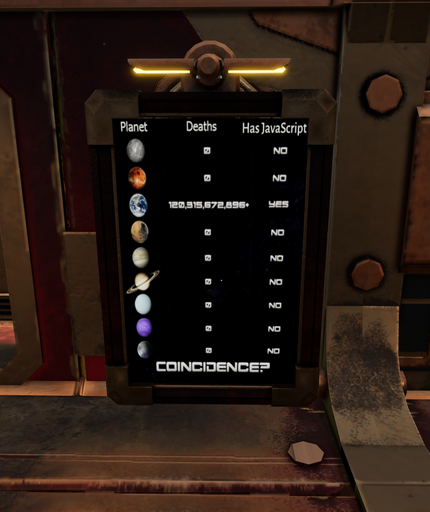
A framework to load your own custom pictures as framed paintings. - Start with the Volcanoids SDK. - Click "Create new mod". - Inside the `Data` folder of your mod, right-click and select "Import New Asset". (You can also just drag/drop a png into it.) - Select some image file, or some other file Unity can convert into a texture. - Name the file you import like so: ModPainting_Frame{N}_AnythingGoesHere The _{N}_ part says exactly which frame type to use: - 1: Horizontal Frame (Landscape) - 2: Square Frame - 3: Vertical Frame (Portrait) PAINTINGS WILL STRETCH/SKEW TO FIT THE FRAME! I'll add the aspect ratios when I know them, but they aren't standard so things may be a bit off. Pad images yourself, etc. Example for the pic in the mod thumbnails/images: ModPainting_Frame3_JavascriptDeaths.png You can put whatever text you want after the second underscore, incl. more underscores. The text after the second underscore is what's shown as the item name when scrolling through the variants with the wrench. Now just build and test your mod. This mod/loader is set to load late so it should always load after default mod load orders. (And thus it should be late in the list.) Make sure, when you enable your mod and this loader, that the loader is being configured to load after yours. IF YOU HAVE ANY ISSUES CHECK YOUR GAME'S LOG FIRST. The game log will have lines like this if all is going as planned: Custom-Painting-Loader: Loaded 31 horizontal placeholders. Custom-Painting-Loader: Loaded 31 square placeholders. Custom-Painting-Loader: Loaded 31 vertical placeholders. Custom-Painting-Loader: Looking for new painting artwork to load. Custom-Painting-Loader: Creating a painting prefab for frame 3, JavascriptDeaths.png: Assets/Painting-Load-Test/Data/ModPainting_Frame3_JavascriptDeaths.png Custom-Painting-Loader: Adding the new paintings to the prefab array. Custom-Painting-Loader: Done! THE PREVIEW YOU HAVE WHEN PLACING THE DEVICE WILL ALWAYS BE A SOLID COLOR!!!!!!!!! Known issue,
📊 Mod Details
- Game
- Volcanoids Mods
- Author
- 76561197979992121
- Version
- N/A
- Downloads
- 78
- Endorsements
- 0
- Category
- Mod, Device, ClientServer
- Created
- 10/20/2024
- Updated
- 12/7/2024
🔧 How to Install Volcanoids Mods
Subscribe on Steam Workshop. Mods auto-download and install. Launch the game to activate.
📖 Full step-by-step install guide for Volcanoids →
Visit the official mod page for specific installation instructions for this mod.
🎮 Need cheat codes or console commands? Check ur gaming wiki for Volcanoids commands, item IDs, and more.
Keep browsing — more Volcanoids mods await