Brighter Nights
🟡 Updated this yearPreview
📋 About This Mod
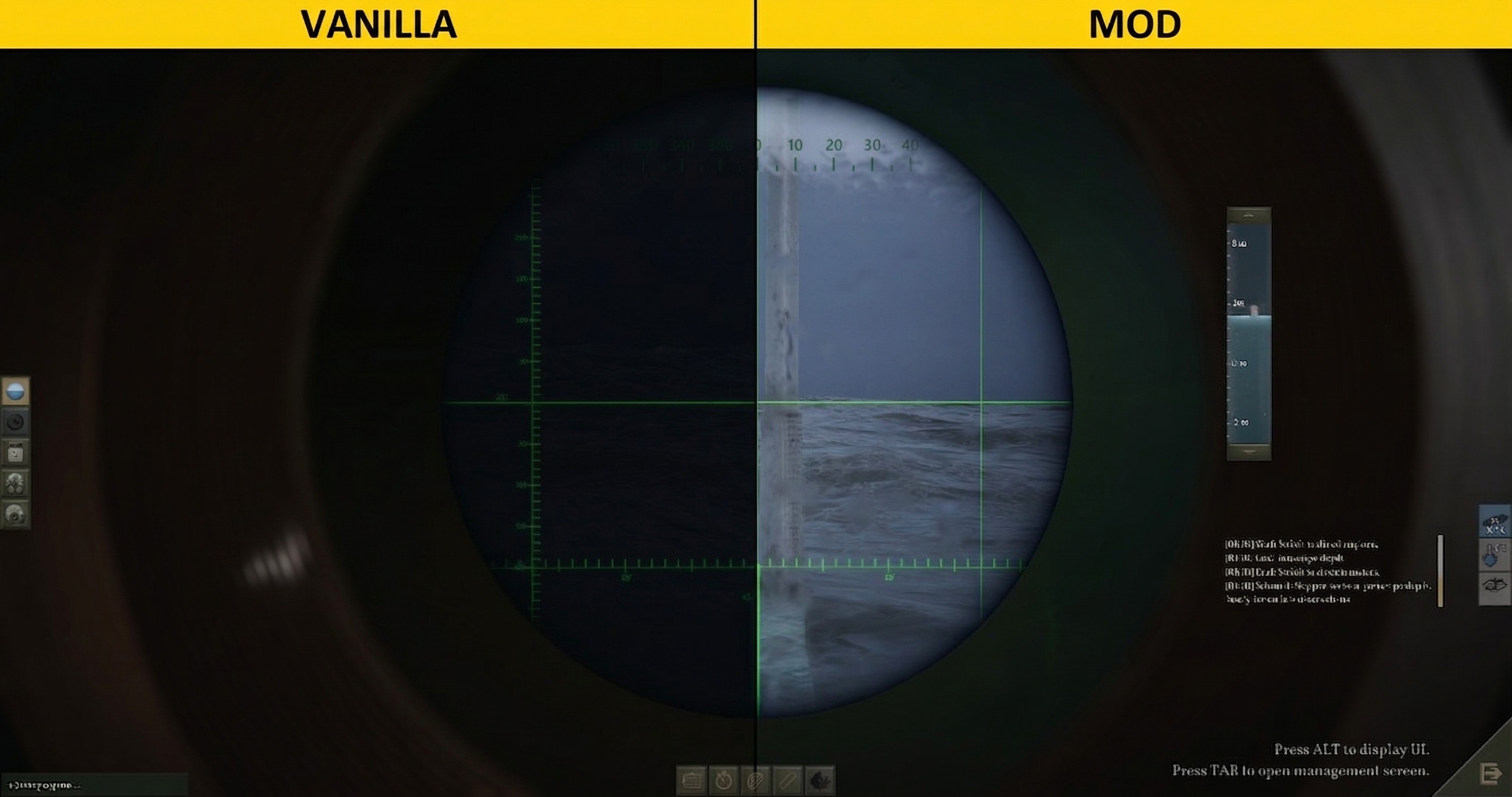
This mod boosts brightness during dark conditions (nights, clouds, storms, and underwater) and brightens the 3D render circle on the local map. Massively increased the zoom-in range and camera angles in the 3D map viewport. Optimized brightness for the 3D map viewport. How to Install Step 1. Subscribe to the Mod Step 2. Locate the UBOAT Folder and clear the cache (Strongly recommended; almost required): In File Explorer, navigate to your UBOAT directory, which by default is: C:\Users \AppData\LocalLow\Deep Water Studio\UBOAT Inside the UBOAT folder, open these folders and delete everything inside each one: Cache Data Sheets Temp Step 3. Launch the game and enable the mod: In the UBOAT Launcher: - Move this mod to the very bottom of your mod list (highest priority). - Enable it, then start the game and accept the reflection prompt when it appears. Tips Save-game compatible. Safe to add or remove at any time. FYI 1. Want more speed? Faster Uboat 2. Need more storage or bigger stacks? Ultimate Storage Slots Stack Unlimited 3. Want to play UBOAT just like The Sims? Section View Expansion GoTo & Stay Workshop ID: 3699304305
📊 Mod Details
- Game
- Uboat Mods
- Author
- 76561198410133704
- Version
- N/A
- Downloads
- 372
- Endorsements
- 0
- Category
- N/A
- Created
- 4/4/2026
- Updated
- 4/9/2026
🔧 How to Install UBOAT Mods
Subscribe on Steam Workshop. Mods auto-download and install. Launch the game to activate.
📖 Full step-by-step install guide for UBOAT →
Visit the official mod page for specific installation instructions for this mod.
🎮 Need cheat codes or console commands? Check ur gaming wiki for UBOAT commands, item IDs, and more.
Keep browsing — more UBOAT mods await