Marker Start/End
⚪ Last updated 2024Preview
🔍 Analysis
- 👍 0.0% endorsement rate
- ✅ Updated 14 days after the latest game patch — actively maintained
- 🏆 #5 of 28 Script Mod mods in this game by downloads
📋 About This Mod
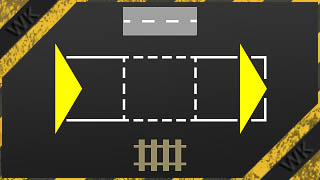
Marks start/end of a track or street section for further handling by special tools. Select the 'Tools' category from the 'Assets' menu and, with the 'Marker Start/End' icon selected, left-click on a track or street segment pre-indicated by a white stripe. A yellow arrow now marks the beginning of the segment. With 'Auto end marker' setting, another yellow arrow appears at the end of the same segment. If you click on the same point again, the direction will be reversed. Further clicks mark nearby segments. If you click on an intersection, all connections are selected in turn. In these cases, too, the direction is changed with every second click. Which direction is displayed with the first click can be specified in the asset settings at 'Direction preselection'. To extend the marker to multiple segments and/or set the end marker, right-click (or select the 'Marker End' icon, see below) and proceed in the same way. Important notes: - The extended functionality of this mod makes the 'Marker for one Segment' mod obsolete. The 'Splitter' mod needs to be updated to a version from 1. 2. - In contrast to the past, the end marker is now set with the right mouse button by default. Anyone who - in current game versions - misses the old 'End marker' icon can show it again using the mod configuration at 'Advanced Game Settings'. - Street intersections cannot be selected. For this, the 'Marker Node' mod is suitable. - To delete the markers click outside of a track or street or select at 'Direction preselection' and then click. Or change the tool/asset. Please do not use the eraser! - The arrangement of the track and street segments can be checked in the debug mode of the game by pressing + . - To avoid conflicts with the AI, it is advisable to only carry out construction work in pause mode. - This mod doesn't make sense on its own. Additional tools are required. - The mod does not make any changes and can be easily removed at any time. Known issues: - The marke
📊 Mod Details
- Game
- Transport Fever 2 Mods
- Author
- 76561199040863737
- Version
- N/A
- Downloads
- 63,023
- Endorsements
- 0
- Category
- Script Mod
- Created
- 2/21/2022
- Updated
- 10/7/2024
🔧 How to Install Transport Fever 2 Mods
Subscribe on Steam Workshop. Mods auto-download and install. Launch the game to activate.
📖 Full step-by-step install guide for Transport Fever 2 →
Visit the official mod page for specific installation instructions for this mod.
🎮 Need cheat codes or console commands? Check ur gaming wiki for Transport Fever 2 commands, item IDs, and more.
Keep browsing — more Transport Fever 2 mods await