Simple ReShade - Titanfall 2
⚪ Last updated 2021Preview
🔍 Analysis
- 👍 4.1% endorsement rate — high engagement, a strong quality signal
- 🏆 #2 of 67 Miscellaneous mods in this game by downloads
📋 About This Mod
DESCRIPTION:
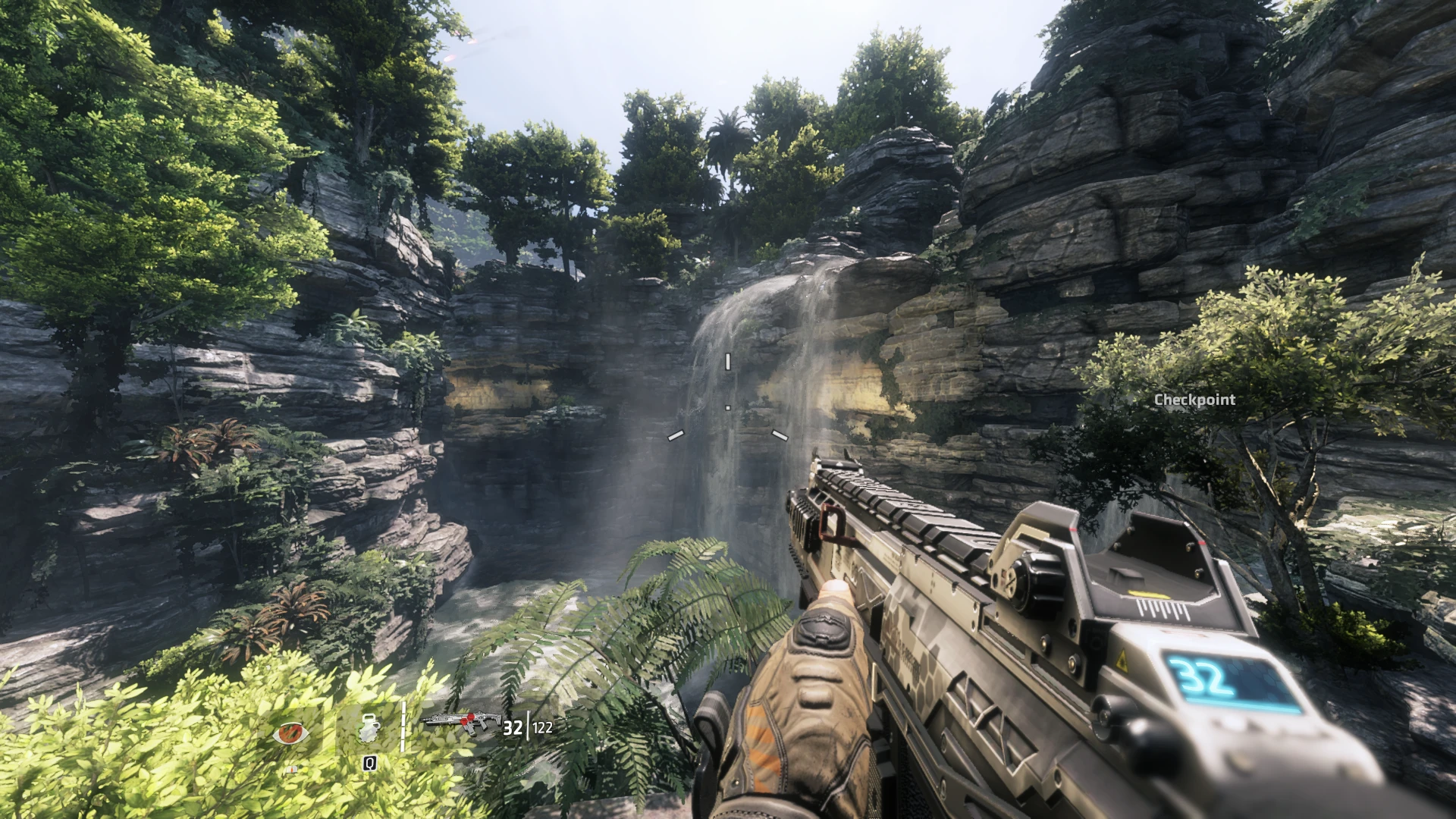
I wanted a ReShade Preset for Titanfall 2, but I couldn't find one, so I made one myself! It's fairly simple (hence the name) but it gets the job done.
Better colors, contrast, darker shadows, etc. Overall just a better looking image.
Fair warning, expect an fps decrease (~10fps sometimes less, but mostly in denser areas.)
Though, performance may vary as I have a GTX 1060 and i7-8750H CPU.
PRESET INCLUDES::
AdaptiveSharpen
AmbientLight
INSTALL TUTORIAL:
1 - Download ReShade - https://reshade.me
2 - Click ReShade_Setup_x.x.x
3 - Click Manage ReShade Installation and choose Titanfall2.exe (Not the one that says trial at the end).
4 - Choose Direct3D 10/11/12.
5 - Choose SweetFX and Legacy effects (Standard should be automatically selected).
6 - Check AdaptiveSharpen, AmbientLight, Clarity, Curves, and Levels (If you want to, choose border as well).
7 - Finish Installation and in the main folder (Where Titanfall2.exe is located) rename dxgi.dll to d3d11.dll or game will crash upon launch.
8 - Unzip SimpleReShade and put SimpleReShade.ini into your Titanfall 2 main folder (again where Titanfall2.exe is located).
9 - Finally, in game, press home key to pull up reshade and in the dropdown menu select my preset, SimpleReShade.ini.
A simple ReShade preset for Titanfall 2 that enhances colors, contrast, and shadows for a better-looking image. With 116 endorsements and 2,822 downloads, it's a modestly popular choice for players seeking visual improvements without complex tweaking.
✨ Key Features
📊 Pros & Cons
✅ Pros
- Community-tested with 116 endorsements and nearly 3k downloads.
- Straightforward preset—no complicated settings to fiddle with.
- Gives Titanfall 2 a visual punch without overhauling the game.
⚠️ Cons
- Last updated in 2021—might not be compatible with the latest game patches.
- No screenshots or detailed previews in the description, so you're flying blind.
- Preset is subjective—what looks 'better' to the author might not suit your taste.
For Titanfall 2 players who want a quick visual upgrade without diving into complex ENB or Reshade configs. If you're happy with the vanilla look or prefer a more natural palette, this might not be for you.
💡 Beginner Tips
- Make sure you have ReShade installed and set to the DirectX 11 API for Titanfall 2.
- After installing the preset, launch the game and press the ReShade toggle key (default Home) to see the effect in real-time.
- If the game updates, re-check the preset—it may need tweaking to work with new shaders.
📊 Mod Details
- Game
- Titanfall2 Mods
- Author
- GreebusBeebus
- Version
- 1.0
- Downloads
- 2,822
- Endorsements
- 116
- Category
- Miscellaneous
- Created
- 2/21/2021
- Updated
- 2/21/2021
🔧 How to Install Titanfall 2 Mods
Download from Nexus Mods.
📖 Full step-by-step install guide for Titanfall 2 →
Visit the official mod page for specific installation instructions for this mod.
🎮 Need cheat codes or console commands? Check ur gaming wiki for Titanfall 2 commands, item IDs, and more.
Keep browsing — more Titanfall 2 mods await