TimberMover
🟡 Updated this yearPreview
🔍 Analysis
- 👍 0.0% endorsement rate
📋 About This Mod
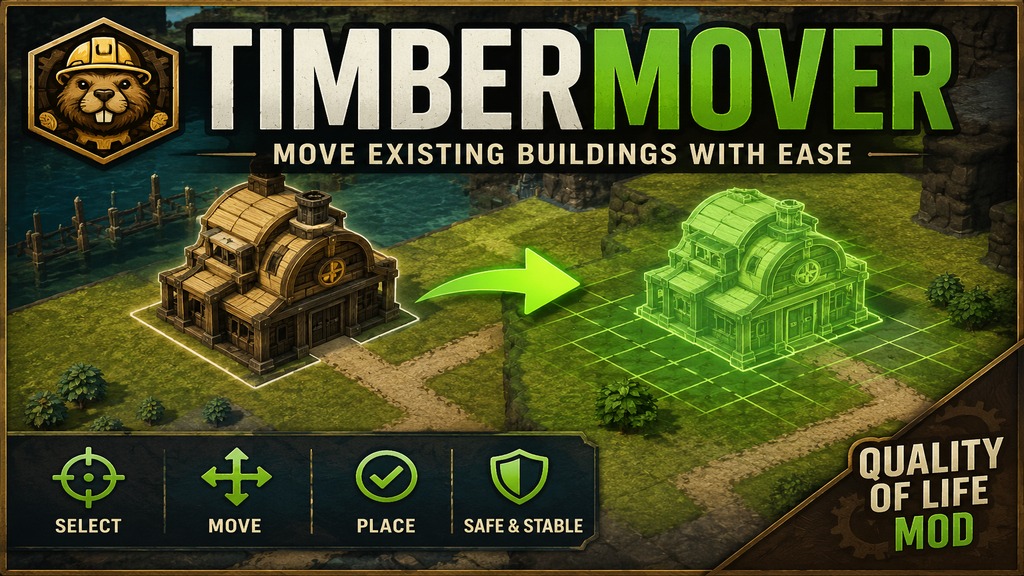
**TimberMover** ******Important: Required Dependency****** TimberMover requires Harmony to be installed and enabled. If you get an error mentioning `0Harmony`, please make sure the Harmony Workshop item is subscribed and active before loading your save. TimberMover adds a practical building movement tool to Timberborn, allowing you to reposition existing buildings without destroying and rebuilding them. This mod is designed for cleaner city planning, easier layout corrections, and more flexible settlement adjustments. **Features** * Move selected buildings to a new position. * Use normal mouse-based movement with the **Move** button. * Use the new **Precision** mode for step-by-step keyboard movement. * Move the placement preview with W / A / S / D or the arrow keys. * Confirm the preview position to move the building. * Cancel movement to leave the original building unchanged. * Supports buildings with special water-placement rules. * Prevents normal land buildings from being moved into invalid water positions. * Multi-language button text support for the entity panel. * Building Rotation **MovePlus Precision Movement** The new Precision mode lets you adjust a building’s target position one tile at a time before confirming the final move. Unlike normal movement, Precision mode first moves only the preview. The real building is moved only when you confirm the target position. This makes small corrections safer and easier. **Water Placement Handling** TimberMover now better respects Timberborn’s internal placement rules for water-based buildings. Buildings that are meant to be placed in water can be moved more reliably, while regular land buildings remain blocked from illegal water placement. **Controls** * **Move**: normal mouse-based movement. * **Precision**: keyboard-based preview movement. * **W / A / S / D** or **Arrow Keys**: move preview. * **Confirm**: place the building at the preview position. * **Cancel**: stop movement and keep the building in its origin
TimberMover ***Important: Required Dependency TimberMover requires Harmony to be installed and enabled. If you get an error mentioning `0Harmony`, please make sure the Harmony Workshop item is subscribed and active before loading your save. TimberMover adds a practical building movement tool to Timberborn, allowing you to reposition existing buildings without destroying and rebuilding them. This mod is designed for cleaner city planning, easier layout corrections, and more flexible settlement adjustments. Features Move selected buildings to a new position. Use normal mouse-based movement with the Move button. Use the new Precision mode for step-by-step keyboard movement. Move the placement preview with W / A / S / D or the arrow keys. Confirm the preview position to move the building. Cancel movement to leave the original building unchanged. Supports buildings with special water-placement rules. Prevents normal land buildings from being moved into invalid water positions. Multi-language button text support for the entity panel. Building Rotation MovePlus Precision Movement The new Precision mode lets you adjust a building’s target position one tile at a time before confirming the final move. Unlike normal movement, Precision mode first moves only the preview. The real building is moved only when you confirm the target position. This makes small corrections safer and easier. Water Placement Handling TimberMover now better respects Timberborn’s internal placement rules for water-based buildings. Buildings that are meant to be placed in water can be moved more reliably, while regular land buildings remain blocked from illegal water placement. Controls Move: normal mouse-based movement. Precision: keyboard-based preview movement. W / A / S / D or Arrow Keys: move preview. Confirm: place the building at the preview position. Cancel: stop movement and keep the building in its origin
📊 Mod Details
- Game
- Timberborn Mods
- Author
- 76561199805216121
- Version
- N/A
- Downloads
- 980
- Endorsements
- 0
- Category
- Mod, New content, Quality of life, Buildings
- Created
- 6/14/2026
- Updated
- 8/6/2026
🔧 How to Install Timberborn Mods
Subscribe on Steam Workshop. Mods auto-download and install. Launch the game to activate.
📖 Full step-by-step install guide for Timberborn →
Visit the official mod page for specific installation instructions for this mod.
🎮 Need cheat codes or console commands? Check ur gaming wiki for Timberborn commands, item IDs, and more.
Keep browsing — more Timberborn mods await