Grid
🟡 Updated this yearPreview
🔍 Analysis
- 👍 0.0% endorsement rate
📋 About This Mod
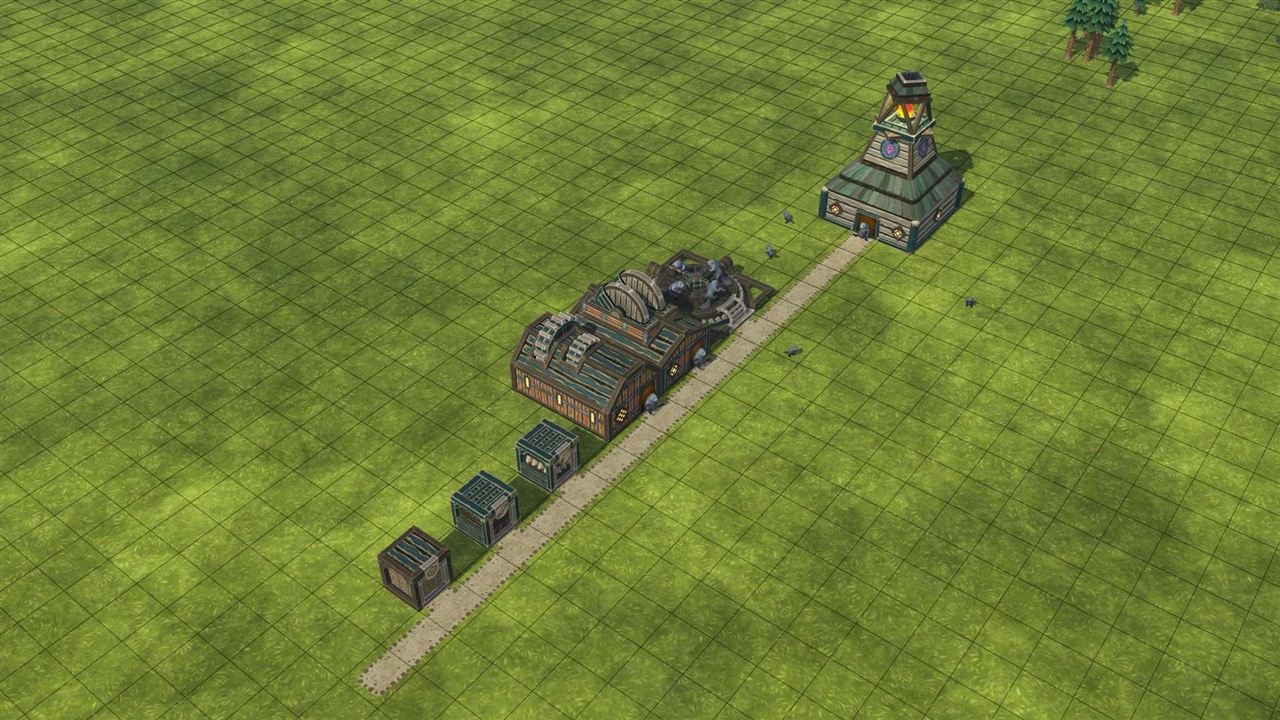
Building perfect settlements has never been easier! This mod adds a clean, high-performance 3D grid overlay to Timberborn, helping you perfectly align buildings and paths with surgical precision, even in the most complex vertical colonies. Features Layer Sync: The grid is fully integrated with Timberborn's layer visibility system. It automatically renders on your active layer, allowing you to see exactly where you are building while slicing through the map levels. Visual Reference: Helps visualize block dimensions and elevations, perfect for planning large-scale terraforming projects or long-distance path networks. Total Optimization: Written to run natively within Timberborn's rendering engine, ensuring zero impact on your performance (FPS). Rulers and Map Markers are saved with the saved game. Grid reference lines Mechanical connector markers: shows gears on mechanical input/output transputs. Bottom-facing connectors are always visible; others are hidden by terrain and buildings. Also supports Rulers and Markers in Map Editor mode. They will not be loaded when a player with the mod creates a new game using the map, but consider deleting all rulers and markers from the map before publishing it. Controls Shift-G turns Terrain Grid on/off Alt-G turns Buildings Grid on/off Ctrl-G turns Mechanical connector markers on/off. It cycles through three states: off, map + preview, preview only Shift-U turns Rulers on/off Shift-M turns Markers on/off Shift-T turns the Topo Map on/off Shift-V turns the Evaporation Map on/off The button on the BottomBar with a grid opens the grid group menu. Rulers and circles To add a ruler, select the ruler tool. click on the map, then move the mouse to set orientation. If you click on a rule tile, a rule with length tile cliked is created. Click outside the rule to create a max len rule. Holding ALT while adding a ruler will add a circle with both horizontal and vertical diameter rulers. After adding a ruler, you can shift click on it with th
📊 Mod Details
- Game
- Timberborn Mods
- Author
- 76561198049208288
- Version
- N/A
- Downloads
- 1,541
- Endorsements
- 0
- Category
- Mod, Update 1.0, Update 1.1, Quality of life, Visuals, Modding tools
- Created
- 2/24/2026
- Updated
- 8/19/2026
🔧 How to Install Timberborn Mods
Subscribe on Steam Workshop. Mods auto-download and install. Launch the game to activate.
📖 Full step-by-step install guide for Timberborn →
Visit the official mod page for specific installation instructions for this mod.
🎮 Need cheat codes or console commands? Check ur gaming wiki for Timberborn commands, item IDs, and more.
Keep browsing — more Timberborn mods await