Building Blueprints
🟡 Updated this yearPreview
🔍 Analysis
- 👍 0.0% endorsement rate
📋 About This Mod
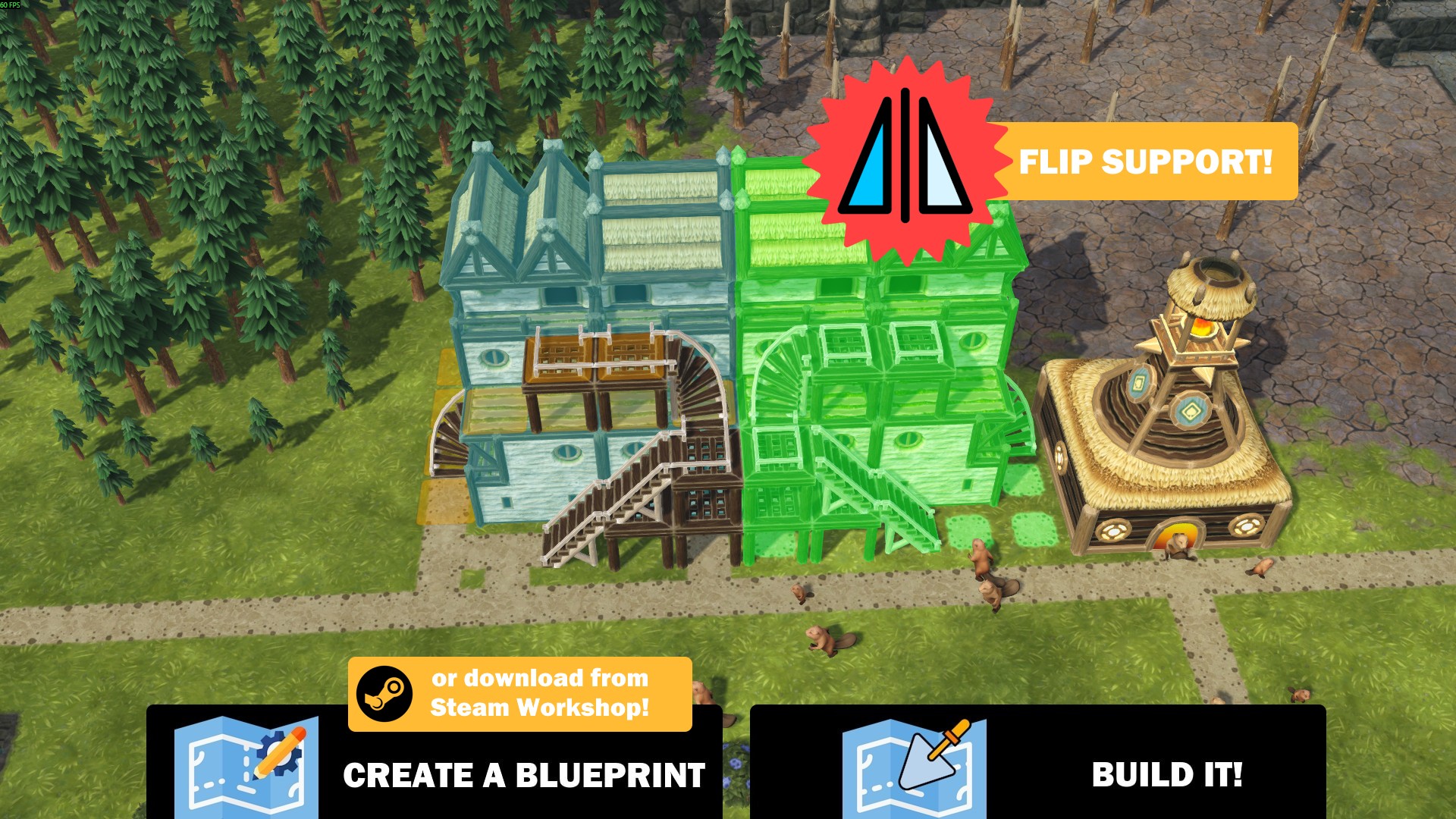
The highly requested feature is finally here. Building Blueprints lets you save a group of buildings and place them again with one click! The new tool group "Building Blueprints" located at the end of your toolbar includes 3 tools: Create, Build and Demolish. Create Building Blueprint Simply select the tool, drag an area around the buildings you want to include in the blueprint. Then select a name and save it! Only buildings can be included in the blueprint. You also need to include the entire building within the area for it to be added to the blueprint. The buildings' orientation (rotation), flip, and settings are supported! You can press the Copy Settings button to choose to include Settings in your blueprint or not. Blueprint files are just JSON files stored in your game's Documents folder so you can easily copy and share them or even edit them manually if you want to. See the dialog below, there is a Browse button that will open the folder where the blueprints are stored. Note: - Terrains are not supported so if your building blocks have finished terrain blocks, they won't be included. You can, however, include unfinished terrain blocks. - District Centers and District Crossings are excluded from blueprints to prevent crashes. - When selection starts with a tile with Road, you may notice certain buildings like Platforms of the same level are not selected. This is due to the game's tool behavior when selecting. Try starting with a non-road tile. - You can use Copy Name Too! to also copy the building's name. If you share the blueprint, those who have that mod also get the building names too. You can also pair it with More Naming to be able to rename almost any building. Build Blueprint Select the Build Blueprint tool, you will be presented with the Select Building Blueprint dialog. Choose the blueprint you want to place, then click the Build Blueprint button. - You can rotate and flip the whole blueprint while placing it. Note that flipping may not be possible if
📊 Mod Details
- Game
- Timberborn Mods
- Author
- 76561198010623560
- Version
- N/A
- Downloads
- 9,186
- Endorsements
- 0
- Category
- Mod, Update 1.1, Update 1.0, Quality of life, Buildings
- Created
- 2/16/2026
- Updated
- 7/17/2026
🔧 How to Install Timberborn Mods
Subscribe on Steam Workshop. Mods auto-download and install. Launch the game to activate.
📖 Full step-by-step install guide for Timberborn →
Visit the official mod page for specific installation instructions for this mod.
🎮 Need cheat codes or console commands? Check ur gaming wiki for Timberborn commands, item IDs, and more.
Keep browsing — more Timberborn mods await