Transparent Terrain
🟡 Updated this yearPreview
🔍 Analysis
- 👍 0.0% endorsement rate
- 🏆 #4 of 5 Mod, Update 1.0, Update 0.7, Quality of life, Visuals, Miscellaneous mods in this game by downloads
📋 About This Mod
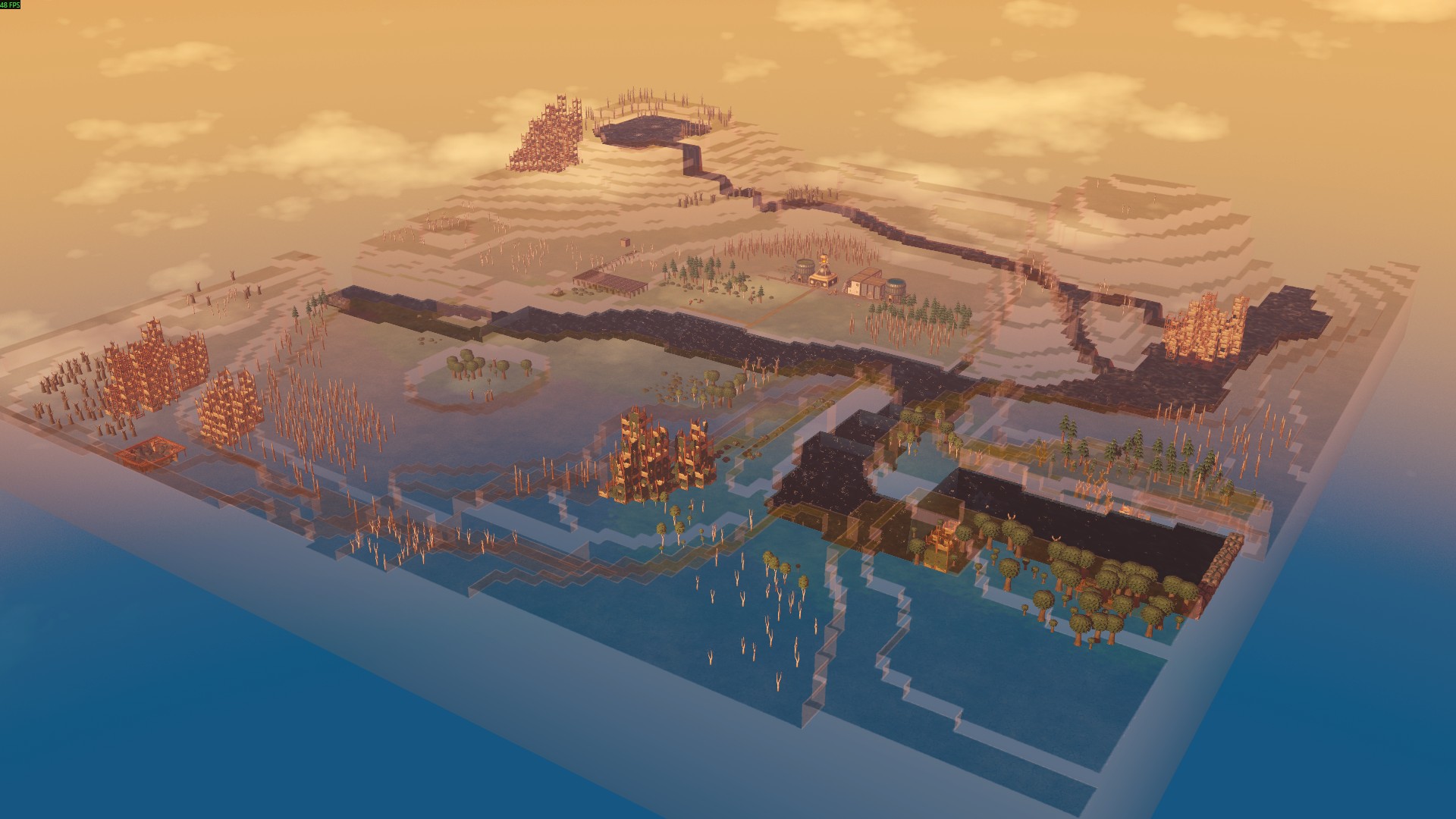
Make the game's terrain semi-transparent for better visibility underground or beneath structures. You can toggle and adjust transparency at any time using the in-game configuration menu or hotkeys. - Hold N to enable transparency. - Press Shift + N or use the top-right button to toggle transparency. - Press Ctrl + N or right-click the button to open a configuration box where you can set the transparency level. All keybindings can be rebound in the Settings (UI section). In the configuration box, you can also check the "Always Keep the Layer Top Transparent" option to ensure that the top terrain layer remains transparent when using the visibility layer tool. This option is stored globally, not per save. Powered by Transparent Shaders. === Mod source code and donation: https://github.com/datvm/TimberbornMods (feel free to use the code for anything). v10. 2. 0: Added "Always Keep the Layer Top Transparent" option. v10. 1. 0: When using the visibility layer tool, the top layer is now also semi-transparent. v10. 0. 1: Now support U7.
📊 Mod Details
- Game
- Timberborn Mods
- Author
- 76561198010623560
- Version
- N/A
- Downloads
- 629
- Endorsements
- 0
- Category
- Mod, Update 1.0, Update 0.7, Quality of life, Visuals, Miscellaneous
- Created
- 11/11/2025
- Updated
- 2/7/2026
🔧 How to Install Timberborn Mods
Subscribe on Steam Workshop. Mods auto-download and install. Launch the game to activate.
📖 Full step-by-step install guide for Timberborn →
Visit the official mod page for specific installation instructions for this mod.
🎮 Need cheat codes or console commands? Check ur gaming wiki for Timberborn commands, item IDs, and more.
Keep browsing — more Timberborn mods await