Configurable & Moddable Lights
🟡 Updated this yearPreview
🔍 Analysis
- 👍 0.0% endorsement rate
📋 About This Mod
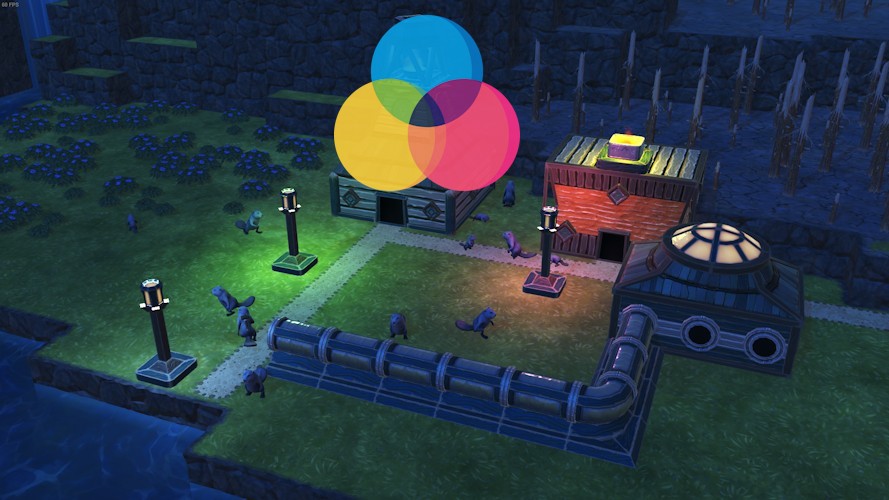
Note: In V1, there is a new graphics setting called "Additional Light Quality" that would affect Lights made by this mod. If you turn it off, you won't see those lights. Certain buildings in the game does not have a real "light" (for example Lantern or Brazier) but is just a texture due to Unity's Light constraint. This mod adds an actual light source to these buildings that are configurable as well. For players: This mod adds actual light sources (and configurable) to Lantern (Folktails and Iron Teeth) and Brazier (Iron Teeth) buildings. For modders: You can use this mod to add light sources to your mod's or the game's buildings using JSON specs. You should check out Even More Lights for more building lights! Configurable Lights For each supported buildings (either through this mod or for additional mods), you can configure the light source's color, intensity and range (see screenshot above). You can also force any night-time light to be always on or force turning it it off for that building or all buildings of the same kind. Tip: You can Shift + Click the slider to enter a specific number. The Shift button may be changed in Keybindings (User interface -> Alternate button action) You can also use configurable hotkeys to copy and paste the setting. The default is Ctrl Shift I for copying and Ctrl Shift O for pasting. To change it, go to Settings -> Keybindings, they are under the User Interface section. Known issues: I heard the dev removed the light source from the game due to Unity's constraint. From my testing, as long as you don't put them too close together (or set the range and intensity too high), it should be fine. For modders: adding user-configurable lights to your buildings Note: see the above issue, while my mod supports multiple lights in a building, it is not recommended because it may cause certain lights not working. 1. Create a JSON Spec file like `Blueprints\RealLights\MyBuilding. RealLightsSpec.blueprint.json`. In the example, I use Brazier: { "Rea
📊 Mod Details
- Game
- Timberborn Mods
- Author
- 76561198010623560
- Version
- N/A
- Downloads
- 3,809
- Endorsements
- 0
- Category
- Mod, Update 1.1, Update 1.0, Update 0.7, New content, Visuals, Buildings, Miscellaneous
- Created
- 3/26/2025
- Updated
- 7/3/2026
🔧 How to Install Timberborn Mods
Subscribe on Steam Workshop. Mods auto-download and install. Launch the game to activate.
📖 Full step-by-step install guide for Timberborn →
Visit the official mod page for specific installation instructions for this mod.
🎮 Need cheat codes or console commands? Check ur gaming wiki for Timberborn commands, item IDs, and more.
Keep browsing — more Timberborn mods await
📋 All Timberborn Mods
🏆 Top 25
📂 More Mod, Update 1.1, Update 1.0, Update 0.7, New content, Visuals, Buildings, Miscellaneous
👤 More by 76561198010623560
🔎 Similar Mods
🌐 Best Mod, Update 1.1, Update 1.0, Update 0.7, New content, Visuals, Buildings, Miscellaneous (All Games)
🔀 Check Compatibility
⚖️ Compare Mods
🆕 New Mods