Quick Start
🟠 Updated over a year agoPreview
🔍 Analysis
- 👍 0.0% endorsement rate
📋 About This Mod
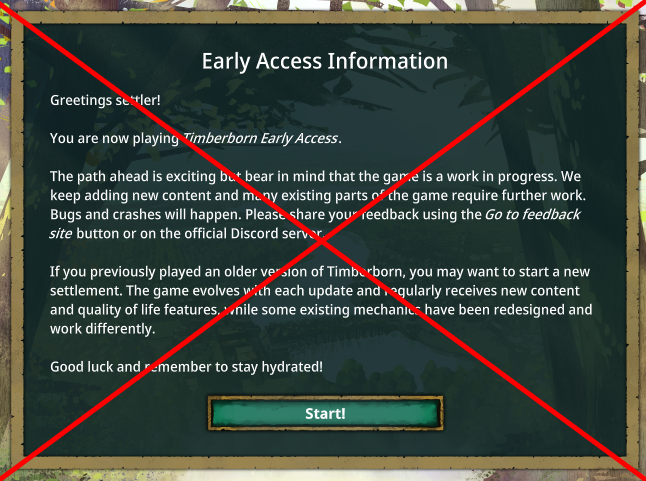
Skip the welcome screen and optionally auto load your last save. From the Main Menu, you can click Mods -> Settings button next to the mod's name to enable: - Auto load by holding Shift: Automatically load the last saved game (like clicking the Continue button) when holding Shift during the game start. - Hold Shift to cancel instead: Always load the last saved game unless you hold Shift during the game start. - Auto load Map Editor instead: Automatically load the Map Editor when starting the game, like a Continue button but for Map Editor Tip: launch the game with -skipModManager switch to skip the initial mod dialog as well. === Mod source code and donation: https://github.com/datvm/TimberbornMods v7. 1. 0: Add "Auto load Map Editor instead" option. Added a 5s delay for pressing Shift to auto load/cancel auto load since previously it's almost impossible to press it without the mod panel.
📊 Mod Details
- Game
- Timberborn Mods
- Author
- 76561198010623560
- Version
- N/A
- Downloads
- 1,511
- Endorsements
- 0
- Category
- Mod, Update 1.0, Update 0.7, Quality of life, Miscellaneous
- Created
- 2/10/2025
- Updated
- 5/15/2025
🔧 How to Install Timberborn Mods
Subscribe on Steam Workshop. Mods auto-download and install. Launch the game to activate.
📖 Full step-by-step install guide for Timberborn →
Visit the official mod page for specific installation instructions for this mod.
🎮 Need cheat codes or console commands? Check ur gaming wiki for Timberborn commands, item IDs, and more.
Keep browsing — more Timberborn mods await