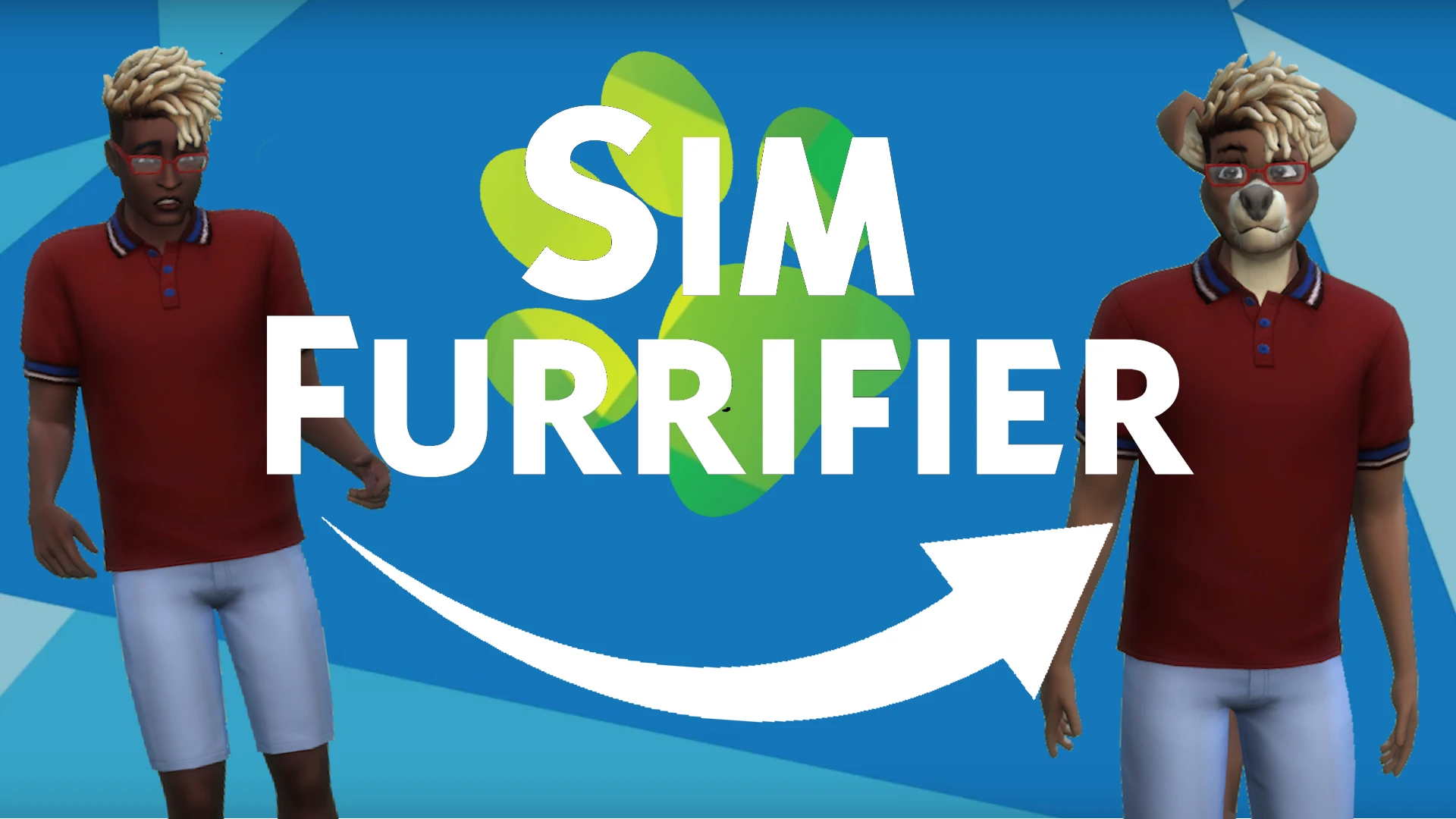
Sim Furrifier - Furry CC Auto Applier
🟡 Updated this yearPreview
🔍 Analysis
- 👍 1.3% endorsement rate — high engagement, a strong quality signal
- 🏆 #7 of 53 Miscellaneous mods in this game by downloads
📋 About This Mod
Allows easy (and optionally automatic) equipping of furry CC to sims to turn them into furries
Discord: I have a Discord Server as an alternate place for support/feedback on my mods, and also for discussing furry mods in general.
This mod lets you easily and quickly add furry CC to sims to turn them into furries. You can either do this to individual sims manually, or automatically change all sims into furries. It can apply furry CC from several different mods, and has a variety of different furry species to choose from. It also has several settings to change how the furries are generated.
This mod is mainly intended to turn randomly generated townies into furries, but it can also be used to quickly furrify your own sims, quickly change existing furry sim's species or fur, or many other things. I recommend using my Furry Premade Sims for the game's premade sims, which adds hand-made furry presets that are generally higher quality than the random furry sims this mod will make without it. Feel free to give feedback on the random sims as well, as this can help me make them look better.
Features/Usage:
-
[]Interaction to instantly turn a sim into any of many furry species[/]
[]Interaction to turn a sim into an appropriate furry species based on other furry family members[/]
[]Option to automatically turn a customizable percent of unplayed sims into furries[/]
[]Options to customize what furry parts are applied to sims[/]
[]Options to customize what non-furry parts are removed from sims[/]
[]Option to keep furry children's parts consistent as they age up[/]
[]Option to ensure children of furry sims are furry and children of human sims are human[/]
[]Option to debug issues with furry eye presets[/]
[]Interaction to randomize a furry sim's fur patterns[/]
[]Interaction to update furry sim's appearances based on the preferences you set[/]
-
[]Manually: From the Furrifier Menu, the "Change Species" and "Change Disguise" (for aliens) interactions will let you quickly change any sim to a furry from a list of different species. If you don't like how they look, you can change their species again, use the 'Randomize Fur' interaction to randomize only some of their appearance, or make specific edits in CAS.[/]
[]Automatically: If you turn on the automatic mode (using 'Toggle Automatic Mode' using the 'Settings' interaction in the menu), all non-furry sims will be turned into furries, and any newly created sims will also be turned into furries until automatic mode is turned off again. Be careful with this! Any unplayed sims you want to remain human or who are using furry CC from unsupported sets will be automatically furrified as soon as you turn auto mode on! Before doing so, use the mod's menu to either mark them as already being furries, or as being exempt from automatic furrification.[/]
[]Commands: You can also manually furrify sims using commands. This doesn't require testing cheats to be on. Here's how the command works:[/]
furrify - Changes the current sim to the specified species
furrify - Changes the specified sim to a random species
furrify - Changes the specified sim to the specified species
Advanced Usage:
The furrifier can load .ffa (FurriFier Addon) files from anywhere in your mods folder, allowing it to utilize more parts, species, presets, and more, or to tweak the mod's randomness. Users are free to share any addons they create, or you can make your own!
For less technical users, the "Preset Creator" optional file adds a cheat to generate an addon containing presets for premade sim appearances.
More technical users users who can understand or learn JSON can download the optional file called 'Custom Addons'. It contains instruction on how to make changes to the data file the mod draws from, allowing changes including changing how likely sims are to receive certain species, part, or colors, adding new species and parts, or removing existing ones.
If you make an interesting custom addon, I'd love to hear about it! I may want to add some of your change to the default file. You also have my permission to share it and post it wherever you want, no need to ask me. If it's SFW and I like it enough, I may also be willing to host it here
📊 Mod Details
- Game
- Thesims4 Mods
- Author
- FellowFur
- Version
- 2.2.4
- Downloads
- 25,111
- Endorsements
- 321
- Category
- Miscellaneous
- Created
- 10/19/2023
- Updated
- 2/8/2026
🔧 How to Install Thesims4 Mods
Download from Nexus Mods.
📖 Full step-by-step install guide for Thesims4 →
Visit the official mod page for specific installation instructions for this mod.
🎮 Need cheat codes or console commands? Check ur gaming wiki for Thesims4 commands, item IDs, and more.
Keep browsing — more Thesims4 mods await