Pre-configured BepInEx with Configuration Manager
⚪ Last updated 2024Preview
🔍 Analysis
- 👍 0.6% endorsement rate
- 🏆 #3 of 288 Miscellaneous mods in this game by downloads
📋 About This Mod
BepInEx is a modding framework for Unity games, and is required for mods to work.
This is just a BepInEx installation with already pre-configured values that work for TCG Card Shop Simulator.
If you'd rather set it up yourself, download BepInEx from the official Github page and the Configuration Manager plugin from here.
How to install BepInEx:
-
[]Extract the archive to the game's root folder (where Card Shop Simulator.exe is located)
[
]Run the game once after installingHow to install mods (including Configuration Manager):
-
[]If the mod's .zip file contains a BepInEx folder:
[
]Extract to the game's root folder-
[]If the mod's .zip file contains a single dll, or a folder with the mod's name with a .dll inside:
[
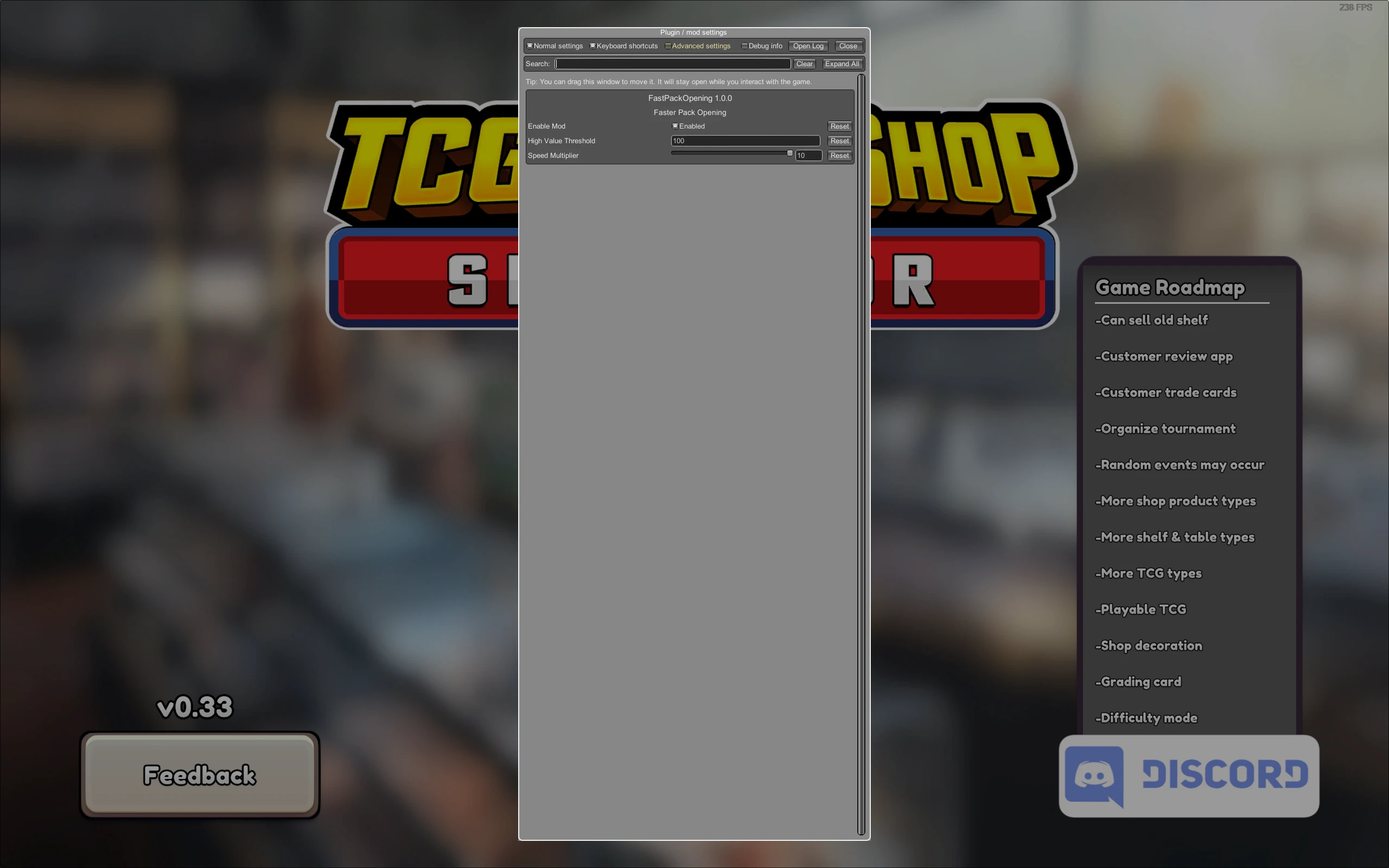
]Extract the folder with the mod's .dll file to (root folder)/BepInEx/pluginsTo open the configuration manager in-game, press F1. This key is configurable in the BepInEx/config/com.bepis.bepinex.configurationmanager.cfg file. If the mod's archive contains just a loose .dll file, you can leave it in the plugins folder but I recommend creating a folder with the mod's name and placing the .dll inside to keep your plugins folder more organised.
Recommended configuration steps:
In my case, for Configuration Manager to work, I had to change this line in BepInEx/config/BepInEx.cfg:
HideManagerGameObject = false
HideManagerGameObject = true
-
[]If the mod's .zip file contains a single dll, or a folder with the mod's name with a .dll inside:
-
[]If the mod's .zip file contains a BepInEx folder:
Pre-configured BepInEx with Configuration Manager is a modding framework installer for TCG Card Shop Simulator, bundling BepInEx and the Configuration Manager plugin with settings that work out of the box. It simplifies setup for players who want to use mods, requiring just extraction to the game root and a single run. With 4,776 endorsements and 737,890 downloads, it's a widely used foundation for modding the game.
✨ Key Features
📊 Pros & Cons
✅ Pros
- Massive community trust with 4,776 endorsements and 737,890 downloads.
- Saves you the hassle of manual BepInEx setup—just extract and run.
- Includes Configuration Manager, so you can tweak mod settings in-game without editing files.
⚠️ Cons
- Requires manual config tweak (HideManagerGameObject) for Configuration Manager to work—not truly plug-and-play.
- Only works for TCG Card Shop Simulator; not a universal BepInEx installer.
- Potential conflicts with other mods that modify BepInEx config or plugins folder.
For TCG Card Shop Simulator players who want to dive into modding without wrestling with framework setup. Perfect if you're new to BepInEx and want a working base to add mods. Skip if you prefer manual control over your modding environment or play other Unity games.
💡 Beginner Tips
- After extracting to the game root, run the game once before adding mods to generate necessary config files.
- If Configuration Manager doesn't open with F1, edit BepInEx/config/BepInEx.cfg and set HideManagerGameObject to true.
- When installing mods, create a folder inside BepInEx/plugins for each mod's DLL to keep things organized.
📊 Mod Details
- Game
- Tcgcardshopsimulator Mods
- Author
- BepInEx
- Version
- 5.4.23.2
- Downloads
- 737,890
- Endorsements
- 4,776
- Category
- Miscellaneous
- Created
- 9/19/2024
- Updated
- 9/19/2024
🧩 Commonly Used Together
Users add these mods to the same collections — a real compatibility signal, not an AI guess.
🔧 How to Install TCG Card Shop Simulator Mods
Download from Nexus Mods.
📖 Full step-by-step install guide for TCG Card Shop Simulator →
Visit the official mod page for specific installation instructions for this mod.
🎮 Need cheat codes or console commands? Check ur gaming wiki for TCG Card Shop Simulator commands, item IDs, and more.
Keep browsing — more TCG Card Shop Simulator mods await