Universal Button and Counter Scripting
⚪ Last updated 2016Preview
🔍 Analysis
- 👍 0.0% endorsement rate
📋 About This Mod
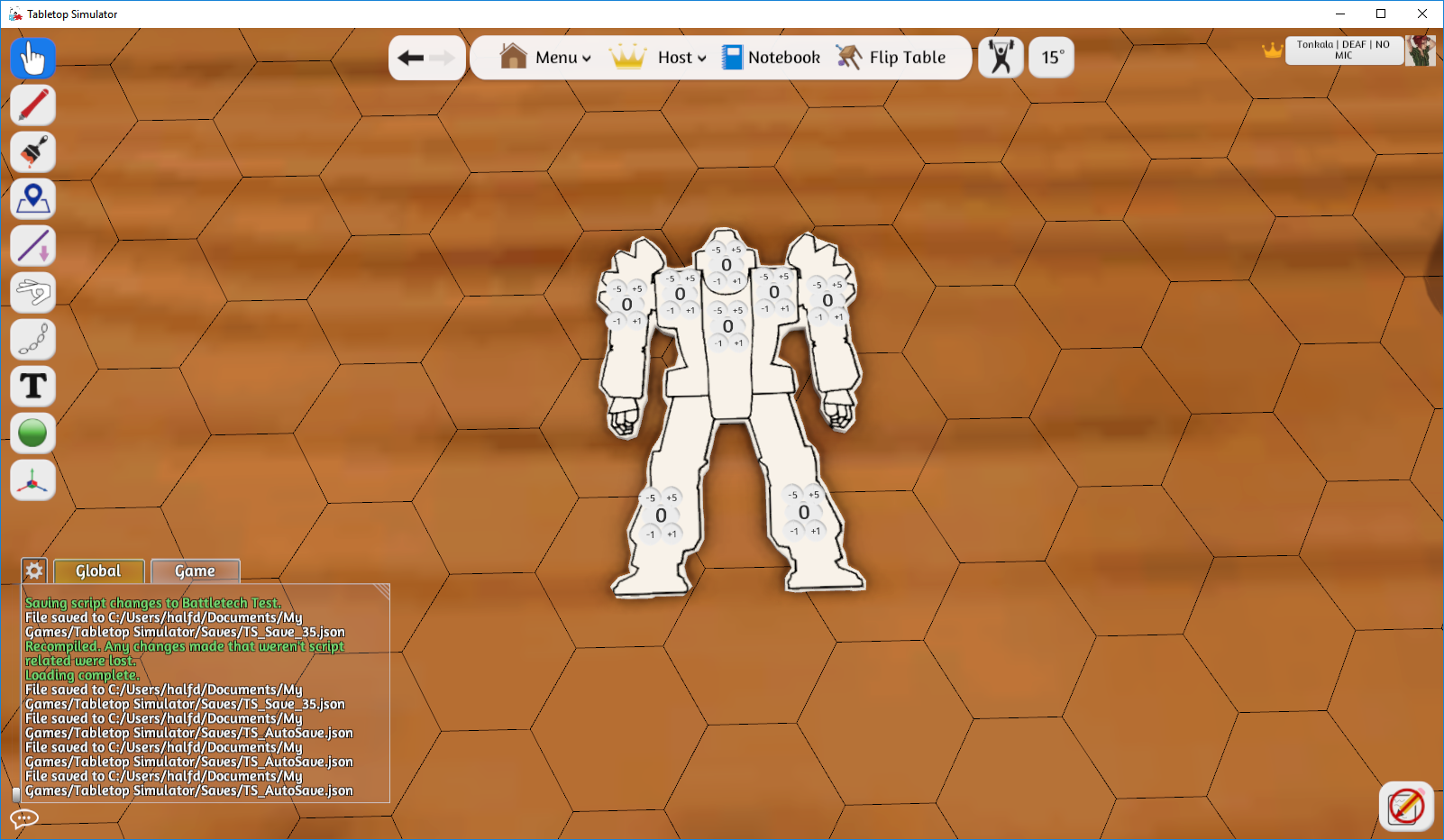
This mod is a script that allows you to have customized buttons appear on or around any model you like. You need to right click on the example model and go to Scripting, then the Lua Editor. I suggest using an external app to edit the code, like Notepad++. I clearly marked the section you need to edit to customize this, between two comment blocks starting with 'Edit below this line' and ending with 'Don't touch below this line'. You can have as few as no counters, or a ridiculously high amount of buttons. Each button needs a name, a type, and a position. Additionally, you must define at least one type style. An example of the name-type would be: buttons.head = {type = 'armor'} the 'head' bit is where you give the place a name. The ''armor'' bit is where you assign the type, the single quotes around the type are necessary. An example of the position would be: buttons.params.positions.head = {x = 0, y = 0. 1, z = -1. 4} x is left and right, z is forward and back, and y is height above the model and it is relative to the center of the model. Notice the 'head' at the end of the variable name. You need one of these positions for every counter. Finally, you need a type style. You can have as many type styles as you want, say a great big one for Armor and a smaller one for internal Structure (note that Lua requires variable names to be single words, so Internal Structure would be written as 'internalStructure') . An example would be: buttons.params.sizes.armor = {} buttons.params.sizes.armor.display = {width = 200, height = 100, font = 100} buttons.params.sizes.armor.button = {width = 50, height = 50, font = 50} buttons.params.sizes.armor.offsets = { topButtons = {x = 0. 1, y = 0, z = -0. 17}, bottomButtons = {x = 0. 1, y = 0, z = 0. 17} } Notice the 'armor' on the top line, and after 'sizes' on the following three lines. The offsets are relative to the center point of the display button. The display button is the counter itself, while the button refers to the incrementing butto
📊 Mod Details
- Game
- Tabletop Simulator Mods
- Author
- 76561198027488822
- Version
- N/A
- Downloads
- 2,207
- Endorsements
- 0
- Category
- Misc, 1, 2, 4+, 3, 4, Templates, Scripting
- Created
- 7/23/2016
- Updated
- 7/23/2016
🔧 How to Install Tabletop Simulator Mods
Subscribe on Steam Workshop. Mods auto-download and install. Launch the game to activate.
📖 Full step-by-step install guide for Tabletop Simulator →
Visit the official mod page for specific installation instructions for this mod.
🎮 Need cheat codes or console commands? Check ur gaming wiki for Tabletop Simulator commands, item IDs, and more.
Keep browsing — more Tabletop Simulator mods await