Automated Pricing Based on Buy Chance
🟠 Updated over a year agoPreview
🔍 Analysis
- 👍 1.7% endorsement rate — high engagement, a strong quality signal
- 🏆 #108 of 215 Gameplay mods in this game by downloads
📋 About This Mod
This BepInEx plugin for Supermarket Simulator simplifies pricing strategies by dynamically adjusting customer purchase chances.
Dynamic Automatic Pricing Mod
The Unique Advantages of This Plugin
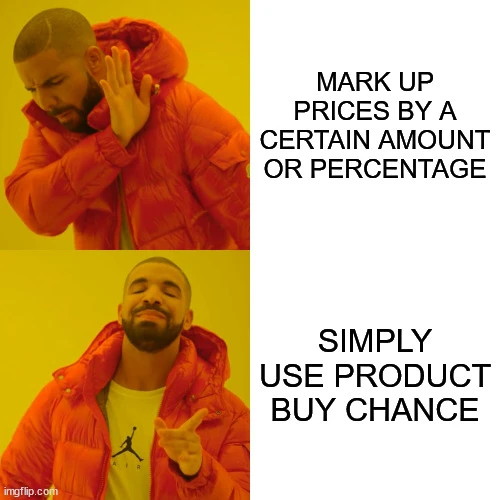
Discover the ultimate edge in maximizing your in-game profits! Unlike generic plugins that blindly apply a blanket price markup, this innovative tool uniquely factors in the Product Buy Chance, aligning perfectly with how the game’s mechanics determine customer purchases. It’s a smarter, more strategic way to boost your success!
Main Features
-
[] Automatically adjusts product pricing based on customer purchase chances.
[
] Dynamically calculates purchase likelihood based on pricing relative to Market Price.[] Configurable settings for fine-tuning pricing and maximizing profits.
[] Works seamlessly with the in-game Pricing Viewer screen.
User Guide
New Players Who Haven't Unlocked Cashier Yet
It's recommended to disable the `AutoUpdatePricingData` option. Use the `Ctrl+E` combination to initially set the prices, and then round them to the nearest dollar unless you're enjoying dealing with pennies.
Once You Acquire Cashier or Self-Checkout
Setting `ProfitRateBoost` to 10% can be used at the start, and later increased to sacrifice store points over profit.
What's the Chance of a Customer Buying a Product?
The game calculates the customer's chance of purchasing a product using the following method:
1. Selling at a Loss:
If you sell a product at a loss, the customer purchases it with a 200% chance (guaranteed).
2. Selling Below Market Price:
If you sell a product for less than the Market Price, the chance of purchase varies between 100% and 200%, following this curve:
m_PurchaseChanceCurveForCheapPrice (AnimationCurve):
-
[]
[
]value=200, time=0[]value=100, time=1
3. Selling Above Market Price but Below Maximum Price:
If you sell a product for more than the Market Price but less than the Maximum Price (as shown in the Pricing Viewer screen), the purchase chance ranges between 0% and 100%, based on the curve:
m_PurchaseChanceCurveForExpensivePrice (AnimationCurve):
-
[]
[]value=100, time=0
[]value=100, time=0. 1
- value=0, time=1Note: Based on this curve, if the ProfitRateBoost mod setting is between 0% and 10%, customers always purchase the product.
4. Selling Above Maximum Price:
Any price set above the Maximum Price results in no sales.
-
[]
-
[]
📊 Mod Details
- Game
- Supermarketsimulator Mods
- Author
- r0ute
- Version
- 1.0.2
- Downloads
- 3,431
- Endorsements
- 59
- Category
- Gameplay
- Created
- 11/29/2024
- Updated
- 12/5/2024
🔧 How to Install Supermarket Simulator Mods
Download from Nexus Mods.
📖 Full step-by-step install guide for Supermarket Simulator →
Visit the official mod page for specific installation instructions for this mod.
🎮 Need cheat codes or console commands? Check ur gaming wiki for Supermarket Simulator commands, item IDs, and more.
Keep browsing — more Supermarket Simulator mods await