Base Clocks
⚪ Last updated 2022Preview
🔍 Analysis
- 👍 3.1% endorsement rate — high engagement, a strong quality signal
- 🏆 #1 of 13 Base Pieces mods in this game by downloads
📋 About This Mod
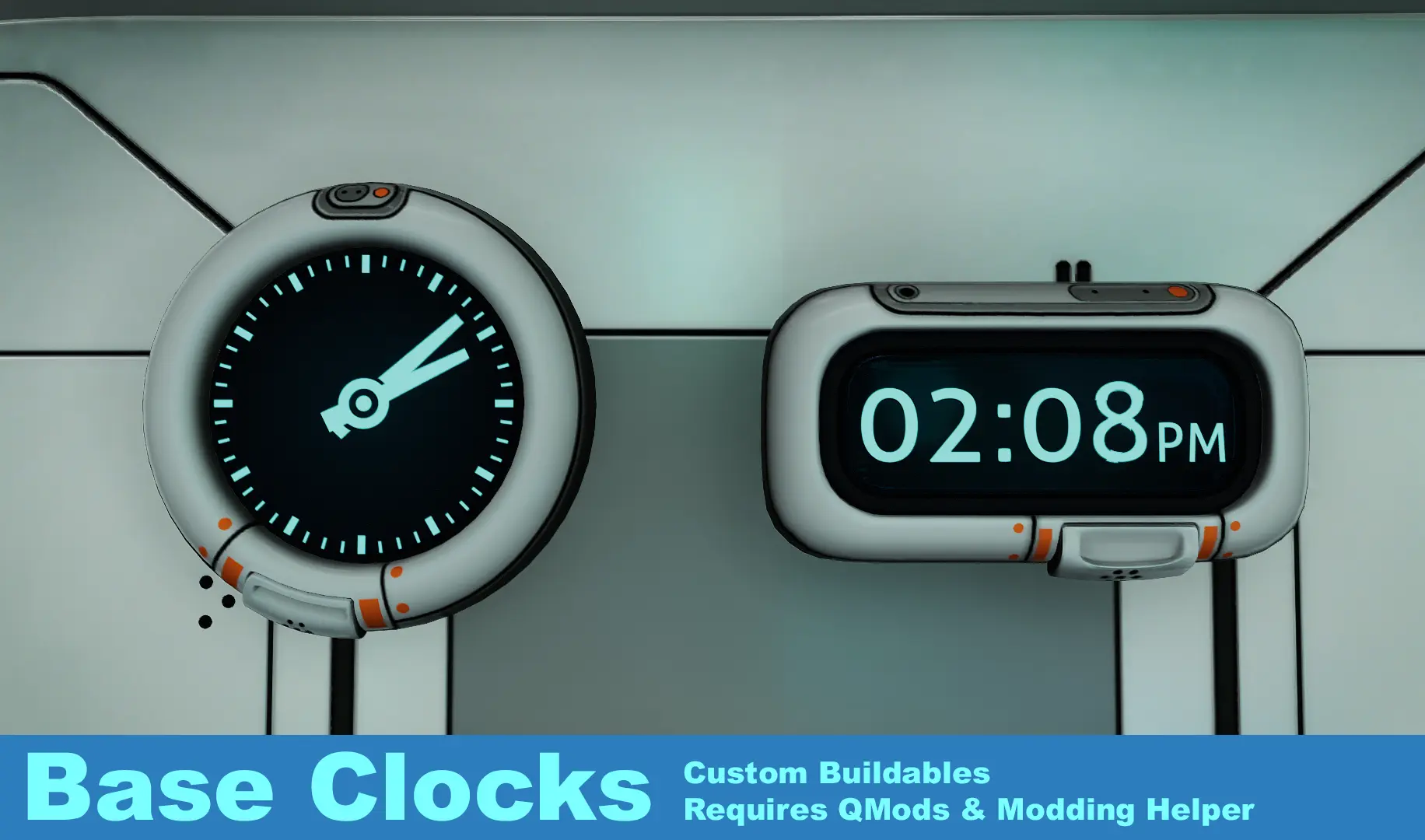
Adds two new buildables to the habitat builder. In normal time mode a clock will display the ingame time, and in system time mode it will display your current system time.
Subnautica Version:
https://www.nexusmods.com/subnautica/mods/75
Installation:
Download and install QMODs
Download and install Modding Helper.
Download the zip file.
Extract the zip file to your root Subnautica Below Zero directory ie(Steam\SteamApps\common\SubnauticaZero\).
Run the game.
If all goes well you should see the two clocks when you go into the miscellaneous section of the habitat builder menu.
Click on a clock to switch it from normal time to system time.
Click on a clock again to switch it from system time to normal time.
Troubleshooting:
Make sure both QMods and the Modding Helper are installed; up to date, and working.
Is your game up to date?
Check the qmodmanager_log-SubnauticaZero.txt log file in your Below Zero directory for any errors. Let me know if you find any.
Known Issues:
Changing the digital clock time format doesn't update the font size until the displayed clock time updates
1. 0. 1 - Initial release
Base Clocks adds two custom clock pieces to the Subnautica habitat builder, allowing players to decorate their bases with new timepiece designs. It is a straightforward port of an existing mod, with 588 endorsements and 19,266 downloads as of its last update in February 2022. Ideal for players wanting minor visual variety without gameplay changes.
✨ Key Features
📊 Pros & Cons
✅ Pros
- Strong community approval with 588 endorsements.
- Wide usage with over 19,000 downloads.
- Adds visual variety to bases without changing core gameplay.
⚠️ Cons
- Last updated in February 2022, so compatibility with the latest Subnautica updates is not guaranteed.
- Only two clock variants included, limiting customization options.
For Subnautica base builders who enjoy adding small decorative details to their habitats. If you want a quick cosmetic mod that fits into the existing construction system, this is a simple choice. Skip if you're looking for functional timekeeping or extensive new base modules.
💡 Beginner Tips
- Use the habitat builder to place the clocks after installing the mod.
- If the clocks don't appear, check that your Subnautica mod loader (like QModManager) is installed and up to date.
📊 Mod Details
- Game
- Subnauticabelowzero Mods
- Author
- Fenolpthalien
- Version
- 1.0.1
- Downloads
- 19,266
- Endorsements
- 588
- Category
- Base Pieces
- Created
- 2/13/2022
- Updated
- 2/13/2022
🧩 Commonly Used Together
Users add these mods to the same collections — a real compatibility signal, not an AI guess.
🔧 How to Install Subnautica: Below Zero Mods
Download from Nexus Mods.
📖 Full step-by-step install guide for Subnautica: Below Zero →
Visit the official mod page for specific installation instructions for this mod.
🎮 Need cheat codes or console commands? Check ur gaming wiki for Subnautica: Below Zero commands, item IDs, and more.
Keep browsing — more Subnautica: Below Zero mods await